




social security complaint form Preview on Page 1

Complaint social security 2026

Here's how it works

  • 01. Edit your social security complaint form online

    Type text, add images, blackout confidential details, add comments, highlights and more.

  • 02. Sign it in a few clicks

    Draw your signature, type it, upload its image, or use your mobile device as a signature pad.

  • 03. Share your form with others

    Send how do i file a complaint with social security via email, link, or fax. You can also download it, export it or print it out.

How to use or fill out complaint social security with our platform

Form edit decoration
9.5
Ease of Setup
DocHub User Ratings on G2
9.0
Ease of Use
DocHub User Ratings on G2
  1. Click ‘Get Form’ to open the complaint social security document in the editor.
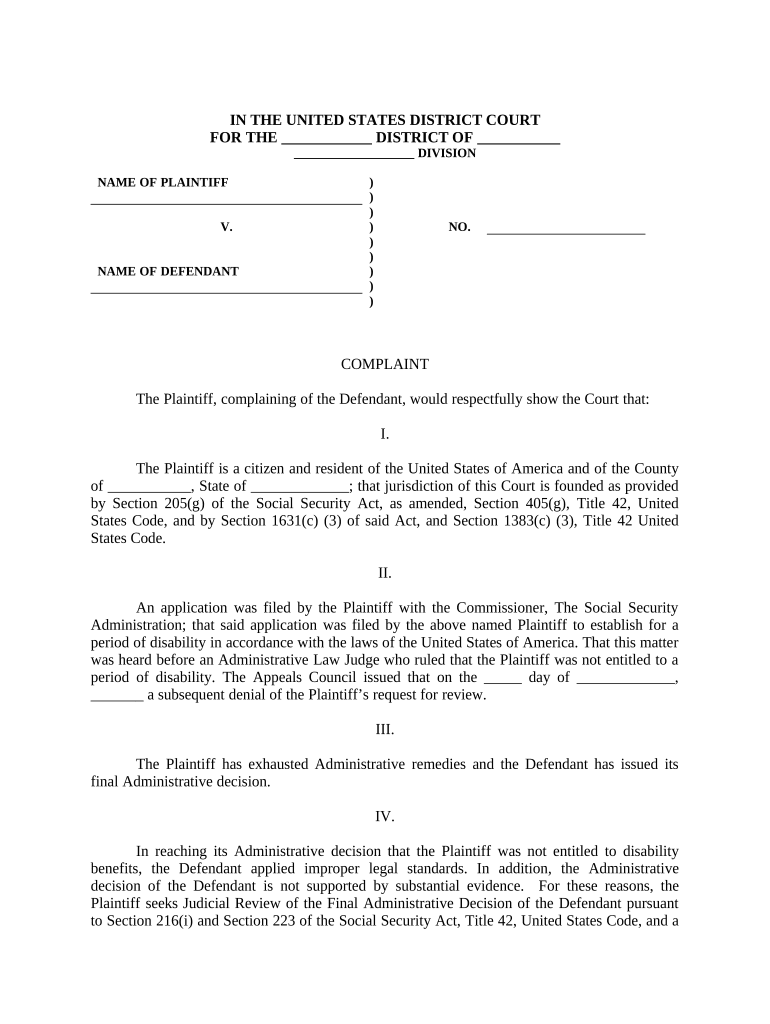
  2. Begin by filling in your personal information in the designated fields, including your name and address. Ensure accuracy as this establishes your identity as the Plaintiff.
  3. In Section I, provide details about your citizenship and residency. This is crucial for establishing jurisdiction under the Social Security Act.
  4. For Section II, summarize your application history with the Social Security Administration. Include dates and outcomes of any hearings or decisions made by an Administrative Law Judge.
  5. In Section III, confirm that you have exhausted all administrative remedies. This is important for validating your case for judicial review.
  6. Section IV requires you to articulate why you believe the Defendant's decision was incorrect. Clearly state any legal standards that were improperly applied.
  7. Finally, complete the WHEREFORE clause by specifying what relief you are seeking from the court, including any relevant dates for benefits commencement.

Start using our platform today to easily fill out your complaint social security form online for free!

be ready to get more

Complete this form in 5 minutes or less

Got questions?

We have answers to the most popular questions from our customers. If you can't find an answer to your question, please contact us.

With DocHub, you can rapidly sign your social security administration complaint form or any other document on iOS, even without setting up additional applications. You can access your DocHub account from any internet-connected browser and fill out and sign your form in any way you like with just a few clicks.

It is a no-brainer on a computer or via a mobile device to complete a social security complaint email with DocHub. All you need to do is open any installed web browser on your smartphone and go to the DocHub website. Once authenticated, add your document and open it in editing mode. Use our toolbar to make your edits and save changes. Optionally, keep your document in your files or send it to a recipient on the spot.

You may call us at 1-800-772-1213. Or you may call, visit, or write your local Social Security office. Social Security also offers a toll-free automated wage reporting telephone system and a mobile wage reporting application. You may also use my Social Security to report wages online.
CONTACTING SOCIAL SECURITY We are available to assist you by telephone, mail, or at through the internet. Our toll-free number is 1-800-772-1213. Teleservice representatives are on duty to answer your calls between 8:00 a.m. and 7:00 p.m. Monday through Friday.
For the location and other information about your local Social Security office, use our locator. If you cannot find your answer online and do not have a question about your personal situation, complete the form below to send us an email. Please do not include Social Security numbers in your message.

Security and compliance

At DocHub, your data security is our priority. We follow HIPAA, SOC2, GDPR, and other standards, so you can work on your documents with confidence.

be ready to get more

Complete this form in 5 minutes or less

People also ask

The SSA essentially claims that they are not set up to handle this volume of calls.
If you do not report changes to us in a timely manner, you may be underpaid and not receive the amount due as quickly or be overpaid and have to pay us back. The SSI program may apply a penalty that will reduce your benefits if you fail to report a change.
Report fraud, waste or abuse involving the Social Security or SSI programs to our Office of the Inspector General. Or, report anonymously by: Calling our toll-free number at 1-800-269-0271 (TTY 1-866-501-2101), Monday through Friday from 10 a.m. to 4 p.m. ET.
If you do not want to apply for benefits online, or you need to speak to us for any other reason, you can schedule, reschedule or cancel an appointment by: Calling us at 1-800-772-1213 (TTY 1-800-325-0778) between 8:00 am 7:00 pm, Monday through Friday.
Wait times to speak to a representative are typically shorter early in the day (between 8 a.m. and 10 a.m. local time) or later in the afternoon (between 4 p.m. and 7 p.m. local time). We are also less busy later in the week (Wednesday to Friday) and later in the month.

ssa complaint form

Report Fraud, Waste or Abuse | Office of the Inspector General

You can use this online form to report allegations of fraud, waste, and abuse concerning SSA programs and operations. Our office also addresses allegations

Learn more
Ethereum security and scam prevention

These scams usually stipulate a limited time of opportunity to claim the giveaway to encourage poor decision-making and create a false sense of urgency. Social

Learn more
Feedback Form | SSA - Social Security

Thank you for taking 5 minutes to provide feedback about your recent experience with the Social Security Administration.

Learn more
If you believe that this page should be taken down, please follow our DMCA take down process here