Type text, add images, blackout confidential details, add comments, highlights and more.
02. Sign it in a few clicks
Draw your signature, type it, upload its image, or use your mobile device as a signature pad.
03. Share your form with others
Send it via email, link, or fax. You can also download it, export it or print it out.
How to Use or Fill Out Tax Exemption with Our Platform
Ease of Setup
DocHub User Ratings on G2
Ease of Use
DocHub User Ratings on G2
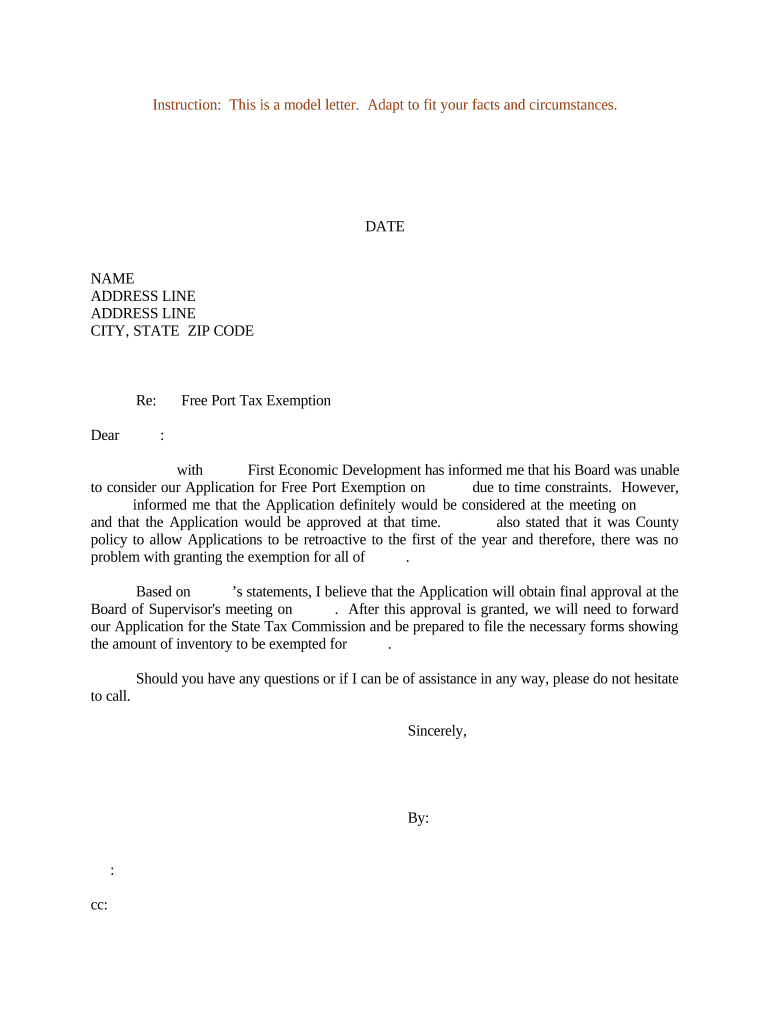
Click ‘Get Form’ to open the tax exemption document in the editor.
Begin by entering the date at the top of the form. This is essential for record-keeping and processing your application.
Fill in your name and address details accurately. Ensure that all information is current to avoid any delays.
In the 'Re:' section, specify the purpose of your letter, such as 'Free Port Tax Exemption'. This helps clarify your request.
Detail any communications you’ve had regarding your application, including dates and names of individuals involved. This adds credibility to your request.
Conclude with a polite closing statement, offering assistance if needed, and sign off with your name.
Start using our platform today to fill out your tax exemption form easily and for free!
Using Tax Exemption | OperationsCommander (OPSCOM)
OPSCOM supports Tax Exemption Codes for users, allowing the system to automatically waive applicable taxes during their purchases of items like permits,Read more
May 26, 2026 Exemption applications must be filed with your local assessors office. See our Municipal Profiles for your local assessors mailing address.Read more
Cookie consent notice
This site uses cookies to enhance site navigation and personalize your experience.
By using this site you agree to our use of cookies as described in our Privacy Notice.
You can modify your selections by visiting our Cookie and Advertising Notice.