Secrecy confidentiality 2026

Get Form
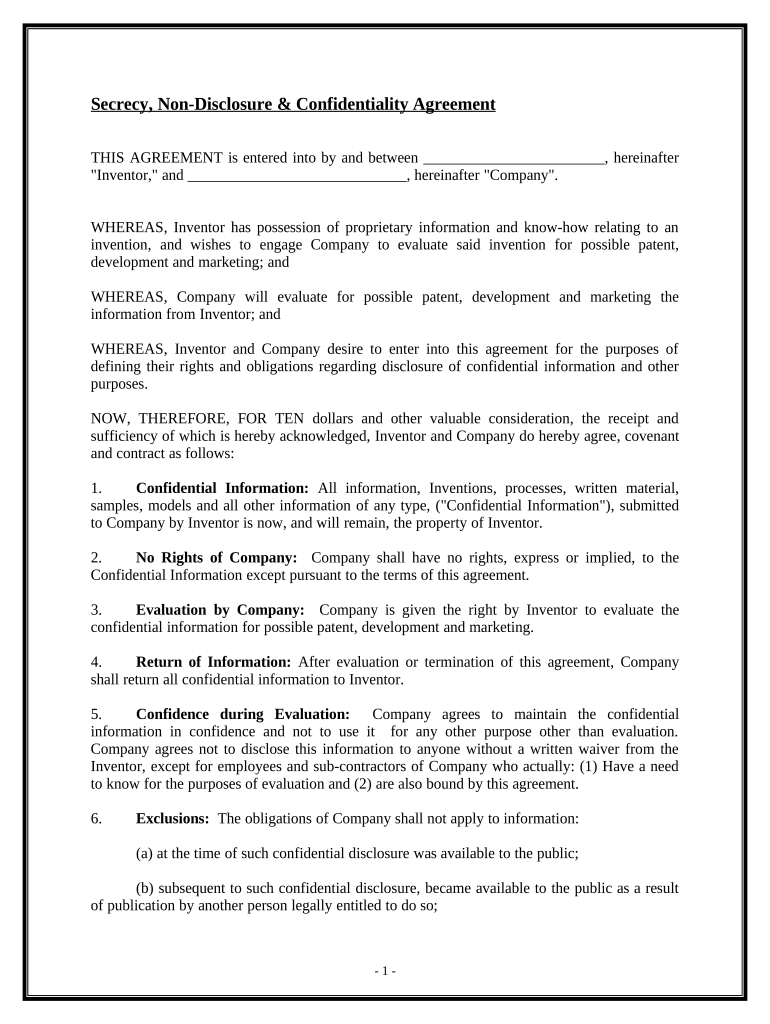
secrecy confidentiality Preview on Page 1

Here's how it works

01. Edit your form online
Type text, add images, blackout confidential details, add comments, highlights and more.
02. Sign it in a few clicks
Draw your signature, type it, upload its image, or use your mobile device as a signature pad.
03. Share your form with others
Send it via email, link, or fax. You can also download it, export it or print it out.

How to use or fill out secrecy confidentiality

Form edit decoration
9.5
Ease of Setup
DocHub User Ratings on G2
9.0
Ease of Use
DocHub User Ratings on G2
  1. Click ‘Get Form’ to open it in the editor.
  2. Begin by entering the name of the 'Inventor' and 'Company' in the designated fields at the top of the form. This establishes the parties involved in the agreement.
  3. In Section 1, provide a detailed description of what constitutes 'Confidential Information.' Ensure clarity to protect your proprietary information.
  4. Review Section 2 carefully, confirming that Company has no rights to the Confidential Information except as outlined in this agreement.
  5. Fill out Section 3, where you grant Company permission to evaluate your confidential information for potential patenting and development.
  6. In Section 4, specify how and when Company must return all confidential information after evaluation or termination of this agreement.
  7. Complete Sections 5 through 12 by reviewing obligations, exclusions, term duration, indemnification clauses, and governing law. Ensure all parties understand their responsibilities.
  8. Finally, sign and date the document at the bottom. Make sure all signatories have authority to bind their respective parties.

Start using our platform today for free to streamline your document editing and ensure your confidentiality agreements are completed efficiently!

be ready to get more

Complete this form in 5 minutes or less

Get form

Got questions?

We have answers to the most popular questions from our customers. If you can't find an answer to your question, please contact us.
Contact us
Confidentiality 1 Legal confidentiality. 1.1 BdocHub of confidence in English law. 2 Medical confidentiality. 2.1 United States. 2.2 European Union. 2.3 confidentiality. 3 Clinical and counseling psychology. 4 Commercial confidentiality. 5 Banking confidentiality. 6 Public policy concerns. 7 See also. 8 References.
Confidentiality is to keep secret about something that has been spoken, heard or written in confidence. The term confidentiality has been used by various organisations and departments in many ways, such as Privacy, Secrecy, Restricted, Security and Official Secret, etc.
the state of being secret or of keeping something secret: The content of her report is shrouded in secrecy (= being kept secret). Id love to tell you about it, but Martins sworn me to secrecy (= made me promise not to tell anyone). There has been strong criticism of the secrecy surrounding the negotiations.
Secrecy: The general requirement not to disclose information to others, usually in political, business or trade context. Confidentiality: The legal or contractual requirement not to disclose certain information to third parties.

Security and compliance

At DocHub, your data security is our priority. We follow HIPAA, SOC2, GDPR, and other standards, so you can work on your documents with confidence.

Learn more
ccpa2
pci-dss
gdpr-compliance
hipaa
soc-compliance