Security agreement 2025

Get Form
security agreement pdf Preview on Page 1

Here's how it works

01. Edit your security agreement pdf online
Type text, add images, blackout confidential details, add comments, highlights and more.

02. Sign it in a few clicks
Draw your signature, type it, upload its image, or use your mobile device as a signature pad.

03. Share your form with others
Send it via email, link, or fax. You can also download it, export it or print it out.

How to use or fill out security agreement with our platform

Form edit decoration
9.5
Ease of Setup
DocHub User Ratings on G2
9.0
Ease of Use
DocHub User Ratings on G2
  1. Click ‘Get Form’ to open the security agreement in the editor.
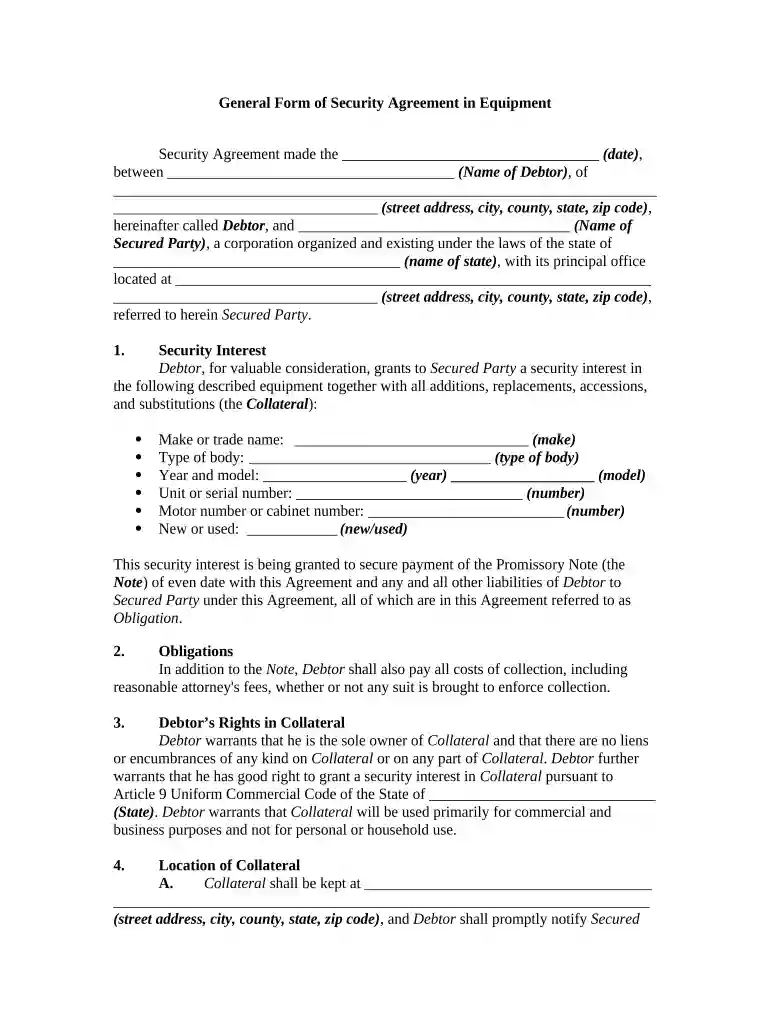
  2. Begin by entering the date at the top of the form, followed by the name and address of the Debtor. Ensure all details are accurate to avoid any legal issues.
  3. Next, fill in the name of the Secured Party and their address. This identifies who holds the security interest.
  4. In the 'Security Interest' section, list all equipment being secured. Include make, model, year, and serial numbers for clarity.
  5. Proceed to outline any obligations under this agreement, including payment responsibilities and costs associated with collection.
  6. Complete sections regarding Debtor’s rights in collateral and location of collateral. Be specific about where the equipment will be stored.
  7. Finally, review all entries for accuracy before signing. Use our platform's features to save or share your completed document easily.

Start using our platform today to streamline your document editing and signing process for free!

be ready to get more

Complete this form in 5 minutes or less

Get form

Got questions?

We have answers to the most popular questions from our customers. If you can't find an answer to your question, please contact us.
Contact us
A security agreement is the contract that protects a promissory note with collateral. The security agreement might describe the property or assets put up for collateral and will detail whether the lender can hold the collateral or how the lender can seize the collateral should non-payment occur.
A General Security Agreement (GSA) grants a security interest over personal property or assets, the collateral pledged for many types of financing. The contract is executed by a debtor (borrower) in favor of a creditor (lender). A GSA can support various lender obligations, including personal and commercial loans.
Whats the difference between a security agreement and a UCC-1 filing? Security agreement = private contract creating the lien (must be specific). UCC-1 = public notice filing that can use all assets description under UCC 9-504.
Security Agreements will routinely include provisions entitling the lender to seize and sell the collateral subject to the Security Agreement in the event of a payment or other default. Security Agreements typically come into two different formats, a General Security Agreement and; a Specific Security Agreement.
A security interest exists when a borrower enters into a contract that allows the lender or secured party to take collateral that the borrower owns in the event that the borrower cannot pay back the loan. The term security interest is often used interchangeably with the term lien in the United States.
be ready to get more

Complete this form in 5 minutes or less

Get form

People also ask

Types of Security Agreements Collateral: Collateral can be of various types as discussed previously. Intangible Goods: Often collateral can be intangible, such as software rights or intellectual property. Floating Liens: Floating liens can appear in security agreements. Security Agreement: Definition, Overview, Key Elements contractscounsel.com security-agreement contractscounsel.com security-agreement
Security agreements can be ruled invalid because of mistakes in the debtors name. Be careful of related entities to make sure that the signature on your security agreement matches the correct legal name of the debtor.

Related links