Revocation of Trust and Acknowledgment of Receipt of Notice of Revocation by Trustee 2026

Get Form
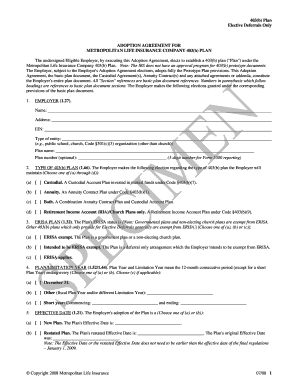
trust revocation form Preview on Page 1

Here's how it works

01. Edit your trust revocation form online
Type text, add images, blackout confidential details, add comments, highlights and more.
02. Sign it in a few clicks
Draw your signature, type it, upload its image, or use your mobile device as a signature pad.
03. Share your form with others
Send trust revocation declaration via email, link, or fax. You can also download it, export it or print it out.

How to use or fill out Revocation of Trust and Acknowledgment of Receipt of Notice of Revocation by Trustee with our platform

Form edit decoration
9.5
Ease of Setup
DocHub User Ratings on G2
9.0
Ease of Use
DocHub User Ratings on G2
  1. Click ‘Get Form’ to open the Revocation of Trust document in the editor.
  2. Begin by filling in the name and address of the Trustee at the top of the form. This identifies who is receiving the notice.
  3. Next, enter your name as the Trustor along with your complete address. This section establishes your identity and connection to the trust.
  4. In the designated area, specify details about the original trust, including its name and date. This provides context for the revocation.
  5. Clearly state your intention to revoke the trust powers by completing any required sections regarding your rights as Trustor.
  6. Sign and date the document where indicated. Ensure that you also include a printed version of your name beneath your signature.
  7. If necessary, have a notary public witness your signature and complete their section to validate the document legally.
  8. For acknowledgment by Trustee, ensure they fill in their name, sign, and date where indicated. This confirms receipt of revocation.

Start using our platform today for free to easily manage and complete your trust documents!

be ready to get more

Complete this form in 5 minutes or less

Get form

Got questions?

We have answers to the most popular questions from our customers. If you can't find an answer to your question, please contact us.
Contact us
The trustee can terminate a living trust in just a few months. Heres what is involved in the process. The trustee is legally bound to follow the trust documents instructions. If the trust document doesnt address an issue, the trustee should refer to state law.
Such documents, often called a trust revocation declaration or revocation of living trust, can be downloaded from legal websites; local probate courts may also provide copies of them.
What Happens to Assets in a Revoked Trust? If a revocable trust holds assetssuch as real estate, bank accounts, or life insurance policiesthose assets must be removed from the trust upon revocation. For real estate, a new deed must be created to transfer ownership back to the grantor or another entity.
In the event that an irrevocable non-grantor trust is terminated, the income that the assets have generated will presumably be distributed to the beneficiaries. It would then be their responsibility to pay the taxes on the money.
A Revocation Clause is a provision in estate planning documents, such as wills or trusts, that explicitly states the intention to revoke or cancel a previous will or trust. This clause serves to eliminate any confusion about which document should be followed upon the death of the decedent.

Security and compliance

At DocHub, your data security is our priority. We follow HIPAA, SOC2, GDPR, and other standards, so you can work on your documents with confidence.

Learn more
ccpa2
pci-dss
gdpr-compliance
hipaa
soc-compliance

People also ask

Procedure for Revoking a Trust Deed in India If the deed is silent, ensure that statutory grounds under Section 78 of the Indian Trusts Act, 1882, apply. Obtain Consent (If Required): If revocation is being pursued under mutual consent of beneficiaries, secure written consents from all legally competent beneficiaries.
The Trust is Revoked For most revocable trusts, the grantor can choose to terminate the trust whenever they like. As an example, maybe they decide that they dont want to give certain assets to one grandchild, so they terminate the original trust and draw up a new one for a different grandchilds benefit.
As a general rule, a trust can only be revoked by its settlor or anyone else the settlor has granted the power to revoke. If there are multiple settlors, all the settlors must agree to the revocation (unless the provisions of the trust establish different rules).

trust revocation declaration form