Confidentiality with employee 2026

Get Form
manager employee confidentiality laws Preview on Page 1

Here's how it works

01. Edit your manager employee confidentiality laws online
Type text, add images, blackout confidential details, add comments, highlights and more.
02. Sign it in a few clicks
Draw your signature, type it, upload its image, or use your mobile device as a signature pad.
03. Share your form with others
Send it via email, link, or fax. You can also download it, export it or print it out.

How to use or fill out confidentiality with employee

Form edit decoration
9.5
Ease of Setup
DocHub User Ratings on G2
9.0
Ease of Use
DocHub User Ratings on G2
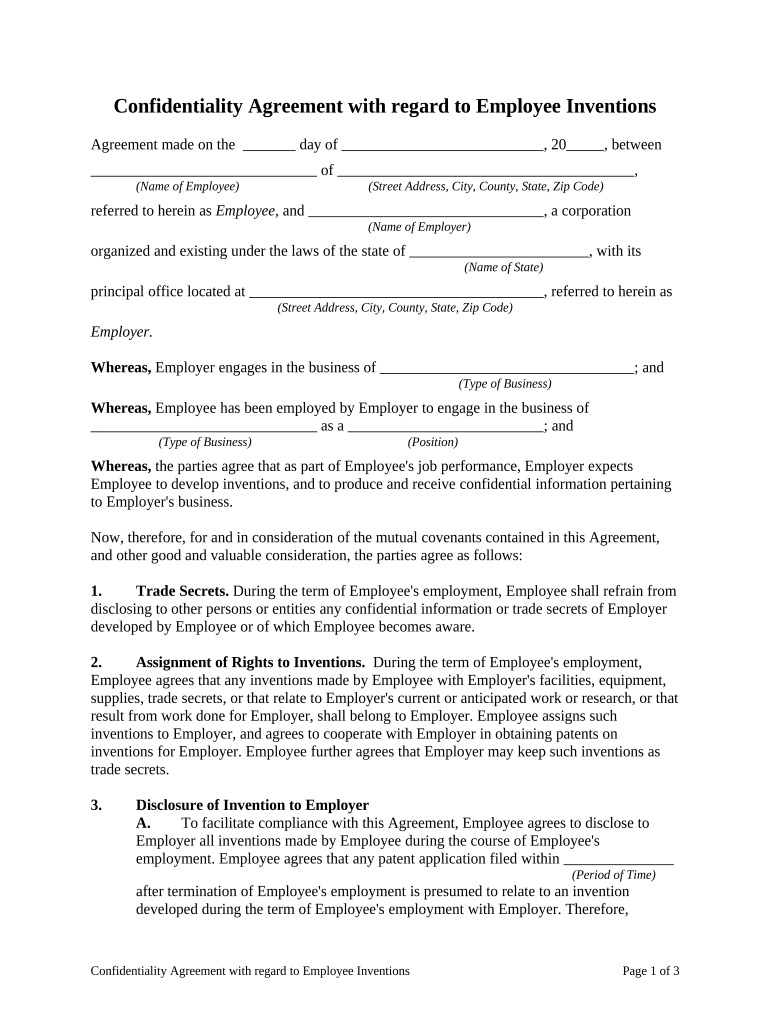
  1. Click ‘Get Form’ to open the Confidentiality Agreement in our editor.
  2. Begin by entering the date of the agreement at the top of the form. This sets the context for the document.
  3. Fill in the name and address of the employee in the designated fields. Ensure accuracy as this identifies the parties involved.
  4. Next, input the employer's name and address. This is crucial for legal identification within the agreement.
  5. Specify the type of business and position held by the employee. This clarifies their role and responsibilities regarding confidential information.
  6. Review sections on trade secrets and assignment of rights to inventions, ensuring all relevant details are filled out accurately.
  7. Complete any additional sections regarding disclosures, severability, and governing law as applicable to your situation.
  8. Finally, ensure both parties sign where indicated, confirming their agreement to all terms outlined in this document.

Start using our platform today to streamline your document editing and signing process for free!

be ready to get more

Complete this form in 5 minutes or less

Get form

Got questions?

We have answers to the most popular questions from our customers. If you can't find an answer to your question, please contact us.
Contact us
A confidentiality policy provides guidelines on how employees should handle and protect sensitive company information. It defines what is considered confidential, offers clear dos and donts, and outlines consequences for breaches, ensuring data protection and compliance.
Limit Sensitive Information in Shared Areas: Avoid bringing sensitive documents to shared areas unless necessary, and gather all documents before leaving. Only bring essential materials to reduce the risk of exposure, and always secure or shred unused materials after meetings.
Insider threats, such as employees or contractors misusing access to information; Accessing confidential data over public or unsecured networks; Discarding documents or devices without proper data destruction; and. Accidental sharing of sensitive information via email or other communication channels.
The following information is confidential: Social Security number. Name. Personal financial information. Family information. Medical information. Credit card numbers, bank account numbers, amount / what donated. Telephone / fax numbers, e-mail, URLs.
Employee agrees not to disclose confidential information to any third party without the [Company]s prior written consent. Employee agrees to use confidential information solely for the purpose of performing their job duties and not for any personal gain or unauthorized purposes.

Security and compliance

At DocHub, your data security is our priority. We follow HIPAA, SOC2, GDPR, and other standards, so you can work on your documents with confidence.

Learn more
ccpa2
pci-dss
gdpr-compliance
hipaa
soc-compliance

People also ask

Employees must not, without proper authorisation, disclose confidential information which they acquire in the course of their work or which has been received in confidence from others. It is important that all employees: only access information related to work they have been required to carry out.
A confidentiality clause can protect an employer beyond the time of employment by extending the time that an employee or contractor may not divulge information about the company that employed them.

Related links