Employment records form 2026

Get Form
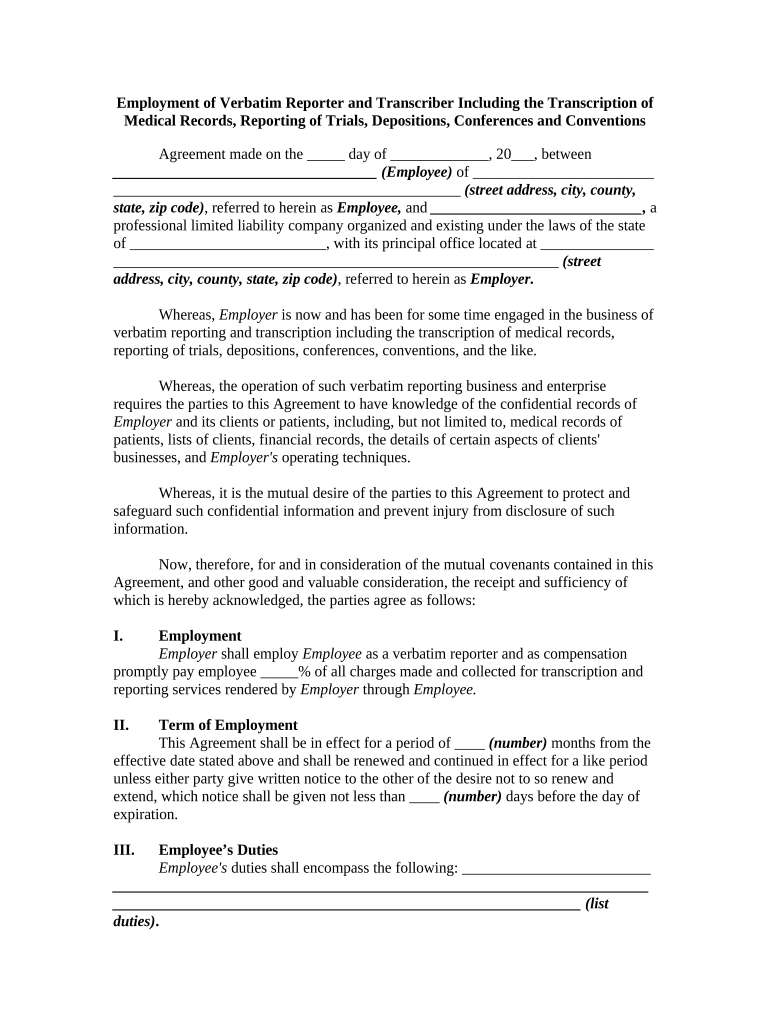
employment records form Preview on Page 1

Here's how it works

01. Edit your form online
Type text, add images, blackout confidential details, add comments, highlights and more.
02. Sign it in a few clicks
Draw your signature, type it, upload its image, or use your mobile device as a signature pad.
03. Share your form with others
Send it via email, link, or fax. You can also download it, export it or print it out.

How to use or fill out employment records form with our platform

Form edit decoration
9.5
Ease of Setup
DocHub User Ratings on G2
9.0
Ease of Use
DocHub User Ratings on G2
  1. Click ‘Get Form’ to open the employment records form in the editor.
  2. Begin by entering the date of the agreement in the designated field. This is crucial for establishing the timeline of employment.
  3. Fill in the Employee's name and address, ensuring all details are accurate to avoid any discrepancies.
  4. Next, input the Employer's name and address. This section identifies the organization hiring the employee.
  5. Specify the percentage of compensation that will be paid to the Employee for services rendered. This is vital for clarity on payment terms.
  6. Indicate the term of employment by filling in the number of months and notice period required for renewal or termination.
  7. List out Employee’s duties clearly in the provided space to ensure mutual understanding of responsibilities.
  8. Complete any additional sections such as non-compete clauses and governing law, ensuring all fields are filled accurately.

Start using our platform today to streamline your document editing and signing process for free!

be ready to get more

Complete this form in 5 minutes or less

Get form

Got questions?

We have answers to the most popular questions from our customers. If you can't find an answer to your question, please contact us.
Contact us

Yes, a typed name is recognized as a valid electronic signature when you add it to your form utilizing a compliant solution like DocHub. Simply import your employment records form to our editor, click Sign in the top tool pane → Create your signature → Type your name in the proper tab, and decide how it will appear on your document.

When you edit your employment records form with DocHub, you merely need a stable internet connection and virtually any browser installed on your device. No need to set up any third-party software or research tutorials. Simply open a tab with DocHub, drag and drop your file, and edit it immediately.

Resumes, job applications, and hiring tests 1 year (no requirement for unsolicited resumes) Form I-9 3 years from the date of hire or 1 year after termination (whichever is later) Payroll documentation, including wage and promotion information and timekeeping records 3 to 4 years for most documentation.
An employee information form is an important human resources (HR) document that every new employee must complete and maintain It contains important personal information about each employee, such as their Social Security number, spouses contact details and details about employment, including their position, department,
What Are Employment Records? Employment records, also known as personnel files, are records kept by an employer that track an employees relationship with the company. These records can include basic information collected during the interview process, including: Name. Contact information.

Security and compliance

At DocHub, your data security is our priority. We follow HIPAA, SOC2, GDPR, and other standards, so you can work on your documents with confidence.

Learn more
ccpa2
pci-dss
gdpr-compliance
hipaa
soc-compliance
be ready to get more

Complete this form in 5 minutes or less

Get form

People also ask

Employers should keep all job-related documentation such as hiring records, performance reviews, disciplinary actions and job descriptions in an employees general personnel file. Consider whether the document would be relevant to a supervisor who may review this file when making employment decisions.
In addition, employers must keep for at least two years all records (including wage rates, job evaluations, seniority and merit systems, and collective bargaining agreements) that explain the basis for paying different wages to employees of opposite sexes in the same establishment.
Employee records help HR and managers track an employees performance and professional development. Performance records are often used to calculate raises or incentive pay and for disciplinary reasons. To maintain important records for tax and payroll purposes.
How Long Should Records Be Retained: Each employer shall preserve for at least three years payroll records, collective bargaining agreements, sales and purchase records.
What Should Employee Database Files Look Like? Personal contact information such as an address, phone numbers, emergency contacts. Date of birth. Job title. Managers name. Department. Hire date to track length of service. Current salary and all pertinent salary-related dates such as raises. Recruitment details.

Related links