Type text, add images, blackout confidential details, add comments, highlights and more.
02. Sign it in a few clicks
Draw your signature, type it, upload its image, or use your mobile device as a signature pad.
03. Share your form with others
Send it via email, link, or fax. You can also download it, export it or print it out.
How to use or fill out partnership professional with our platform
Ease of Setup
DocHub User Ratings on G2
Ease of Use
DocHub User Ratings on G2
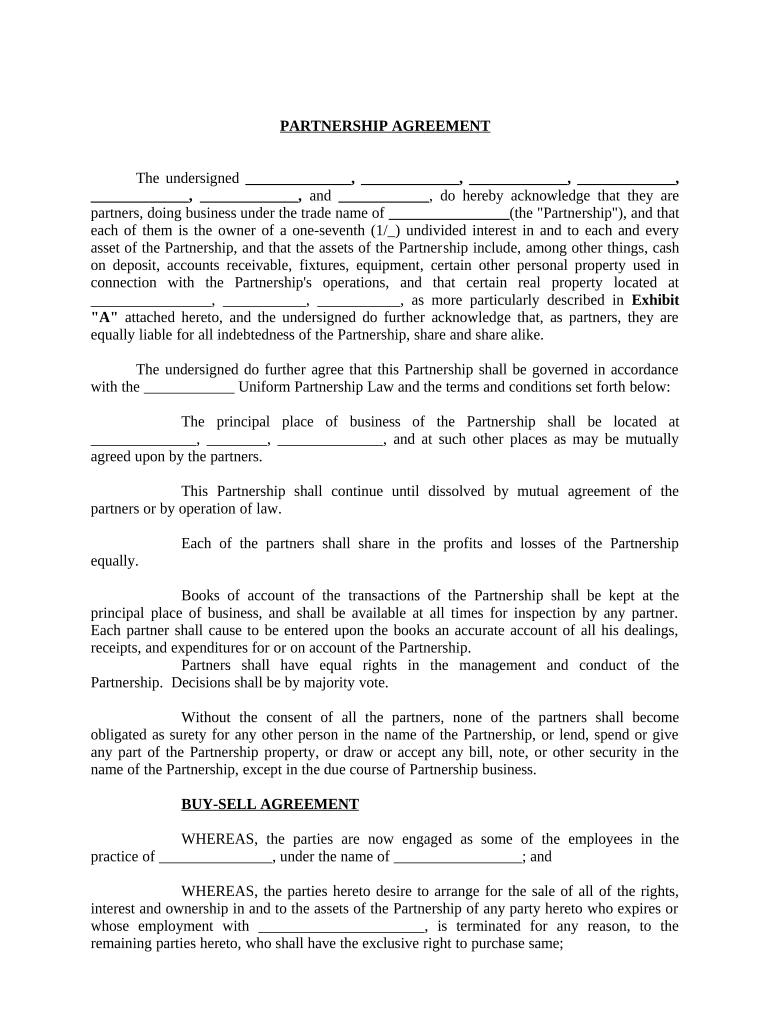
Click ‘Get Form’ to open the Partnership Professional document in the editor.
Begin by filling in the names of all partners in the designated fields. Ensure accuracy as this establishes ownership and liability.
Complete the trade name of the Partnership, which is crucial for legal identification.
In the section regarding assets, list all relevant properties, including cash deposits and real estate. Refer to Exhibit 'A' for detailed descriptions if necessary.
Specify the principal place of business and any additional locations agreed upon by partners.
Review sections on profit sharing and management rights to ensure clarity on decision-making processes among partners.
Finally, ensure all partners sign and date the document at the end to validate the agreement.
Start using our platform today to streamline your partnership agreement process for free!
Fill out partnership professional online It's free
Partnership professional salaryPartnership professional job descriptionPartnership professional jobsProfessional partnership examplesPartners Professional staffingPartnership Leaders Catalyst 2026Limited partnershipPartnership leaders login
Security and compliance
At DocHub, your data security is our priority. We follow HIPAA, SOC2, GDPR, and other standards, so you can work on your documents with confidence.
9. Registered Professional Limited Liability Partnerships (LLP)
The registered limited liability partnership must follow the same guidelines as a professional service corporation for referencing the profession or professionsRead more
Research Partnership for Professional Learning: Homepage
RPPL is a one-of-a-kind collaborative uniting professional learning (PL) organizations, researchers, school districts, and those impacted by PL.Read more
Cookie consent notice
This site uses cookies to enhance site navigation and personalize your experience.
By using this site you agree to our use of cookies as described in our Privacy Notice.
You can modify your selections by visiting our Cookie and Advertising Notice.