



Here's how it works



How to use or fill out sample letter client with our platform

- Click ‘Get Form’ to open the sample letter client in the editor.
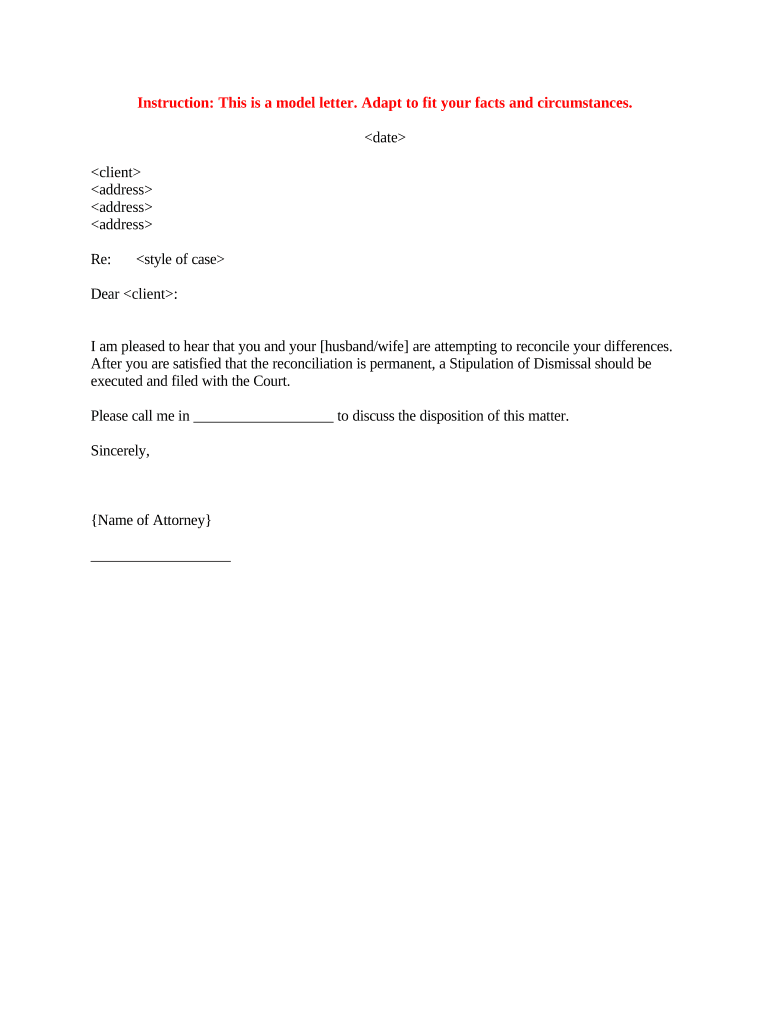
- Begin by entering the date at the top of the letter. This sets the context for your communication.
- Next, fill in the client's name and address details in the designated fields. Ensure accuracy for effective correspondence.
- In the 'Re:' section, specify the style of case relevant to your situation. This helps clarify the purpose of your letter.
- Address your client directly in the salutation by inserting their name after 'Dear'.
- Personalize the body of the letter by adapting it to fit your facts and circumstances, ensuring it resonates with your client's situation.
- Finally, include your name as the attorney at the bottom and sign if necessary. Review all entries for completeness before finalizing.
Start using our platform today to streamline your document editing and signing process for free!
It's free
Got questions?
Can I use DocHub to generate legal eSignatures on my sample letter client?
Yes, you can utilize DocHub for signing any business and personal documentation, including your sample letter client. All eSignatures you create with our service are legally binding and court-admissible, as DocHub complies with standards required by ESIGN and UETA. Save your accomplished paperwork with a detailed Audit Trail if needed.
How do you edit sample letter client online?
With DocHub, you have several convenient ways to edit your sample letter client online. You can drag and drop the form and modify it straight at the DocHub site or use our browser extension to fill out your form right away. On top of that, you can modify your PDF on your phone, as DocHub works with all the available mobile platforms.
Security and compliance
At DocHub, your data security is our priority. We follow HIPAA, SOC2, GDPR, and other standards, so you can work on your documents with confidence.
Learn more


Related forms