Warning worksheet 2026

Get Form
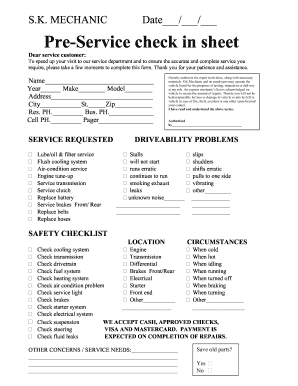
warning worksheet Preview on Page 1

Here's how it works

01. Edit your form online
Type text, add images, blackout confidential details, add comments, highlights and more.
02. Sign it in a few clicks
Draw your signature, type it, upload its image, or use your mobile device as a signature pad.
03. Share your form with others
Send it via email, link, or fax. You can also download it, export it or print it out.

How to use or fill out warning worksheet with our platform

Form edit decoration
9.5
Ease of Setup
DocHub User Ratings on G2
9.0
Ease of Use
DocHub User Ratings on G2
  1. Click ‘Get Form’ to open the warning worksheet in the editor.
  2. Begin by entering the 'Name of Employee' and 'Date' at the top of the form. This information is crucial for record-keeping.
  3. In the 'Brief Overview of Issue' section, provide a concise description of the reason for the verbal warning. Be clear and specific to ensure understanding.
  4. Indicate whether this is the first instance of verbal counseling by selecting 'Yes' or 'No'. If it’s not the first time, answer additional questions regarding previous counseling sessions.
  5. Summarize your communication with the employee in the designated section, outlining key points discussed during your meeting.
  6. List expectations for the employee moving forward and detail how other employees, such as supervisors, will support them in achieving these goals.
  7. If applicable, note any additional training or development that may be necessary for the employee's improvement.
  8. Complete follow-up communication details including date and comments. Ensure you sign and print your name at the bottom as a supervisor.

Start using our platform today to streamline your document editing and form completion process for free!

be ready to get more

Complete this form in 5 minutes or less

Get form

Got questions?

We have answers to the most popular questions from our customers. If you can't find an answer to your question, please contact us.
Contact us

Sure, electronically drawing your signature is appropriate, but only if you utilize a tool that complies with industry laws and regulations. Try DocHub, which ensures eSignature validity under ESIGN and UETA requirements. All you need to eSign your warning worksheet is an account with DocHub and an internet connection. When you open your document in our editor, click Sign and choose the Draw option.

Document editing with DocHub is equally convenient on desktop and mobile devices. You only need an internet browser to revise your warning worksheet on Android. Open our site and sign in to access the tools you need. Add your file and introduce your intended modifications. After that, you can keep your form in your file storage or send it out right away.

Security and compliance

At DocHub, your data security is our priority. We follow HIPAA, SOC2, GDPR, and other standards, so you can work on your documents with confidence.

Learn more
be ready to get more

Complete this form in 5 minutes or less

Get form