Sample complaint 2026

Get Form
how to write a complaint letter Preview on Page 1

Here's how it works

01. Edit your how to write a complaint letter online
Type text, add images, blackout confidential details, add comments, highlights and more.
02. Sign it in a few clicks
Draw your signature, type it, upload its image, or use your mobile device as a signature pad.
03. Share your form with others
Send how to right a letter of complaint via email, link, or fax. You can also download it, export it or print it out.

How to Use or Fill Out Sample Complaint with Our Platform

Form edit decoration
9.5
Ease of Setup
DocHub User Ratings on G2
9.0
Ease of Use
DocHub User Ratings on G2
  1. Click ‘Get Form’ to open the sample complaint in the editor.
  2. Begin by entering the date at the top of the form. This sets a clear timeline for your complaint.
  3. Fill in your name and address details in the designated fields. Ensure accuracy for effective communication.
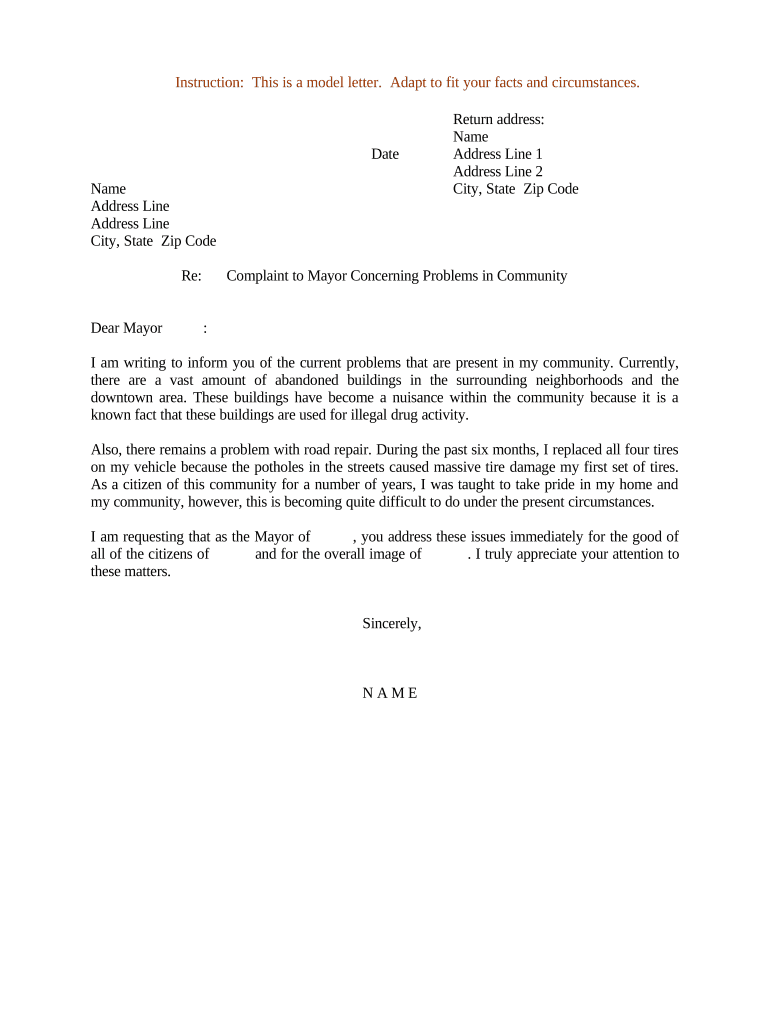
  4. In the 'Re:' section, specify the subject of your complaint, such as 'Complaint to Mayor Concerning Problems in Community'.
  5. Address your letter to the Mayor by typing 'Dear Mayor' followed by their name if known.
  6. Clearly outline your concerns regarding abandoned buildings and road repairs in the body of the letter. Be specific about how these issues affect you and your community.
  7. Conclude with a polite request for action, expressing appreciation for their attention to these matters.
  8. Finally, sign off with your name at the bottom of the form before saving or sending it directly from our platform.

Start using our platform today to easily fill out and submit your complaint for free!

be ready to get more

Complete this form in 5 minutes or less

Get form

Got questions?

We have answers to the most popular questions from our customers. If you can't find an answer to your question, please contact us.
Contact us

Yes, you can use DocHub for signing any business and personal documentation, including your writing a complaint letter. All electronic signatures you generate with our tool are legally binding and court-admissible, as DocHub complies with criteria required by ESIGN and UETA. Save your accomplished document with a detailed Audit Trail if necessary.

As a comprehensive document editing service, DocHub is accessible on mobile devices. Open DocHub in your choice of mobile browser and employ our intelligent mobile-friendly toolset to complete your how to write a letter of complaint.

Security and compliance

At DocHub, your data security is our priority. We follow HIPAA, SOC2, GDPR, and other standards, so you can work on your documents with confidence.

Learn more
ccpa2
pci-dss
gdpr-compliance
hipaa
soc-compliance