Type text, add images, blackout confidential details, add comments, highlights and more.
02. Sign it in a few clicks
Draw your signature, type it, upload its image, or use your mobile device as a signature pad.
03. Share your form with others
Send it via email, link, or fax. You can also download it, export it or print it out.
How to use or fill out sample letter materials with our platform
Ease of Setup
DocHub User Ratings on G2
Ease of Use
DocHub User Ratings on G2
Click ‘Get Form’ to open the sample letter materials in the editor.
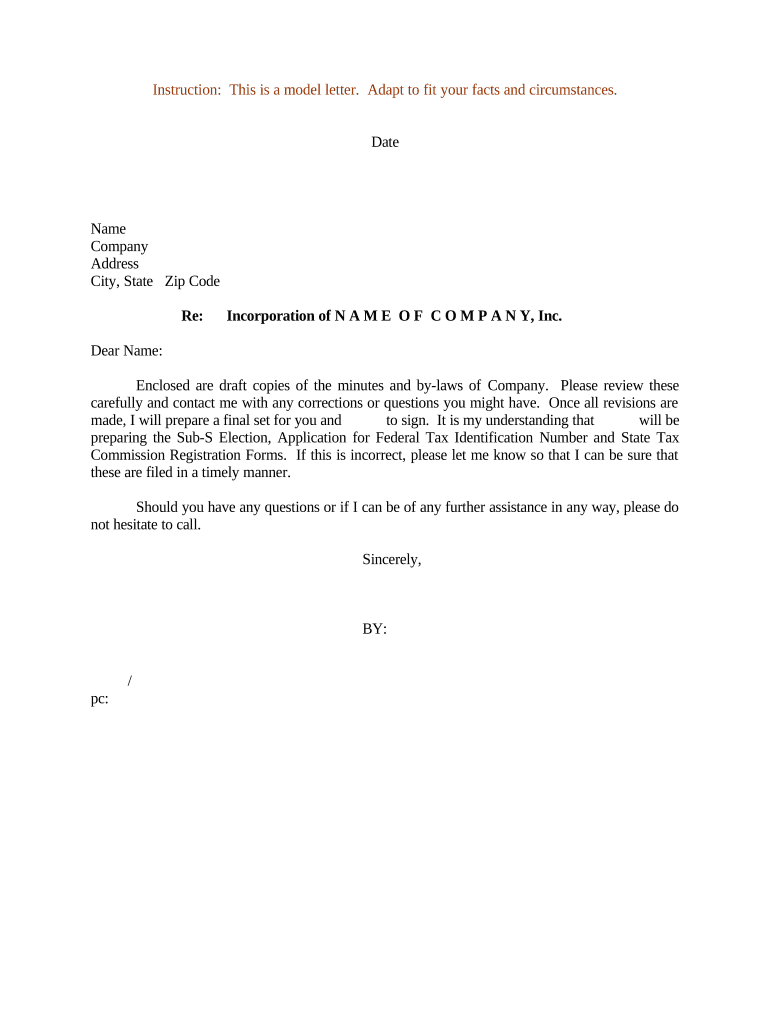
Begin by entering the current date at the top of the document. This sets a professional tone and provides context for your correspondence.
Fill in the recipient's name, company, address, and city, state, zip code. Ensure accuracy to maintain professionalism and ensure proper delivery.
In the subject line, specify 'Incorporation of [NAME OF COMPANY], Inc.' This clearly indicates the purpose of your letter.
Personalize the greeting by adding the recipient's name after 'Dear'. This fosters a connection and shows attention to detail.
Review and modify the body of the letter as needed. Make sure to include any specific details relevant to your situation regarding draft copies and necessary actions.
Conclude with a professional closing statement followed by your name and title. If applicable, add any additional recipients in the 'pc:' section.
Start editing your sample letter materials online for free today!
Sample letter materials pdfSample letter materials for businessSample request Letter for materials PDFOfficial letter requesting for somethingMaterial request mail Format in WordShort request letter SampleHow to write a letter of request for considerationRequest letter Format
Security and compliance
At DocHub, your data security is our priority. We follow HIPAA, SOC2, GDPR, and other standards, so you can work on your documents with confidence.
This Letter of Supply is in reference to the offer that [Offeror Name] submitted in response to the General Services Administrations Solicitation/Contract [Read more
by GW Steel 1993 Please test all samples as soon as possible, but no later than thirty days after receipt, and return. a completed data sheet: Gregory. Uherek,. AASHTO.Read more
These resources illustrates the parts of the basic business letter and provides two sample business letters. They both are available to download in a linkRead more
Cookie consent notice
This site uses cookies to enhance site navigation and personalize your experience.
By using this site you agree to our use of cookies as described in our Privacy Notice.
You can modify your selections by visiting our Cookie and Advertising Notice.