Non profit corporation 2026

Get Form
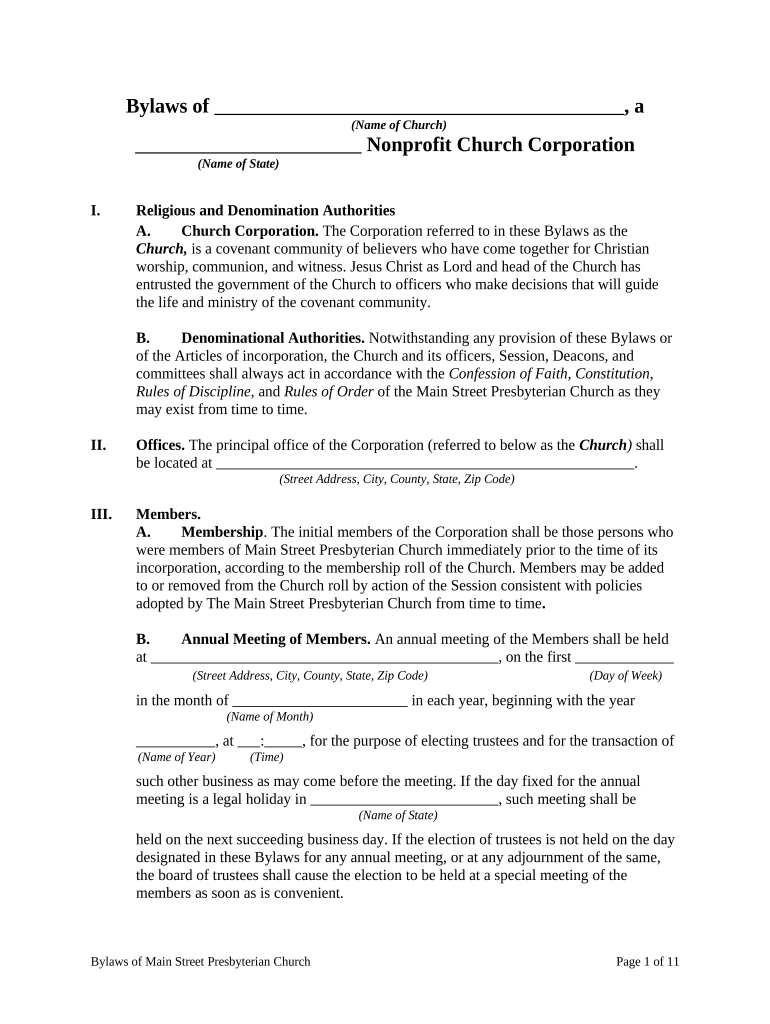
non profit corporation Preview on Page 1

Here's how it works

01. Edit your form online
Type text, add images, blackout confidential details, add comments, highlights and more.
02. Sign it in a few clicks
Draw your signature, type it, upload its image, or use your mobile device as a signature pad.
03. Share your form with others
Send it via email, link, or fax. You can also download it, export it or print it out.

How to use or fill out non profit corporation with our platform

Form edit decoration
9.5
Ease of Setup
DocHub User Ratings on G2
9.0
Ease of Use
DocHub User Ratings on G2
  1. Click ‘Get Form’ to open the Nonprofit Church Corporation Bylaws in the editor.
  2. Begin by entering the name of your church in the designated field at the top of the document. This identifies your organization clearly.
  3. Fill in the principal office address, including street, city, county, state, and zip code. This is crucial for legal documentation.
  4. Complete the membership section by listing initial members and specifying how new members can be added or removed. Ensure this aligns with your church's policies.
  5. Detail the procedures for annual and special meetings, including dates and quorum requirements. This ensures transparency and proper governance.
  6. Review sections on officers and their duties. Fill in terms of office and election processes to maintain clarity on leadership roles.
  7. Finally, ensure all signatures are collected where indicated to validate your bylaws before finalizing the document.

Start using our platform today to streamline your nonprofit corporation's documentation process for free!

be ready to get more

Complete this form in 5 minutes or less

Get form

Got questions?

We have answers to the most popular questions from our customers. If you can't find an answer to your question, please contact us.
Contact us

A lot of software applications are available on the market for document editing and signing. DocHub is one of the most in-demand online solutions that comply with all security and compliance standards and ensures your electronically signed documentation is legally enforceable. All you need to try it out is to register an account, add your non profit corporation, fill out the necessary information, and click Sign. Generate your eSignature by typing, drawing it, uploading its image to your document, or scanning a unique QR code.

You can find the latest and most relevant version of the non profit corporation in our DocHub forms collection. Browse it by categories or use the search field to get the exact template that fits your case. You can open this form for editing after you find it.

Security and compliance

At DocHub, your data security is our priority. We follow HIPAA, SOC2, GDPR, and other standards, so you can work on your documents with confidence.

Learn more
ccpa2
pci-dss
gdpr-compliance
hipaa
soc-compliance