




Here's how it works

01. Edit your consulting contract template online
Type text, add images, blackout confidential details, add comments, highlights and more.

02. Sign it in a few clicks
Draw your signature, type it, upload its image, or use your mobile device as a signature pad.

03. Share your form with others
Send consultant contract template via email, link, or fax. You can also download it, export it or print it out.
How to Use or Fill Out Consultant Agreement with Our Platform

- Click ‘Get Form’ to open the Consultant Agreement in the editor.
- Begin by entering the date of the agreement in the designated field at the top of the document.
- Fill in the names and addresses of both the Owner and Consultant in their respective fields to establish clear identification.
- In Section 1, specify the Consulting Services that will be provided. Be detailed to ensure clarity on expectations.
- For Section 2, enter the agreed hourly rate for services and outline payment terms, including submission timelines for reports.
- List any reimbursable expenses in Section 3A and ensure you have documentation ready for submission as required.
- Review Sections 4 through 16 carefully, ensuring all terms are understood and filled out accurately, particularly regarding confidentiality and noncompetition clauses.
- Finally, both parties should sign and date at the bottom of the agreement to finalize it.
Start using our platform today to streamline your consultant agreement process for free!
Fill out consultant agreement with online
It's free
It's free
Security and compliance
At DocHub, your data security is our priority. We follow HIPAA, SOC2, GDPR, and other standards, so you can work on your documents with confidence.
Learn more


Related forms
Indemnity bond
The document is an Indemnity Bond from the Punjab State Power Corporation Limited (PSPCL) for individuals applying for e ...
2013 Form 593-C -- Real Estate Withholding Certificate - ftb.ca.gov
The document is the California Form 593-C, a Real Estate Withholding Certificate used by sellers to provide information ...
Sba loan necessity questionnaires
The document is an eligibility questionnaire for the Lender Advantage Initiative by the SBA, designed to assess small bu ...
Forensic Discrimination Potential of Blue, Black, Green, and Red...
The document is a form (502B) for Maryland taxpayers to provide information about their dependents, including details su ...
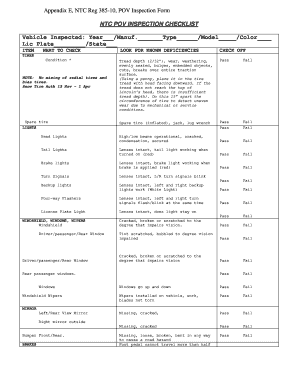
Army pov inspection
The document is an inspection checklist for Privately Owned Vehicles (POVs) as per NTC Reg 385-10. It outlines various v ...

Sample of completed summons for middlesex superior court 2012 form
The document is a summons issued by the Superior Court of New Jersey, informing the defendant of a lawsuit filed against ...

Form 96 alabama
The document is Form 96 from the Alabama Department of Revenue, which outlines the requirements for filing annual inform ...