Type text, add images, blackout confidential details, add comments, highlights and more.
02. Sign it in a few clicks
Draw your signature, type it, upload its image, or use your mobile device as a signature pad.
03. Share your form with others
Send it via email, link, or fax. You can also download it, export it or print it out.
How to Use or Fill Out Buy/Sell Agreements with Our Platform
Ease of Setup
DocHub User Ratings on G2
Ease of Use
DocHub User Ratings on G2
Click ‘Get Form’ to open the buy/sell agreement in the editor.
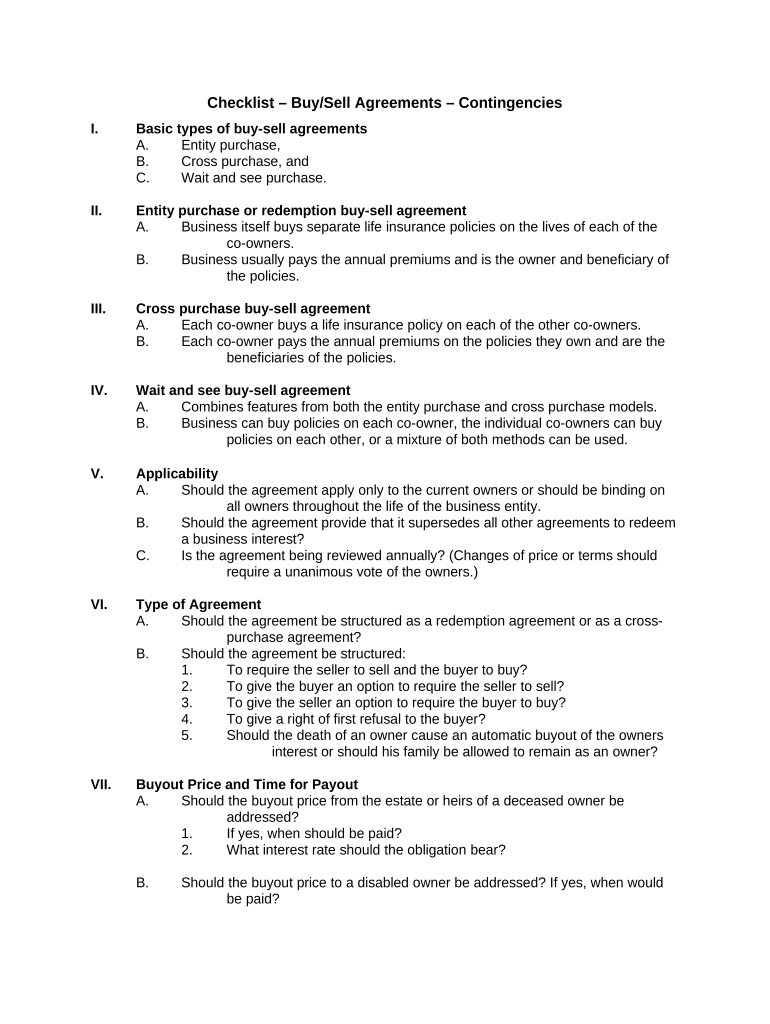
Begin by selecting the type of buy/sell agreement that suits your needs: Entity Purchase, Cross Purchase, or Wait and See. Each option has distinct implications for ownership and insurance policies.
Fill out the details regarding the owners involved. Specify whether the agreement applies only to current owners or all future owners, ensuring clarity on binding terms.
Address the buyout price and payout timing. Clearly outline how and when payments will be made in various scenarios such as death, disability, or resignation of an owner.
Include any necessary security measures. Decide if guarantees are needed and what form they should take, such as pledges of business assets or personal guarantees from other owners.
Review all sections carefully to ensure compliance with your business needs. Utilize our platform’s features to save and share your completed document for further review.
Start using our platform today to streamline your buy/sell agreements for free!
Buy-sell agreements are limits placed on ownership rights of closely-held organizations which require the shares be resold to either the organization orRead more
May 15, 2025 IMPORTANT NOTES: The instructions accompanying this form must be followed. Complete all parts, checking the NONE box for each part where youRead more
Cookie consent notice
This site uses cookies to enhance site navigation and personalize your experience.
By using this site you agree to our use of cookies as described in our Privacy Notice.
You can modify your selections by visiting our Cookie and Advertising Notice.