Worksheet - Trend Analysis 2026

Get Form
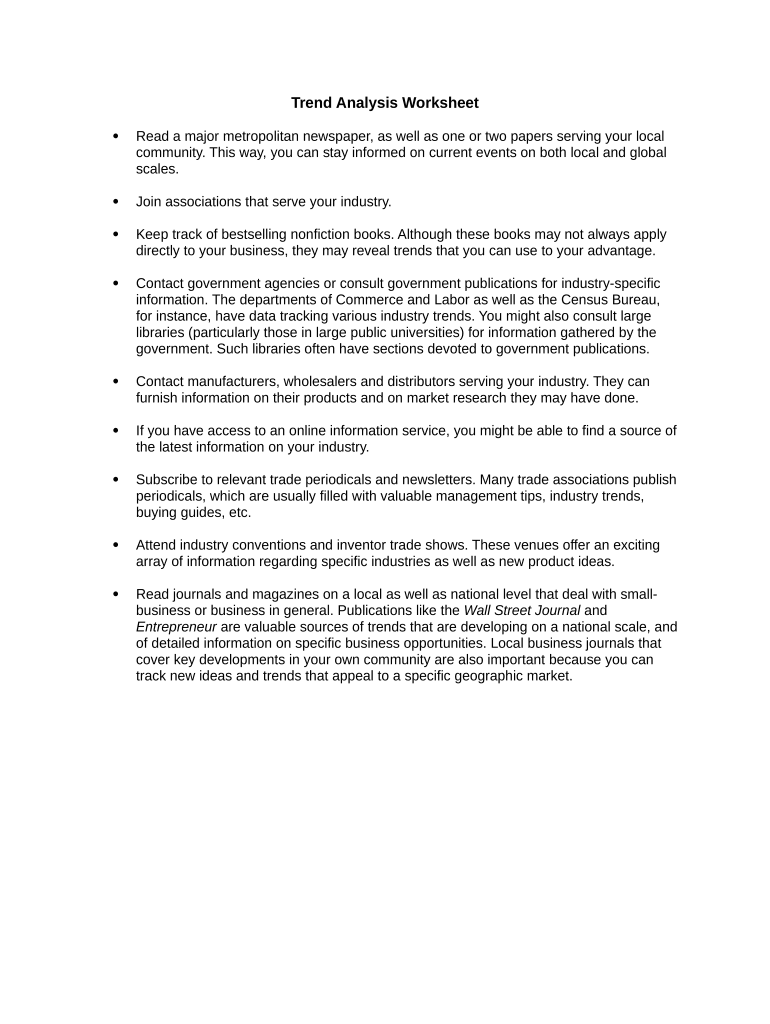
trend analysis template Preview on Page 1

Here's how it works

01. Edit your trend analysis template online
Type text, add images, blackout confidential details, add comments, highlights and more.
02. Sign it in a few clicks
Draw your signature, type it, upload its image, or use your mobile device as a signature pad.
03. Share your form with others
Send it via email, link, or fax. You can also download it, export it or print it out.

How to use or fill out Worksheet - Trend Analysis with DocHub

Form edit decoration
9.5
Ease of Setup
DocHub User Ratings on G2
9.0
Ease of Use
DocHub User Ratings on G2
  1. Click ‘Get Form’ to open the Worksheet - Trend Analysis in our editor.
  2. Begin by reviewing the first section, which prompts you to read major metropolitan newspapers. Use the text box provided to note down key insights from your readings.
  3. In the next field, list any industry associations you have joined. This helps track your networking efforts and industry engagement.
  4. For tracking bestselling nonfiction books, utilize the designated area to jot down titles that may influence your business strategies.
  5. Contact information for government agencies can be entered in the following section. Include relevant departments that provide industry-specific data.
  6. Use the space allocated for manufacturers and distributors to record contacts and any market research insights they share.
  7. Finally, summarize your findings from trade periodicals and conventions in the last section, ensuring you capture valuable trends and ideas.

Start using our platform today to effortlessly complete your Worksheet - Trend Analysis for free!

be ready to get more

Complete this form in 5 minutes or less

Get form

Got questions?

We have answers to the most popular questions from our customers. If you can't find an answer to your question, please contact us.
Contact us
How to Perform a Trend Analysis Define the Objective and Scope. The first step in performing trend analysis is to define the objective and scope. Collect Data. Choose the Right Tools and Techniques. Analyze the Data. Interpret the Results. Validate the Findings. Report and Implement Findings.
On your computer, open a spreadsheet in Google Sheets. Double-click a chart. At the right, click Customize. Series. Optional: Next to Apply to, choose the data series you want to add the trendline to. Under Trendline, you can edit: Trendline types. Line color, opacity, or thickness. Labels. R squared.
There are six basic steps in doing trend analysis: (1) Identify the need of the company that may be served by trend analysis; (2) Decide the time frame for the study; (3) Choose the types of data that will be used; (4) Gather the data; (5) Use charting tools to visualize the gathered data; (6) Identify the trend on the
The TREND Function[1] is an Excel Statistical function that will calculate the linear trend line to the arrays of known y and known x. The function extends a linear trend line to calculate the additional y-values for a new set of x-values.
When considering how to calculate a trend percentage, it is important to note that there are two pieces of information required: the current period value and the base period value. The formula is written as follows: Trend Percentage = ((Current Period Value - Base Period Value) / Base Period Value) * 100.
be ready to get more

Complete this form in 5 minutes or less

Get form

People also ask

Regression analysis can be used to predict future trends based on historical data. Correlation analysis: This involves analyzing the relationship between two or more variables to determine if they are related. Correlation analysis can help identify trends and patterns in the data.
Trend analysis works well with the Double Axis Line Graph, Bar Chart, and Multi-Axis Chart in Excel. It provides comprehensive data analysis and facilitates the identification of correlations between various data sets.

Related links