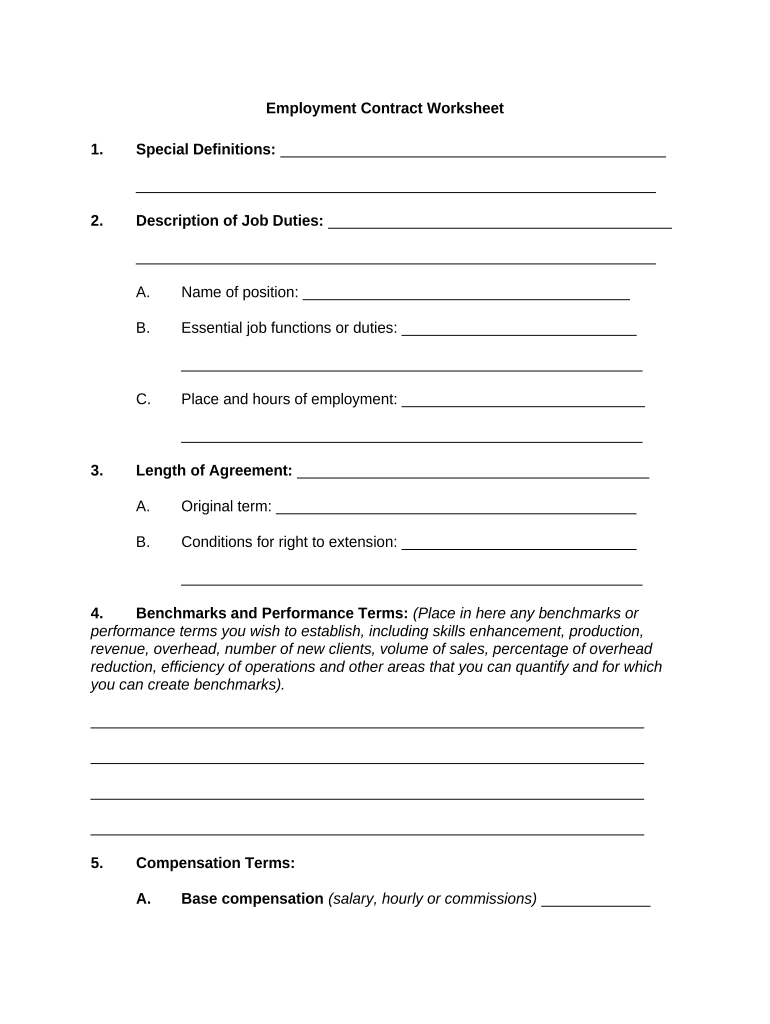
Employment Contract Worksheet 2026

Get Form
Employment Contract Worksheet Preview on Page 1

Here's how it works

01. Edit your form online
Type text, add images, blackout confidential details, add comments, highlights and more.
02. Sign it in a few clicks
Draw your signature, type it, upload its image, or use your mobile device as a signature pad.
03. Share your form with others
Send it via email, link, or fax. You can also download it, export it or print it out.

How to use or fill out Employment Contract Worksheet with our platform

Form edit decoration
9.5
Ease of Setup
DocHub User Ratings on G2
9.0
Ease of Use
DocHub User Ratings on G2
  1. Click ‘Get Form’ to open the Employment Contract Worksheet in the editor.
  2. Begin by filling out the 'Special Definitions' section to clarify any terms specific to your agreement.
  3. In the 'Description of Job Duties' section, specify the name of the position and outline essential job functions, including place and hours of employment.
  4. Detail the 'Length of Agreement' by stating the original term and conditions for extension.
  5. Set benchmarks and performance terms that are quantifiable, such as sales volume or efficiency metrics.
  6. Outline compensation terms, including base salary, overtime authorization, commission arrangements, and any incentive programs.
  7. List benefits provided, covering health, dental, vision insurance, retirement plans, and other allowances.
  8. Define termination conditions clearly under 'Termination', specifying at-will or for cause agreements.
  9. Complete covenants regarding non-disclosure and non-solicitation agreements as necessary.
  10. Review all sections for accuracy before saving or sharing your completed document.

Start using our platform today to streamline your Employment Contract Worksheet process for free!

be ready to get more

Complete this form in 5 minutes or less

Get form

Got questions?

We have answers to the most popular questions from our customers. If you can't find an answer to your question, please contact us.
Contact us
Here are some steps you may use to guide you when you write an employment contract: Title the employment contract. Identify the parties. List the term and conditions. Outline the job responsibilities. Include compensation details. Use specific contract terms. Consult with an employment lawyer. Employment.
This includes the required hours and the number of days per week they are expected to work. Additionally, mention the flexible working options like work-from-home or telecommuting if any. Employee pay and benefits are vital inclusions of an employment contract. However, they must be done in legal compliance.
An employment contract is an agreement between an employer and an employee that outlines the terms and conditions of their working relationship. These terms include salary, working hours, job descriptions, and benefits. A contract comes into force as soon as the employee accepts their job offer.
An employee contract is a formal agreement between an employer and an employee that outlines both parties rights, duties, and obligations. It is crucial for establishing clear expectations, promoting transparency, and protecting both the employer and employee in the event of disputes.
How to draft a contract in 13 simple steps Start with a contract template. Understand the purpose and requirements. Identify all parties involved. Outline key terms and conditions. Define deliverables and milestones. Establish payment terms. Add termination conditions. Incorporate dispute resolution.

Security and compliance

At DocHub, your data security is our priority. We follow HIPAA, SOC2, GDPR, and other standards, so you can work on your documents with confidence.

Learn more
ccpa2
pci-dss
gdpr-compliance
hipaa
soc-compliance