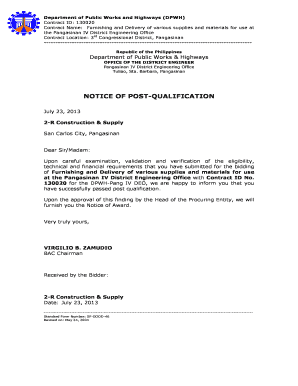
Sample payment schedule 2026

Get Form
schedule a letter template Preview on Page 1

Here's how it works

01. Edit your schedule a letter template online
Type text, add images, blackout confidential details, add comments, highlights and more.
02. Sign it in a few clicks
Draw your signature, type it, upload its image, or use your mobile device as a signature pad.
03. Share your form with others
Send sample schedule a letter via email, link, or fax. You can also download it, export it or print it out.

How to use or fill out sample payment schedule with our platform

Form edit decoration
9.5
Ease of Setup
DocHub User Ratings on G2
9.0
Ease of Use
DocHub User Ratings on G2
  1. Click ‘Get Form’ to open the sample payment schedule in the editor.
  2. Begin by entering the date at the top of the form. This is crucial for record-keeping and tracking your payment timeline.
  3. In the recipient section, fill in the name, company, and address details accurately. This ensures that your communication reaches the correct party.
  4. Next, specify the proposed payment amounts and due dates in the designated fields. Be clear and concise to avoid any misunderstandings.
  5. If applicable, include a section for an immediate down payment amount. This is essential for establishing commitment from both parties.
  6. Finally, review all entries for accuracy before saving or sending your completed form. Utilize our platform’s features to make any necessary adjustments easily.

Start using our platform today to streamline your document editing and signing process for free!

be ready to get more

Complete this form in 5 minutes or less

Get form

Got questions?

We have answers to the most popular questions from our customers. If you can't find an answer to your question, please contact us.
Contact us
An example of a payment schedule would be if you were to buy a car in instalments, there would be a payment schedule that set out your monthly repayments until the car was paid off. There are many different types of payment schedules, such as instalment payments and fixed payments.
2. Banks Website/App or Digital Wallet Log in to your banking account or digital wallet. Navigate to the bill payment section. Choose the option for schedule payments option. Input the merchant or biller details. Set the payment frequency to monthly. Enter the payment amount and choose the payment date.
Establishing a Payment Schedule Create a timeline for when payments should be made. Specify details such as the payment type, payment amount, and due date. Communicate the payment schedule to both parties. Establish a plan for the consequences of late payments. Keep a record of the payment schedule for reference.
Accounting software: Tools like QuickBooks or Xero can automate invoice tracking and payment reminders, helping you stay on top of your financial obligations. Calendar applications: Google Calendar or Outlook can be used to set reminders for payment deadlines, ensuring you never miss a due date.

Security and compliance

At DocHub, your data security is our priority. We follow HIPAA, SOC2, GDPR, and other standards, so you can work on your documents with confidence.

Learn more
ccpa2
pci-dss
gdpr-compliance
hipaa
soc-compliance
be ready to get more

Complete this form in 5 minutes or less

Get form