Prospecting sheet form 2026

Get Form
prospect sheet Preview on Page 1

Here's how it works

01. Edit your prospect sheet online
Type text, add images, blackout confidential details, add comments, highlights and more.
02. Sign it in a few clicks
Draw your signature, type it, upload its image, or use your mobile device as a signature pad.
03. Share your form with others
Send prospect sheet template via email, link, or fax. You can also download it, export it or print it out.

How to use or fill out prospecting sheet form with our platform

Form edit decoration
9.5
Ease of Setup
DocHub User Ratings on G2
9.0
Ease of Use
DocHub User Ratings on G2
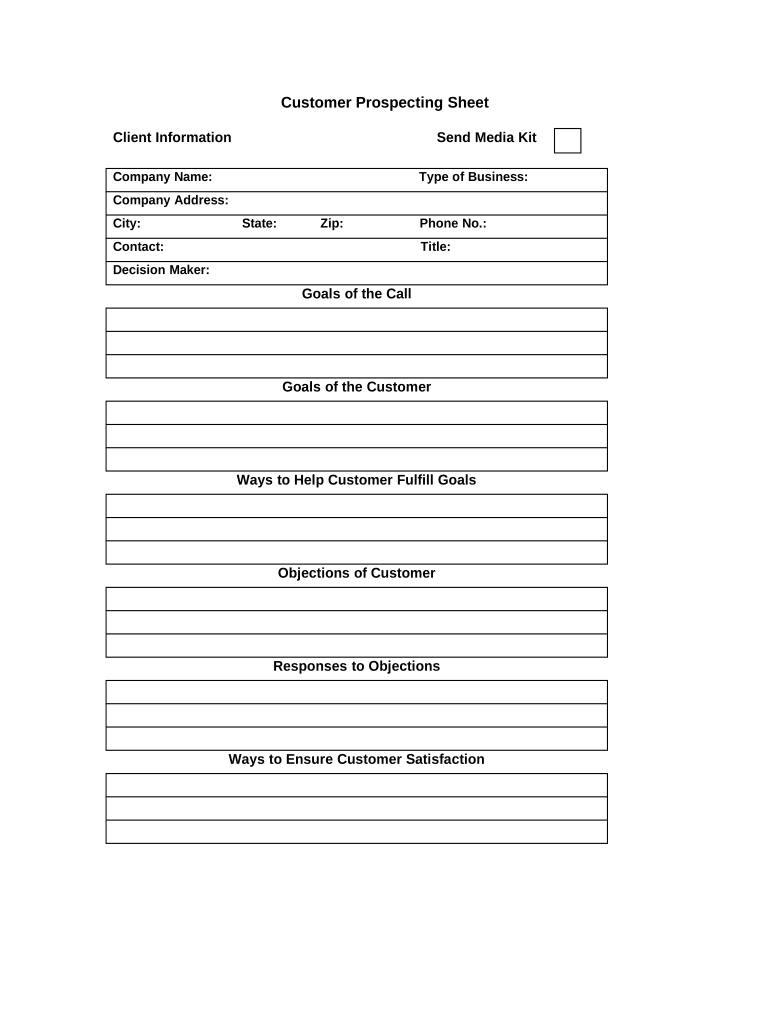
  1. Click ‘Get Form’ to open the prospecting sheet in the editor.
  2. Begin by entering the 'Company Name' and 'Type of Business' in the designated fields. This information is crucial for identifying your target client.
  3. Fill in the 'Company Address', including 'City', 'State', and 'Zip'. Accurate address details help in understanding the geographical context of your prospects.
  4. Next, provide contact details by filling out 'Contact', 'Phone No.', and 'Title'. This ensures you have direct communication lines with key individuals.
  5. Identify the 'Decision Maker' within the company. Knowing who makes decisions can streamline your outreach efforts.
  6. Outline the 'Goals of the Call' and 'Goals of the Customer'. This section helps clarify objectives for both parties during discussions.
  7. Incorporate strategies under 'Ways to Help Customer Fulfill Goals' and prepare for potential challenges by noting down any anticipated objections along with responses.
  8. Finally, document methods under 'Ways to Ensure Customer Satisfaction' to enhance client relationships post-call.

Start using our platform today to effortlessly complete your prospecting sheet form online for free!

be ready to get more

Complete this form in 5 minutes or less

Get form

Security and compliance

At DocHub, your data security is our priority. We follow HIPAA, SOC2, GDPR, and other standards, so you can work on your documents with confidence.

Learn more
ccpa2
pci-dss
gdpr-compliance
hipaa
soc-compliance