Type text, add images, blackout confidential details, add comments, highlights and more.
02. Sign it in a few clicks
Draw your signature, type it, upload its image, or use your mobile device as a signature pad.
03. Share your form with others
Send formal announcement example via email, link, or fax. You can also download it, export it or print it out.
How to use or fill out sample letter announcement with our platform
Ease of Setup
DocHub User Ratings on G2
Ease of Use
DocHub User Ratings on G2
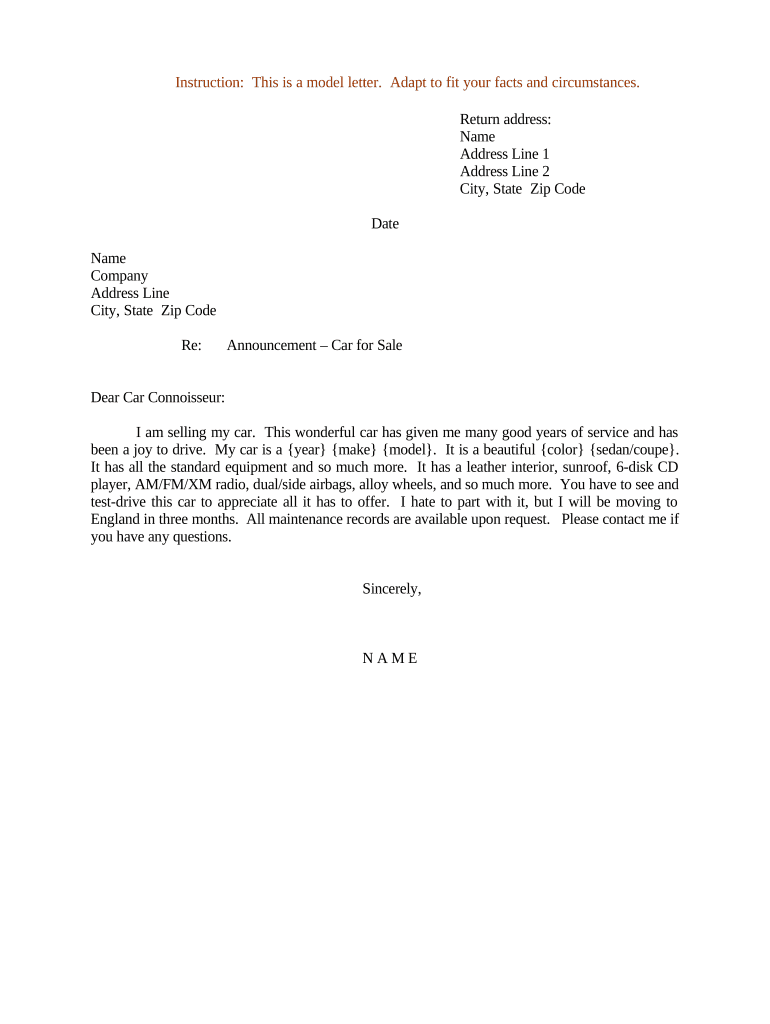
Click ‘Get Form’ to open the sample letter announcement in the editor.
Begin by entering your return address at the top of the document. Fill in your name, address line 1, address line 2, city, state, and zip code.
Next, input the date on which you are writing the letter. This is important for record-keeping.
In the recipient section, enter the name and company of the person you are addressing, followed by their address details.
Move to the body of the letter. Replace placeholders like {year}, {make}, {model}, and {color} with specific details about your car. Describe its features and condition clearly.
Conclude with a polite closing statement and sign off with your name at the bottom of the letter.
Start using our platform today to easily create and customize your documents for free!
Fill out sample letter announcement online It's free
Simple announcement exampleSample letter announcement for employeeFormal announcement exampleAnnouncement letterShort announcement letterAnnouncement examples for studentsAnnouncement letter to employeesSample Announcement
Security and compliance
At DocHub, your data security is our priority. We follow HIPAA, SOC2, GDPR, and other standards, so you can work on your documents with confidence.
Im very pleased to announce that [new employee] will join [school/unit/department name] as [job title]. [New employee] will begin her journey with us onRead more
I am proud to announce that we are introducing a building-wide recycling program, and would like to invite you to help us get the new program off to a goodRead more
Cookie consent notice
This site uses cookies to enhance site navigation and personalize your experience.
By using this site you agree to our use of cookies as described in our Privacy Notice.
You can modify your selections by visiting our Cookie and Advertising Notice.