




01. Edit your form online
Type text, add images, blackout confidential details, add comments, highlights and more.

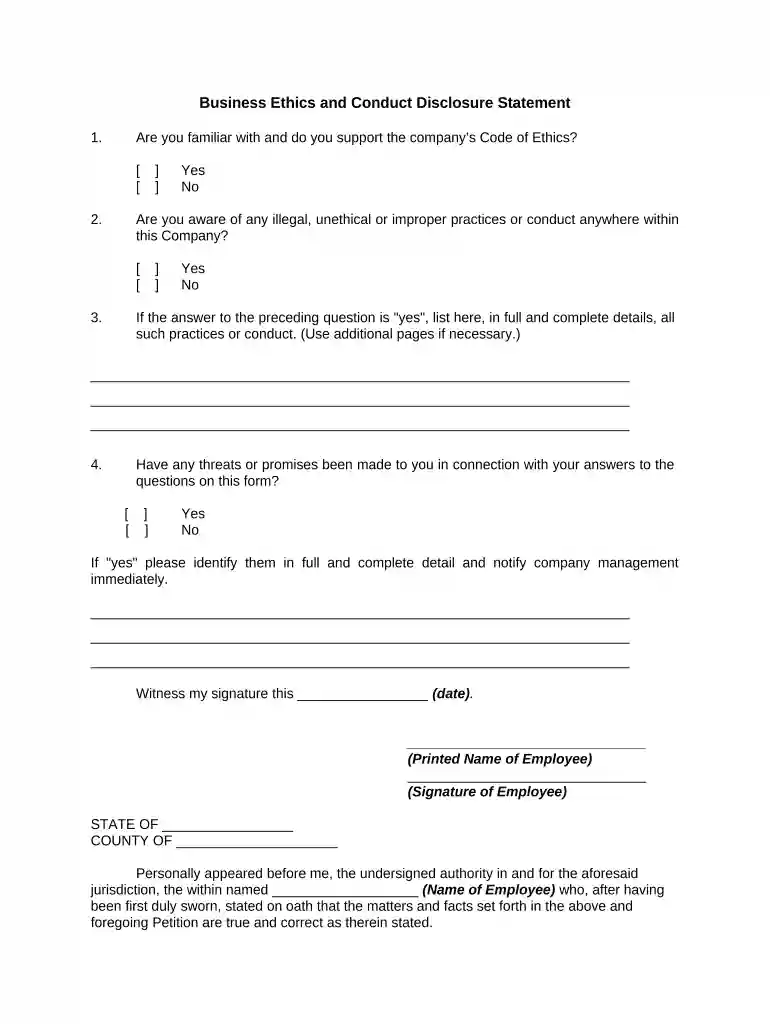
Type text, add images, blackout confidential details, add comments, highlights and more.

Draw your signature, type it, upload its image, or use your mobile device as a signature pad.

Send it via email, link, or fax. You can also download it, export it or print it out.

Start using our platform today for free to streamline your business disclosure process!
At DocHub, your data security is our priority. We follow HIPAA, SOC2, GDPR, and other standards, so you can work on your documents with confidence.


May 11, 2026 Disclosure Theory addresses motivations for voluntary reporting and risks like greenwashing. Practical implementation requires readiness checks,Read more
Georgia law requires that all Institute employees disclose business transactions - conducted by themselves or family members - with the state or any state
A. A seller who offers or sells a business opportunity and who is required to file a registration statement pursuant to section 44-1272 shall not solicit aRead more


