Copyright 2026

Get Form
copyright Preview on Page 1

Here's how it works

01. Edit your form online
Type text, add images, blackout confidential details, add comments, highlights and more.
02. Sign it in a few clicks
Draw your signature, type it, upload its image, or use your mobile device as a signature pad.
03. Share your form with others
Send it via email, link, or fax. You can also download it, export it or print it out.

How to Use or Fill Out Copyright with Our Platform

Form edit decoration
9.5
Ease of Setup
DocHub User Ratings on G2
9.0
Ease of Use
DocHub User Ratings on G2
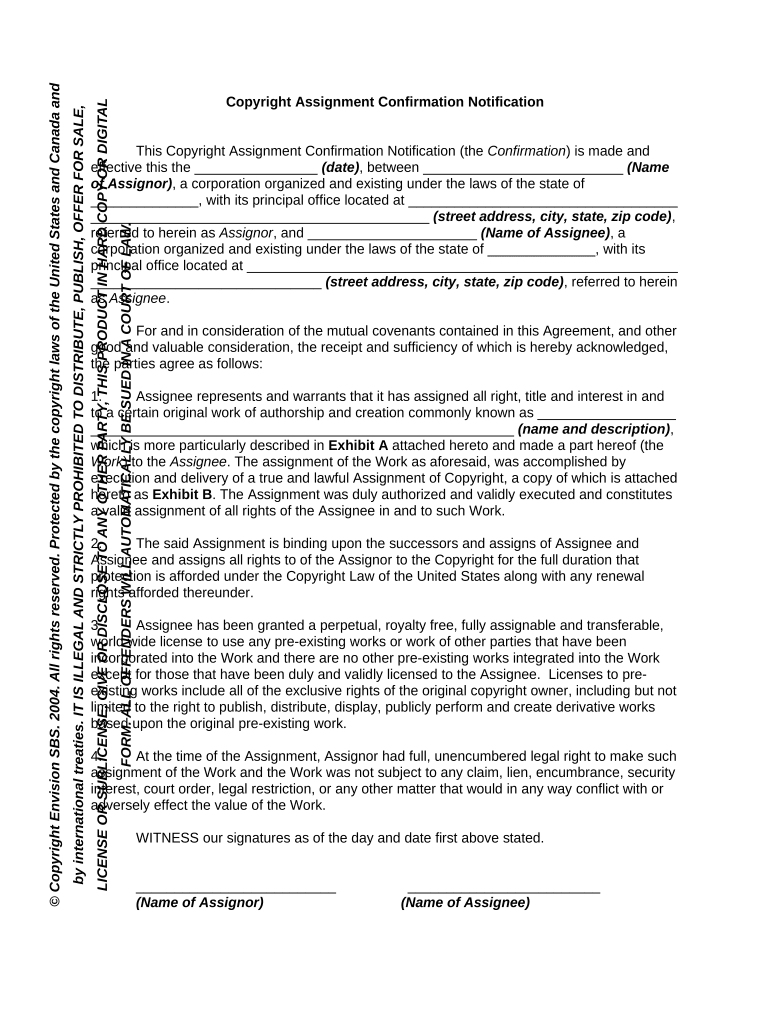
  1. Click ‘Get Form’ to open the Copyright Assignment Confirmation Notification in the editor.
  2. Begin by entering the effective date of the agreement in the designated field.
  3. Fill in the name of the Assignor and their corporation details, including state and address.
  4. Next, input the name of the Assignee along with their corporation information similarly.
  5. In Section 1, describe the original work being assigned. Ensure that this description is clear and detailed.
  6. Review Sections 2 and 3 to confirm that all rights and licenses are accurately represented as per your agreement.
  7. Complete the signature fields for both parties, ensuring that printed names and titles are included.
  8. If required, attach any exhibits mentioned in the form before finalizing your document.

Start using our platform today to streamline your copyright documentation process for free!

be ready to get more

Complete this form in 5 minutes or less

Get form

Got questions?

We have answers to the most popular questions from our customers. If you can't find an answer to your question, please contact us.
Contact us
The term of copyright for a particular work depends on several factors, including whether it has been published, and, if so, the date of first publication. As a general rule, for works created after January 1, 1978, copyright protection lasts for the life of the author plus an additional 70 years.
What is copyright? Copyright is a form of protection grounded in the U.S. Constitution and granted by law for original works of authorship fixed in a tangible medium of expression. Copyright covers both published and unpublished works.
Copyright is a form of protection grounded in the U.S. Constitution and granted by law for original works of authorship fixed in a tangible medium of expression. Copyright covers both published and unpublished works.
In general, all you need to do is create a work of authorship and write it down or otherwise record it somewhere. This will automatically create copyright protections. In theory, you do not need to own the original copy in order to own the copyright. How to Copyright Your Writing for Free: 13 Steps (with Pictures) - wikiHow wikihow.com Copyright-Your-Writing-for wikihow.com Copyright-Your-Writing-for
For example, copyright does not protect factual information or data, titles, short word combinations, names, characters, slogans, themes, plots, or ideas. These may be used or copied without permission or payment of royalties (unless they happen to be protected under trademark law).
be ready to get more

Complete this form in 5 minutes or less

Get form