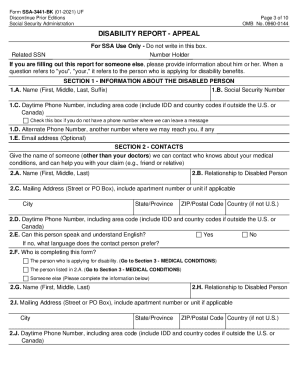
Type text, add images, blackout confidential details, add comments, highlights and more.
02. Sign it in a few clicks
Draw your signature, type it, upload its image, or use your mobile device as a signature pad.
03. Share your form with others
Send it via email, link, or fax. You can also download it, export it or print it out.
How to use or fill out employment form contract pdf with our platform
Ease of Setup
DocHub User Ratings on G2
Ease of Use
DocHub User Ratings on G2
Click ‘Get Form’ to open the employment form contract PDF in the editor.
Begin by filling in the date at the top of the document, followed by your name and the employer's name. Ensure accuracy as this sets the context for the agreement.
In Section 1, specify your role and responsibilities. Clearly outline your position and any additional roles you will undertake, such as serving on the Board of Directors.
For Section 2, indicate the start and end dates of your employment period. Be mindful of any automatic extension clauses mentioned.
Complete Section 4 regarding compensation. Enter your base salary and any bonuses you expect to receive during your employment.
Review Sections 5 through 11 carefully, ensuring all benefits, duties, and termination conditions are understood and accurately filled out.
Once all fields are completed, utilize our platform’s signing feature to electronically sign the document before sending it back to your employer.
Start using our platform today for free to streamline your employment form completion!
Fill out employment form contract pdf online It's free
Both involve the meeting of minds and exchange of promises, but a contract typically entails a more formalized arrangement, often documented in writing, and carries legal enforceability. Conversely, an agreement can be informal and may not always be legally binding.
What is the difference between an employment agreement and a contract?
Write the contract in six steps Start with a contract template. Open with the basic information. Describe in detail what you have agreed to. Include a description of how the contract will be ended. Write into the contract which laws apply and how disputes will be resolved. Include space for signatures.
How do I make a contract form?
Permanent employment contract In the US, a permanent employee contract, sometimes called an open-ended contract, generally refers to an agreement between an employer and an employee where the employee is hired indefinitely. They are the most common type of contract and can be used for full- and part-time positions.
What agreements are not contracts?
For example, if an agreement is not indented to create legal relationship, agreement not made with the free consent of the parties, agreement not made for a lawful object etc. These agreements are not valid contracts. An agreement which does not create legal obligation is also not a contract.
Is an agreement enforceable by law a contract?
(h) An agreement enforceable by law is a contract; (i) An agreement which is enforceable by law at the option of one or more of the parties thereto, but not at the option of the other or others, is a voidable contract; (j) A contract which ceases to be enforceable by law becomes void when it ceases to be enforceable.
Related Searches
Simple employment form contract pdfEmployment form contract pdf free downloadFree employment form contract pdfEmployment form contract pdf downloadEmployment contract template WordEmployment contract template Word free downloadEmployment contract template Word PDFSimple employment contract sample PDF
Security and compliance
At DocHub, your data security is our priority. We follow HIPAA, SOC2, GDPR, and other standards, so you can work on your documents with confidence.
Cookie consent notice
This site uses cookies to enhance site navigation and personalize your experience.
By using this site you agree to our use of cookies as described in our Privacy Notice.
You can modify your selections by visiting our Cookie and Advertising Notice.