Certification bills paid 2026

Get Form
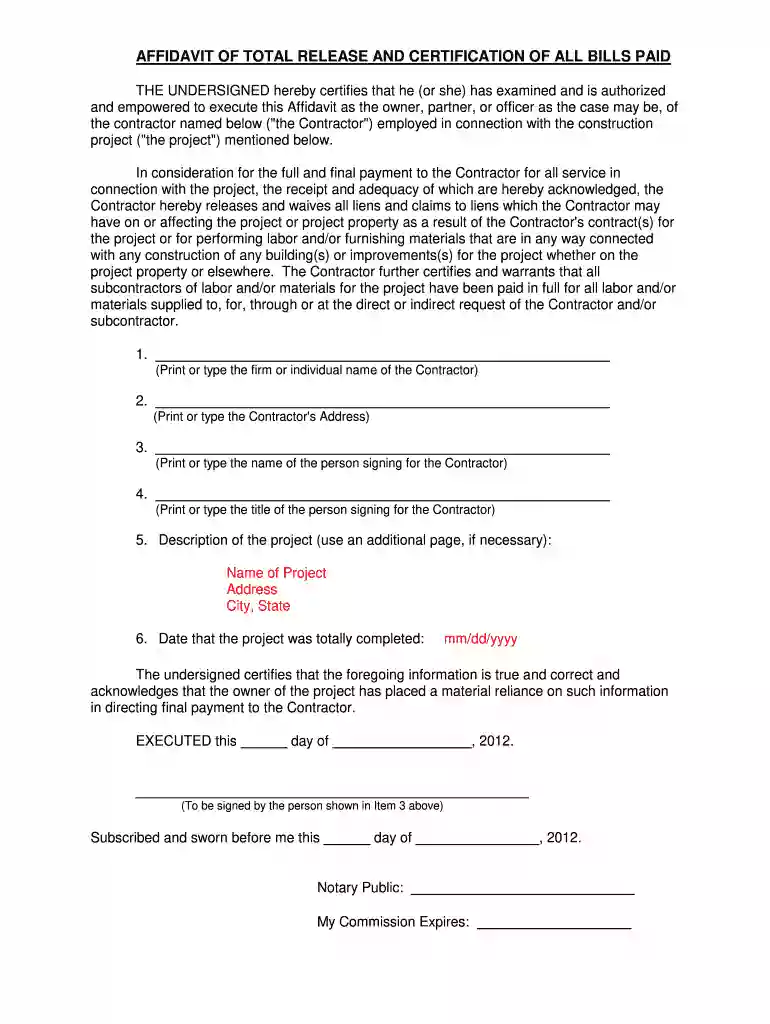
certification bills paid Preview on Page 1

Here's how it works

01. Edit your form online
Type text, add images, blackout confidential details, add comments, highlights and more.

02. Sign it in a few clicks
Draw your signature, type it, upload its image, or use your mobile device as a signature pad.

03. Share your form with others
Send it via email, link, or fax. You can also download it, export it or print it out.

How to use or fill out certification bills paid with our platform

Form edit decoration
9.5
Ease of Setup
DocHub User Ratings on G2
9.0
Ease of Use
DocHub User Ratings on G2
  1. Click ‘Get Form’ to open it in the editor.
  2. Begin by entering the Contractor's name in the first field. This should be the firm or individual responsible for the project.
  3. Next, provide the Contractor's address in the designated field to ensure accurate identification.
  4. In the following section, print or type the name of the person who is authorized to sign on behalf of the Contractor.
  5. Specify the title of this individual in the next field, confirming their authority within the organization.
  6. Describe the project by filling out its name, address, and city/state. If more space is needed, feel free to use an additional page.
  7. Indicate the completion date of the project using the mm/dd/yyyy format to finalize this section.
  8. Finally, ensure that all information is accurate before signing and dating at the bottom of the form. A notary public will also need to complete their section for validation.

Start using our platform today for free and streamline your document editing process!

be ready to get more

Complete this form in 5 minutes or less

Get form

Got questions?

We have answers to the most popular questions from our customers. If you can't find an answer to your question, please contact us.
Contact us
If certificate program student loans arent an option, and your employer wont cover the cost of certificate programs, a personal loan could help. Personal loans for students tend to have lower interest rates than credit cards, along with set repayment terms to help you save money in interest charges.
Those who participate in professional certificates and formal certification programs consistently report an increase in salary. Because a certificate demonstrates your commitment to specialized and enhanced training, many employers are apt to reward such behavior.
Among the many types of licensing or certification programs you can use your GI Bill benefits for are: Project management certification. Pharmacy technician certification. Real estate licensing.
CompTIA certification exams are approved on the GI Bill and can be reimbursed with GI Bill funds.
Top 10 Highest Paying Certifications Google Certified Professional Cloud Architect. Certified Information Systems Security Professional (CISSP) Exam AZ-400: Designing and Implementing Microsoft DevOps Solutions. ITIL Foundation. Certified Information Security Manager (CISM) Project Management Professional (PMP)

Security and compliance

At DocHub, your data security is our priority. We follow HIPAA, SOC2, GDPR, and other standards, so you can work on your documents with confidence.

Learn more
ccpa2
pci-dss
gdpr-compliance
hipaa
soc-compliance

People also ask

VA pays only the test costs, or up to $2,000 for each test. Fees connected with obtaining a license or certification are not reimbursable. Payment is issued after you submit proof of payment to VA. Find out how your GI Bill entitlement will be charged for taking a Licensing and Certification benefit.

Related links