Type text, add images, blackout confidential details, add comments, highlights and more.
02. Sign it in a few clicks
Draw your signature, type it, upload its image, or use your mobile device as a signature pad.
03. Share your form with others
Send it via email, link, or fax. You can also download it, export it or print it out.
How to Use or Fill Out Alimony with Our Platform
Ease of Setup
DocHub User Ratings on G2
Ease of Use
DocHub User Ratings on G2
Click ‘Get Form’ to open the alimony document in the editor.
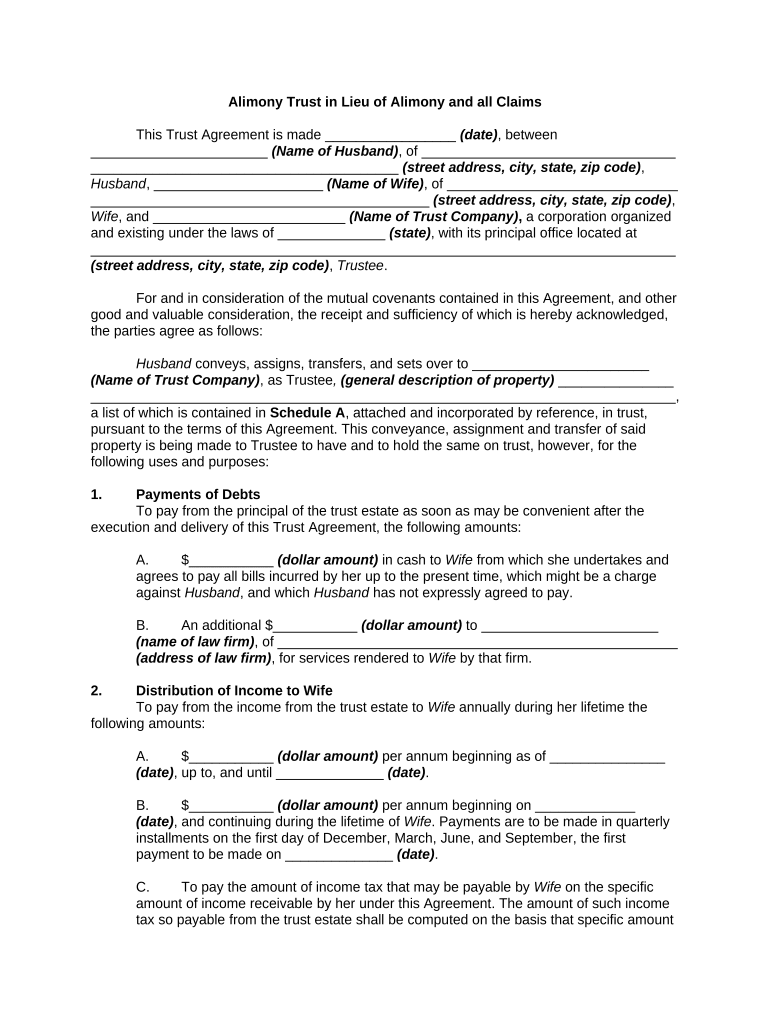
Begin by entering the date of the agreement at the top of the form. This is crucial for establishing the timeline of your trust.
Fill in the names and addresses of both parties involved: Husband and Wife. Ensure accuracy to avoid any legal complications.
In Section 1, specify the dollar amounts for payments to be made to Wife, including any amounts owed for bills and legal services. Be precise with these figures.
For Section 2, indicate annual payment amounts from the trust income to Wife, along with start and end dates. Remember to note quarterly payment schedules.
Complete Sections 3 through 12 by detailing investment rights, definitions of net income, trustee compensation, and provisions regarding successor trustees.
Start using our platform today for free to streamline your alimony documentation process!
What is alimony based onAlimony in PAAlimony in SpanishWhat qualifies a spouse for alimonyAlimony pronunciationAlimony movieAlimony vs child supportAlimony in chinese
Security and compliance
At DocHub, your data security is our priority. We follow HIPAA, SOC2, GDPR, and other standards, so you can work on your documents with confidence.
Alimony, sometimes referred to as spousal support, is the court-ordered money that one party pays to the other party for support while they are separated.Read more
Cookie consent notice
This site uses cookies to enhance site navigation and personalize your experience.
By using this site you agree to our use of cookies as described in our Privacy Notice.
You can modify your selections by visiting our Cookie and Advertising Notice.