Accident report 2026

Get Form
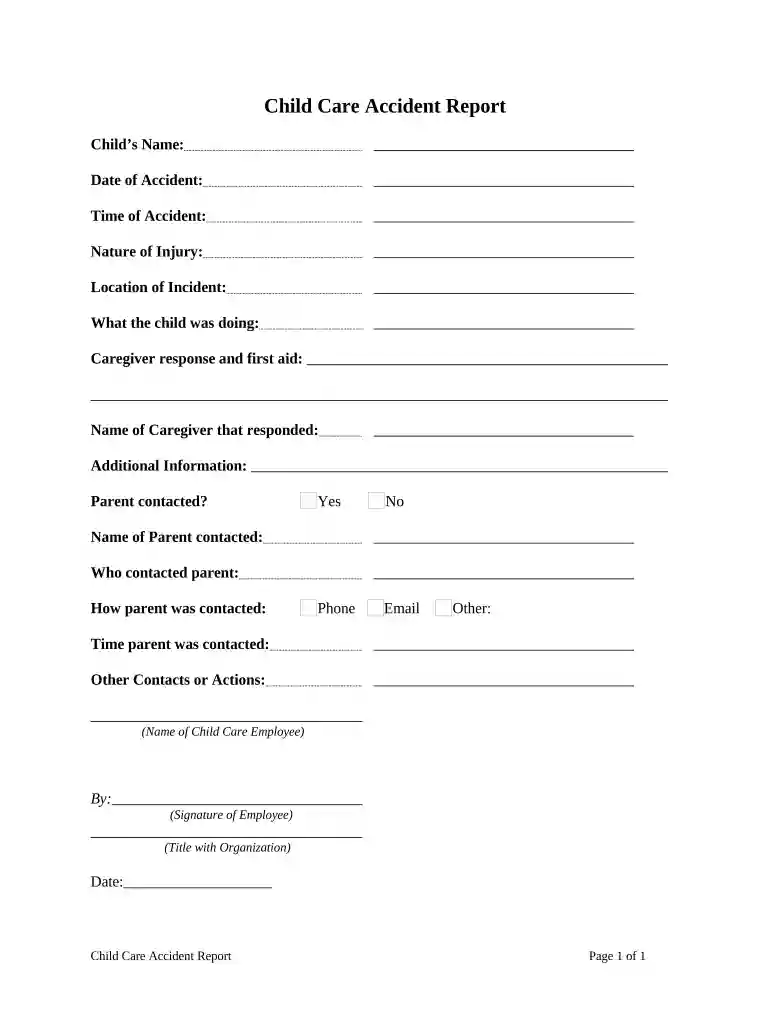
accident report Preview on Page 1

Here's how it works

01. Edit your form online
Type text, add images, blackout confidential details, add comments, highlights and more.

02. Sign it in a few clicks
Draw your signature, type it, upload its image, or use your mobile device as a signature pad.

03. Share your form with others
Send it via email, link, or fax. You can also download it, export it or print it out.

How to use or fill out accident report with our platform

Form edit decoration
9.5
Ease of Setup
DocHub User Ratings on G2
9.0
Ease of Use
DocHub User Ratings on G2
  1. Click ‘Get Form’ to open the Child Care Accident Report in the editor.
  2. Begin by entering the child's name in the designated field. This is crucial for identifying the individual involved in the incident.
  3. Next, fill in the date and time of the accident. Accurate timestamps are essential for record-keeping and follow-up actions.
  4. Describe the nature of the injury in detail. This section should provide a clear understanding of what occurred.
  5. Indicate the location of the incident. Specify where it took place within your facility to help identify potential safety issues.
  6. Document what the child was doing at the time of the accident. This context can be important for future prevention strategies.
  7. Detail the caregiver's response and any first aid administered. This shows how promptly and effectively care was provided.
  8. Complete sections regarding parent contact, including their name, how they were contacted, and any additional information relevant to follow-up actions.
  9. Finally, ensure that a Child Care Employee signs off on the report, including their title and date for accountability purposes.

Start using our platform today to streamline your accident reporting process for free!

be ready to get more

Complete this form in 5 minutes or less

Get form

Got questions?

We have answers to the most popular questions from our customers. If you can't find an answer to your question, please contact us.
Contact us
What to Include in an Incident Report General information. Setting or environment. Affected people. Injuries and the severity. Witnesses. Administered treatment. Property and equipment damages. Events.
Colorado State Patrol (CSP) They have streamlined the process of how to look up an accident report through the CSP website. By inputting necessary information, such as the report number or the date of the accident, you can quickly secure a digital copy of the report.
Crash Reports may be purchased online HERE or in person at any ALEA Driver License Office. Alabama Code 32-10-7 governs who is eligible to purchase crash reports.
Contact the Colorado State Patrol Central Records Unit for associated costs. Payment may be made by check or money order made payable to the Colorado State Patrol or via credit card. All requests for records must be submitted on the appropriate Colorado State Patrol Records Request Portal.

Security and compliance

At DocHub, your data security is our priority. We follow HIPAA, SOC2, GDPR, and other standards, so you can work on your documents with confidence.

Learn more
ccpa2
pci-dss
gdpr-compliance
hipaa
soc-compliance