




01. Edit your 24 hour notice to enter california online
Type text, add images, blackout confidential details, add comments, highlights and more.

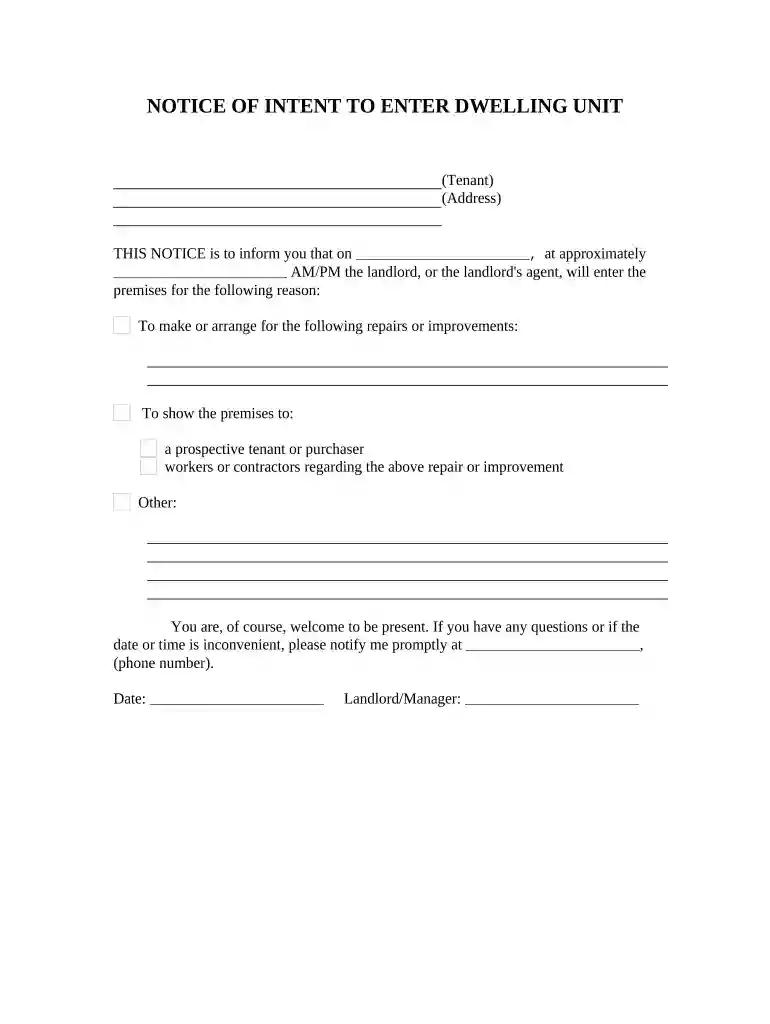
Type text, add images, blackout confidential details, add comments, highlights and more.

Draw your signature, type it, upload its image, or use your mobile device as a signature pad.

Send california tenant law 24 hour notice to enter via email, link, or fax. You can also download it, export it or print it out.

Start using our platform today for free to streamline your document editing and ensure smooth communication!
At DocHub, your data security is our priority. We follow HIPAA, SOC2, GDPR, and other standards, so you can work on your documents with confidence.


Tenants must be provided with at least 24-hours written notice before the landlord enters the unit. If the written notice is mailed, it must be mailed at leastRead more
Mar 30, 2026 Under California law, landlords are required to give tenants written notice at least 24 hours before entering rental property, except in theRead more
Notice of Default and Right to Cure. Most contracts for sale require one party to give the other party notice of a material default and a reasonable opportunityRead more


