




01. Edit your form online
Type text, add images, blackout confidential details, add comments, highlights and more.

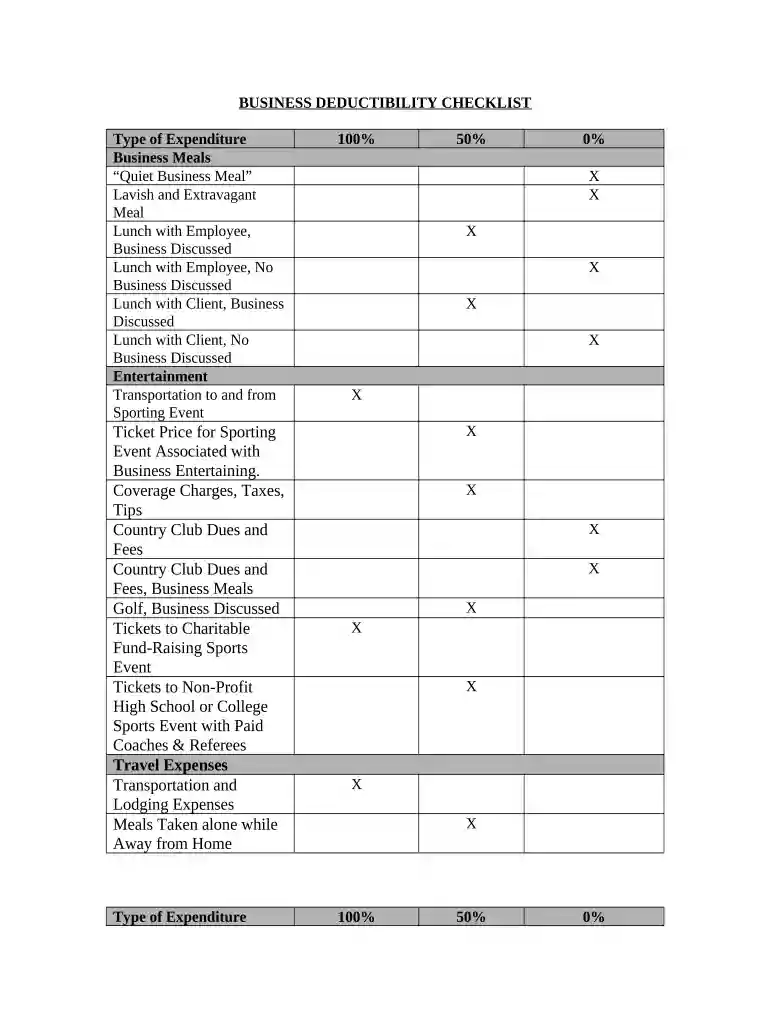
Type text, add images, blackout confidential details, add comments, highlights and more.

Draw your signature, type it, upload its image, or use your mobile device as a signature pad.

Send it via email, link, or fax. You can also download it, export it or print it out.

Start using our platform today for free and streamline your business deductibility process!
At DocHub, your data security is our priority. We follow HIPAA, SOC2, GDPR, and other standards, so you can work on your documents with confidence.


There shall be allowed as a deduction all the ordinary and necessary expenses paid or incurred during the taxable year in carrying on any trade or business.Read more
Deduct expenses Energy efficient commercial buildings deduction Home office deduction Standard mileage rates Business interest deduction.Read more


