Type text, add images, blackout confidential details, add comments, highlights and more.

02. Sign it in a few clicks
Draw your signature, type it, upload its image, or use your mobile device as a signature pad.

03. Share your form with others
Send https employeeworkplace com jobs self identify html via email, link, or fax. You can also download it, export it or print it out.

How to use or fill out Employee Self-Identification Form with DocHub
Ease of Setup
DocHub User Ratings on G2
Ease of Use
DocHub User Ratings on G2
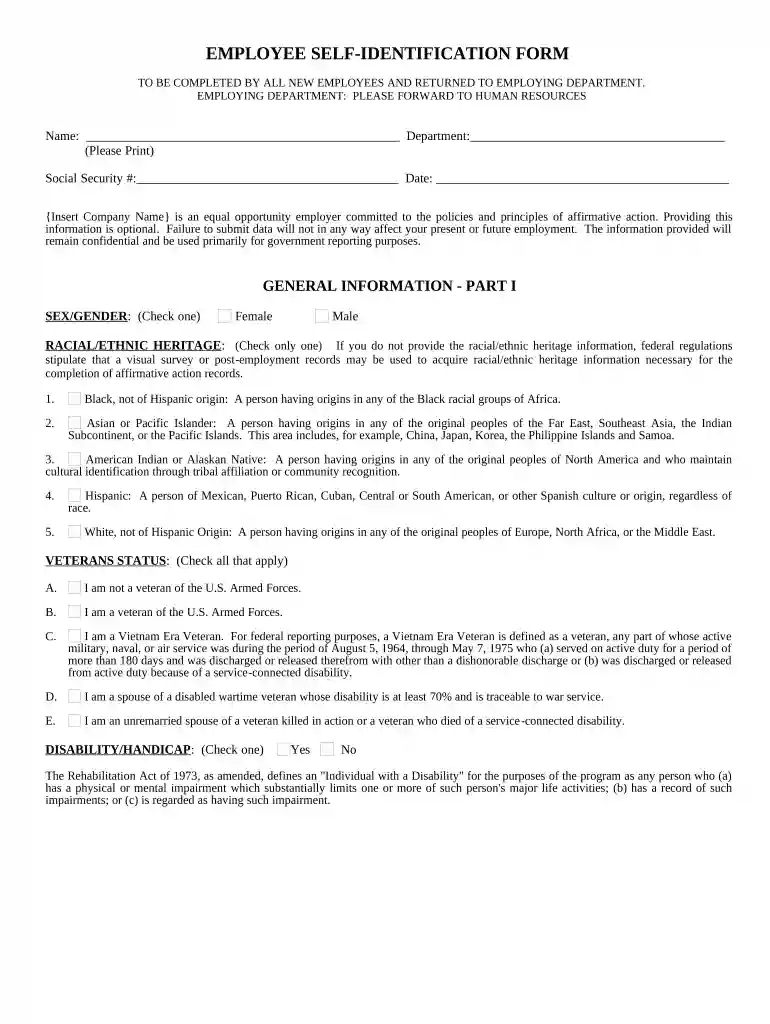
Click ‘Get Form’ to open the Employee Self-Identification Form in our platform.
Begin by entering your name and department in the designated fields. Ensure that you print clearly for easy readability.
Input your Social Security number and the date of completion. This information is crucial for record-keeping purposes.
In Part I, check the box that corresponds to your sex/gender. This section is straightforward and requires only one selection.
Next, select your racial/ethnic heritage by checking only one option from the provided list. Familiarize yourself with each category to make an informed choice.
Indicate your veteran status by checking all applicable boxes. Review the definitions provided to ensure accurate reporting.
Finally, answer the disability/handicap question by selecting 'Yes' or 'No'. This section helps in understanding workplace accommodations.
Start filling out your Employee Self-Identification Form today on our platform for free!
Fill out Employee Self-Identification Form online It's free
Self-identifying on a job application is the process of disclosing your race, gender, and if you belong to an employment equity group. Employers will sometimes ask candidates in a survey to self-identify as part of the application process.
What is a self-identification form?
The Voluntary Self-Identification of Disability Form is a way for prospective employees to disclose any disabilities they have to potential employers during the application process. This is largely done to ensure that workers have all the necessary accommodations required to do their job properly.
What is employee self-identity?
Self-identification is a voluntary, confidential process in which employees share aspects of their identity with the Commonwealth. Identity information can include race, ethnicity, gender identity, preferred name, pronouns, and disability and veteran status.
What is the self-identification form?
As required by federal law, the Voluntary Self Identification of a Disability form provides the opportunity for employees to notify employers of disability post-hire if they wish to do so.
Should you fill out an EEO form?
Employers who have at least 100 employees and federal contractors who have at least 50 employees are required to complete and submit an EEO-1 Report (a government form that requests information about employees job categories, ethnicity, race, and gender) to EEOC and the U.S. Department of Labor every year.
employeeworkplace com jobs self identify
Employee self identification form eeo 1Employee self identification form templateEmployee self identification form pdfvoluntary self-identification form race and ethnicityeeo self-identification form pdfeeo-1 self identification form 2025Self-Identification form race and genderEEO form for new hires
Security and compliance
At DocHub, your data security is our priority. We follow HIPAA, SOC2, GDPR, and other standards, so you can work on your documents with confidence.
Please Note: The voluntary self-identification form is an OMB‐approved form. The only portion that contractors may modify or delete is the For Employer Use
FIPS 201-1, Personal Identity Verification (PIV) of Federal
by PIV PIV 2013 This document establishes a standard for a Personal Identity Verification (PIV) system based on secure and reliable forms of identification
Employee Self-Identification Forms (00087856).DOCX
Completing this form is voluntary, but we hope that you will choose to fill it out. If you are applying for a job, any answer you give will be kept private and
Cookie consent notice
This site uses cookies to enhance site navigation and personalize your experience.
By using this site you agree to our use of cookies as described in our Privacy Notice.
You can modify your selections by visiting our Cookie and Advertising Notice.