




Here's how it works

01. Edit your essential functions form online
Type text, add images, blackout confidential details, add comments, highlights and more.

02. Sign it in a few clicks
Draw your signature, type it, upload its image, or use your mobile device as a signature pad.

03. Share your form with others
Send essential job functions via email, link, or fax. You can also download it, export it or print it out.
How to Use or Fill Out Essential Functions with Our Platform

- Click ‘Get Form’ to open it in the editor.
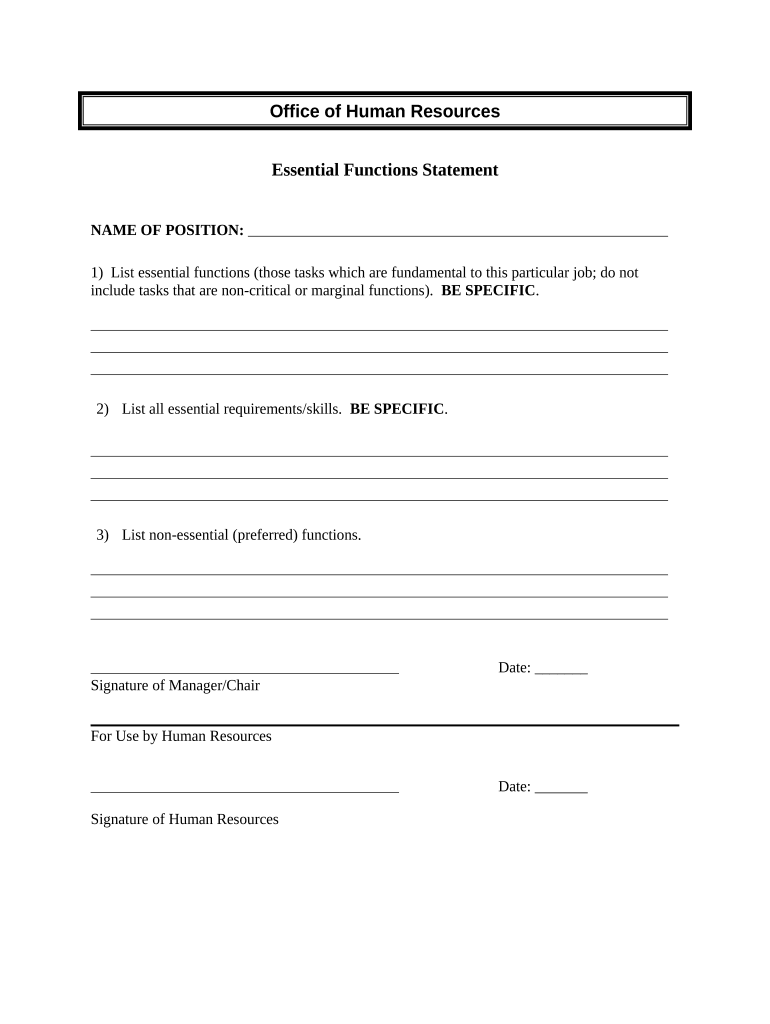
- Begin by filling in the 'NAME OF POSITION' field at the top of the form. This identifies the specific role for which you are outlining essential functions.
- In the first section, list all essential functions. Be specific about tasks that are fundamental to the job, avoiding any non-critical or marginal functions.
- Next, move to the second section and detail all essential requirements and skills needed for this position. Again, specificity is key here.
- In the third section, outline any non-essential (preferred) functions that may enhance a candidate's suitability for the role.
- Finally, ensure to fill in the date and provide signatures where indicated for both Manager/Chair and Human Resources.
Start using our platform today to streamline your document editing and form completion process for free!
Fill out essential functions online
It's free
It's free
Security and compliance
At DocHub, your data security is our priority. We follow HIPAA, SOC2, GDPR, and other standards, so you can work on your documents with confidence.
Learn more


Related forms
San diego small claims court forms
The document is a comprehensive guide for filing small claims cases in the Superior Court of California, County of San D ...

Natf 85 form
The document provides instructions for ordering copies of Federal pension or bounty land warrant applications from the N ...
1/50051-11 Data capture form - Halifax Intermediaries
The document is an intermediary mortgage data capture form for Halifax, designed to facilitate the online submission of ...
Caregiver authority
The document is a Caregiver Designation Form from the Oklahoma Medical Marijuana Authority, intended for adult patients ...
Badge Return/Replacement Form - Neisd
The document is a Badge Return/Replacement Form for employees of North East Independent School District. It outlines the ...
HEALTH FORM XXXV FIRENZE MARATHON 25 NOVEMBER 2018
The document is a health form for participants of the XXXV Firenze Marathon, requiring a doctor's declaration of fitness ...
ACKNOWLEDGMENT OF HEARING NOTICE (PASADENA)
The document is an acknowledgment form for a hearing notice from the United States Court of Appeals for the Ninth Circui ...

Voc3
The document is an application form for vocational registration in New Zealand for doctors holding postgraduate medical ...