Memorandum to Stop Direct Deposit 2026

Get Form
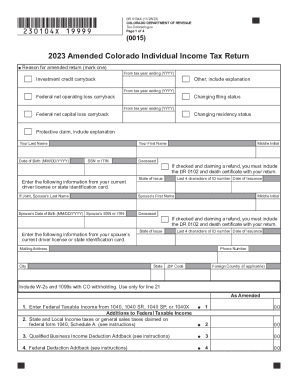
Memorandum to Stop Direct Deposit Preview on Page 1

Here's how it works

01. Edit your form online
Type text, add images, blackout confidential details, add comments, highlights and more.
02. Sign it in a few clicks
Draw your signature, type it, upload its image, or use your mobile device as a signature pad.
03. Share your form with others
Send it via email, link, or fax. You can also download it, export it or print it out.

How to use or fill out Memorandum to Stop Direct Deposit with DocHub

Form edit decoration
9.5
Ease of Setup
DocHub User Ratings on G2
9.0
Ease of Use
DocHub User Ratings on G2
  1. Click ‘Get Form’ to open the Memorandum to Stop Direct Deposit in our platform's editor.
  2. In the 'To' field, enter 'Payroll' to specify the department responsible for processing your request.
  3. For the 'Subject' line, clearly state 'Stop my Direct Deposit' to ensure your intention is understood.
  4. In the body of the memorandum, provide your account number in the designated space. This is crucial for identifying which direct deposit needs to be stopped.
  5. Next, insert the name of your bank where indicated. This helps in confirming the correct financial institution associated with your account.
  6. Include your social security number in the specified area for verification purposes. Ensure this information is accurate and secure.
  7. Finally, sign off with your name at the bottom of the document. You can easily add a digital signature using our platform’s features.

Start editing your Memorandum to Stop Direct Deposit today for free and streamline your document management!

be ready to get more

Complete this form in 5 minutes or less

Get form

Got questions?

We have answers to the most popular questions from our customers. If you can't find an answer to your question, please contact us.
Contact us
What is a Direct Deposit Authorization Form? Direct deposit authorization forms authorize employers to send money directly into an individuals bank account. In times past, employers would print out and distribute physical checks on pay day for each employee to deposit into their bank accounts themselves.
To cancel Direct Deposit, notify your Payer (employer, government agency or payroll provider) of the change. It can take up to 2 pay cycles for Direct Deposit to stop once your employer or payroll provider has received and processed your notification.
A financial institution may put a hold on a direct deposited check in some situations, such as if the check is for a large amount, the account is new, the account has been overdrawn, or the bank has a concern about the ability to collect the funds from the payer.
Employers can require their employees to receive payments through direct deposit, but state laws may regulate the practice. Employers must comply with restrictions, including: No requirement for specific bank usage.

Security and compliance

At DocHub, your data security is our priority. We follow HIPAA, SOC2, GDPR, and other standards, so you can work on your documents with confidence.

Learn more
ccpa2
pci-dss
gdpr-compliance
hipaa
soc-compliance