



Here's how it works



How to use or fill out administration checklist with our platform

- Click ‘Get Form’ to open the administration checklist in the editor.
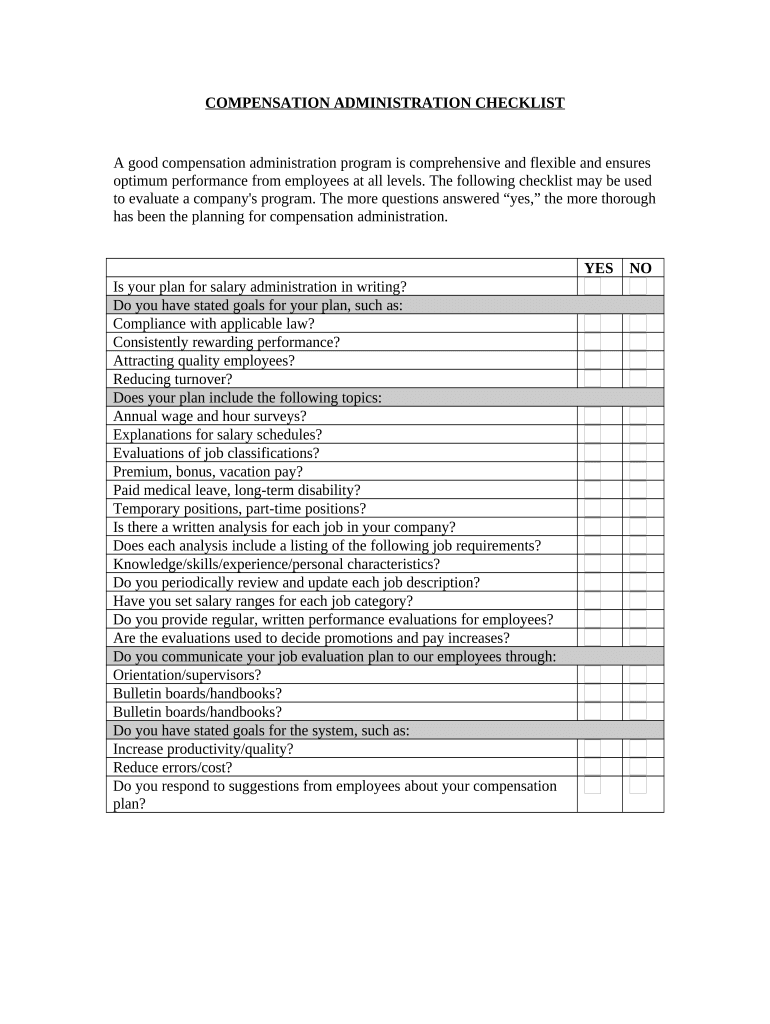
- Begin by reviewing each question carefully. For each item, mark 'YES' or 'NO' based on your company's practices regarding salary administration.
- For questions that require written plans or analyses, ensure you have the necessary documents ready to reference as you fill out the checklist.
- Pay special attention to sections regarding job evaluations and performance assessments. Make sure to provide accurate information reflecting your current processes.
- Once completed, review your answers for consistency and clarity. This will help in evaluating the thoroughness of your compensation administration program.
Start using our platform today for free to streamline your document editing and ensure a comprehensive approach to your administration checklist!
It's free
Got questions?
What do I need to sign my administrative checklist electronically?
Electronic document signing requires a software solution that works in compliance with data security and eSignature laws. DocHub is an excellent tool for that, as it fulfills all the aforementioned requirements. Whatever method you like to sign your administrative checklist in DocHub, your electronic signature will be legally binding and court-admissible.
How do you get administration checklist?
You can find the latest and most relevant version of the administration checklist in our DocHub forms collection. Browse it by categories or utilize the search field to get the exact template that fits your situation. You can open this form for editing once you find it.
Security and compliance
At DocHub, your data security is our priority. We follow HIPAA, SOC2, GDPR, and other standards, so you can work on your documents with confidence.
Learn more