Type text, add images, blackout confidential details, add comments, highlights and more.
02. Sign it in a few clicks
Draw your signature, type it, upload its image, or use your mobile device as a signature pad.
03. Share your form with others
Send tennessee deed of trust via email, link, or fax. You can also download it, export it or print it out.
How to use or fill out tn deed trust with our platform
Ease of Setup
DocHub User Ratings on G2
Ease of Use
DocHub User Ratings on G2
Click ‘Get Form’ to open the tn deed trust in the editor.
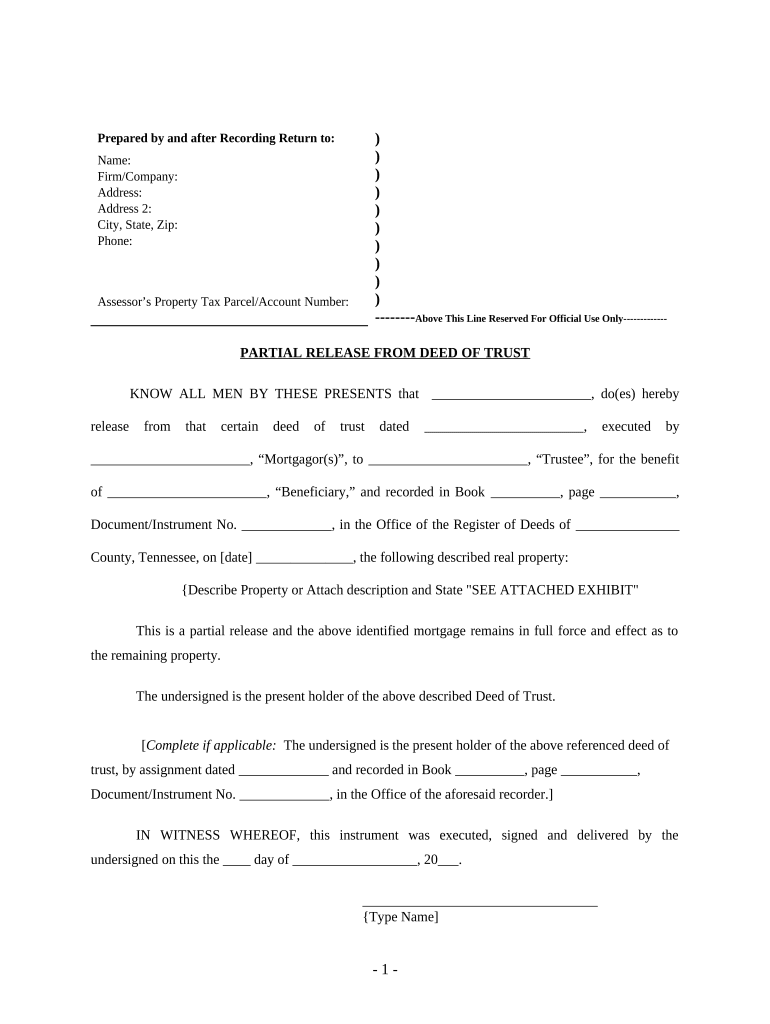
Begin by filling in the 'Prepared by and after Recording Return to' section. Enter your name, firm/company, address, city, state, zip code, and phone number.
Next, locate the 'Assessor’s Property Tax Parcel/Account Number' field and input the relevant property tax information.
In the 'KNOW ALL MEN BY THESE PRESENTS' section, provide the names of the parties involved: Mortgagor(s), Trustee, and Beneficiary. Ensure accuracy as this is crucial for legal validity.
Describe the real property being released or attach a description and state 'SEE ATTACHED EXHIBIT'.
Complete any applicable sections regarding assignments of the deed of trust if necessary.
Finally, sign and date the document in front of witnesses and a notary public to finalize your partial release from deed of trust.
Start using our platform today for free to streamline your tn deed trust completion!
The Register of Deeds office holds documents from 1792 to the present. Our office records various types of deeds, assignments, releases and other instruments.Read more
A Decision Framework for Applying Monitored Natural
by CUN Cu 2010 Established in 1995, the Interstate Technology Regulatory Council (ITRC) is a state-led, national coalition of personnel from the environmental regulatoryRead more
Cookie consent notice
This site uses cookies to enhance site navigation and personalize your experience.
By using this site you agree to our use of cookies as described in our Privacy Notice.
You can modify your selections by visiting our Cookie and Advertising Notice.