Tn contractor 2026

Get Form
tn contractor Preview on Page 1

Here's how it works

01. Edit your form online
Type text, add images, blackout confidential details, add comments, highlights and more.
02. Sign it in a few clicks
Draw your signature, type it, upload its image, or use your mobile device as a signature pad.
03. Share your form with others
Send it via email, link, or fax. You can also download it, export it or print it out.

How to use or fill out tn contractor with our platform

Form edit decoration
9.5
Ease of Setup
DocHub User Ratings on G2
9.0
Ease of Use
DocHub User Ratings on G2
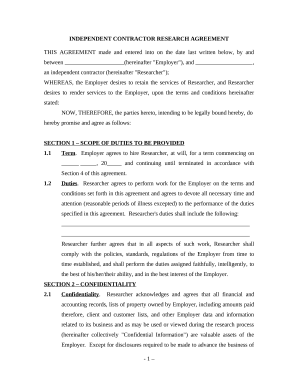
  1. Click ‘Get Form’ to open the tn contractor document in the editor.
  2. Begin by filling in the Contractor's name and address at the top of the form. Ensure accuracy as this information is crucial for identification.
  3. Next, specify the Owner's name and address in the designated fields. This establishes a clear agreement between both parties.
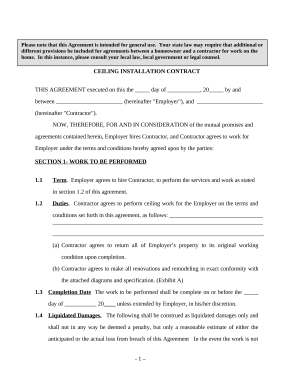
  4. In the 'SCOPE OF WORK' section, detail the refrigeration services to be performed. Use bullet points for clarity if necessary.
  5. Fill in the 'WORK SITE' section with the specific location where services will be rendered, ensuring all details are correct.
  6. Complete the 'TIME OF COMPLETION' fields by entering start and completion dates for transparency on project timelines.
  7. Review and fill out sections regarding permits, insurance, changes to scope of work, contract price, and payment terms as applicable.
  8. Finally, ensure both parties sign and date at the bottom of the form to finalize the agreement.

Start using our platform today to streamline your tn contractor form completion!

be ready to get more

Complete this form in 5 minutes or less

Get form

Got questions?

We have answers to the most popular questions from our customers. If you can't find an answer to your question, please contact us.
Contact us
In Tennessee, consumers may file criminal charges against a contractor or home improvement service provider for Felony Theft and Fraud .
While one could certainly call the TDOS at 1-866-903-7357, the easier course of action is to check the status of a Tennessee driver license by visiting the TDOS website.
Licensing Steps Step 1 (Testing - Exam and Reciprocal Information) [All must pass the Business and Law exam] Step 2 (Financial Statement) Step 3 (Reference Letter and Insurance) Step 4 (Corporations. Step 5 (Application, Signatures, and docHub) Step 6 (Submit Application $250 fee)
Tennessee currently does not have Continuing Education Requirements for Contractors. This is an open-book timed test with 100 questions and a 5-hour time limit. In order to pass you must answer 73 questions correct (73%). The exam fee is $57.
You may search any individual or company to see if they hold a valid state license by visiting our verification website here: .

Security and compliance

At DocHub, your data security is our priority. We follow HIPAA, SOC2, GDPR, and other standards, so you can work on your documents with confidence.

Learn more
ccpa2
pci-dss
gdpr-compliance
hipaa
soc-compliance

People also ask

To check the status of a drivers license, go to and then click on view your status under Driver Services.
To check a drivers license status, you can contact the Department of Motor Vehicles (DMV) in your state. You can also use online verification services provided by certain states DMVs or third-party companies.

Related links