Fem form 2205-2025

Get Form
form 2205 Preview on Page 1

Here's how it works

01. Edit your form 2205 online
Type text, add images, blackout confidential details, add comments, highlights and more.
02. Sign it in a few clicks
Draw your signature, type it, upload its image, or use your mobile device as a signature pad.
03. Share your form with others
Send form 2205 form pdf via email, link, or fax. You can also download it, export it or print it out.

How to use or fill out fem form 2205 with our platform

Form edit decoration
9.5
Ease of Setup
DocHub User Ratings on G2
9.0
Ease of Use
DocHub User Ratings on G2
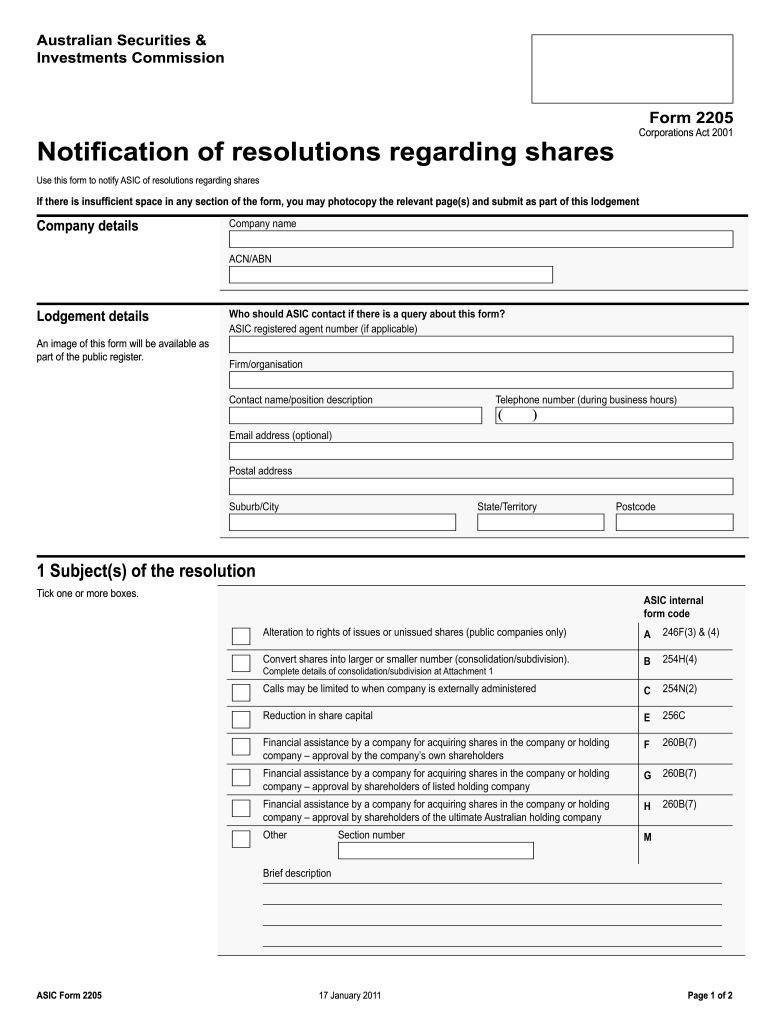
  1. Click ‘Get Form’ to open fem form 2205 in the editor.
  2. Begin by entering your company details, including the company name and ACN/ABN in the designated fields.
  3. In the 'Lodgement details' section, provide contact information for queries, including a contact name, telephone number, and email address if desired.
  4. For the resolution subjects, tick one or more boxes that apply to your situation. Ensure you refer to the relevant ASIC internal form codes provided.
  5. Fill in the date of resolution and indicate whether it was passed as a special or ordinary resolution. Attach any necessary annexures if additional space is needed.
  6. Sign the form as a current officeholder of the company, certifying that all information is true and complete. Include your name, capacity (e.g., Director), and date signed.
  7. Finally, submit your completed form by sending it to ASIC at the specified address. You can also save and share your document easily using our platform.

Start filling out fem form 2205 today for free using our platform!

See more fem form 2205 versions

We've got more versions of the fem form 2205 form. Select the right fem form 2205 version from the list and start editing it straight away!
Versions Form popularity Fillable & printable
2011 4.8 Satisfied (127 Votes)
be ready to get more

Complete this form in 5 minutes or less

Get form

Got questions?

We have answers to the most popular questions from our customers. If you can't find an answer to your question, please contact us.
Contact us
How to fill out the Motor Vehicle Trip Ticket for Official Use? Enter the users name and organization. Fill in the planned itinerary including dates and times. Complete sections regarding the vehicles trip details. Specify any necessary services and supplies procured. Sign and date the form for official approval.
Trip tickets are used to record vehicle utilization for all types of equipment at the Facility and Equipment Maintenance System. This information is crucial for determining mileage and usage hours, which affects preventative maintenance scheduling and compliance with GSA regulations.
Carnet de Passage (Trip Ticket) The use of CPD (Trip Ticket) grants temporary admission without payment of customs duty to the vehicles registered in Saudi Arabia when travelling to other countries for a temporary period, subject to re-exportation of the vehicle from the visited country at the end of the period.