District of columbia termination 2026

Get Form
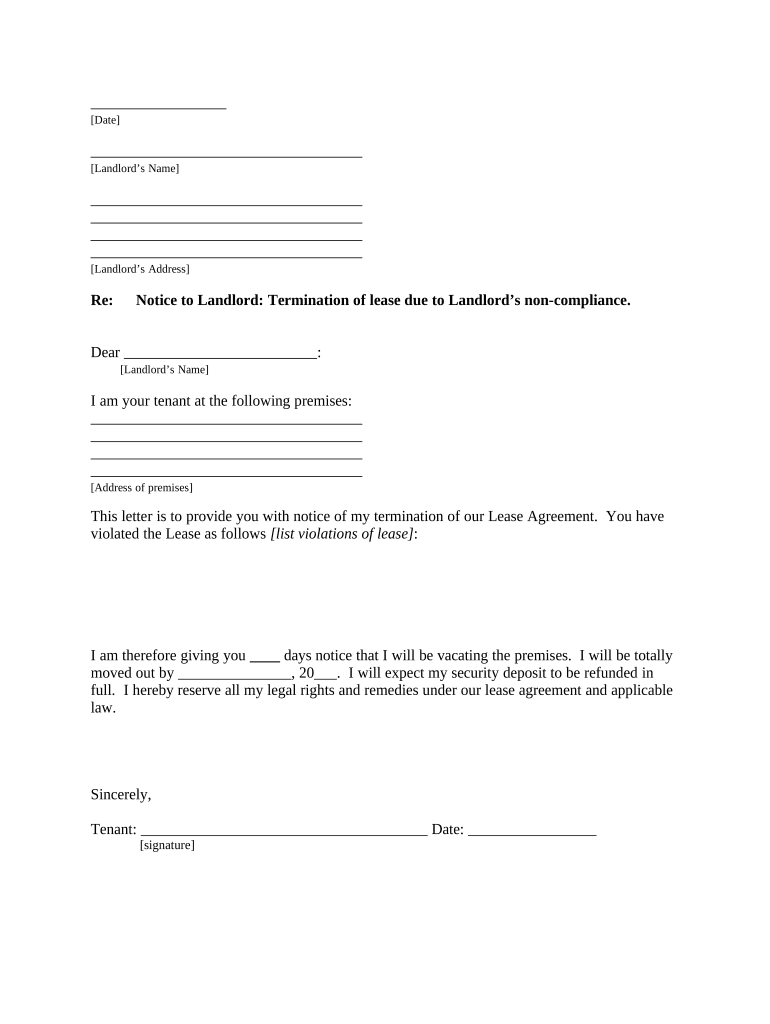
district of columbia termination Preview on Page 1

Here's how it works

01. Edit your form online
Type text, add images, blackout confidential details, add comments, highlights and more.
02. Sign it in a few clicks
Draw your signature, type it, upload its image, or use your mobile device as a signature pad.
03. Share your form with others
Send it via email, link, or fax. You can also download it, export it or print it out.

How to use or fill out district of columbia termination with our platform

Form edit decoration
9.5
Ease of Setup
DocHub User Ratings on G2
9.0
Ease of Use
DocHub User Ratings on G2
  1. Click ‘Get Form’ to open the district of columbia termination document in the editor.
  2. Begin by entering the date at the top of the form. This is essential for establishing a timeline for your notice.
  3. Fill in your landlord’s name and address in the designated fields. Ensure accuracy to avoid any delivery issues.
  4. In the body of the letter, clearly state your intention to terminate the lease. Specify the violations committed by your landlord that justify this action.
  5. Indicate how many days' notice you are providing before vacating, and specify your expected move-out date.
  6. Sign and date the document at the bottom. This confirms your intent and serves as a formal notification.
  7. Complete the proof of delivery section by selecting how you will deliver this notice to your landlord, ensuring you keep a record of it.

Start using our platform today to easily complete and manage your district of columbia termination documents for free!

be ready to get more

Complete this form in 5 minutes or less

Get form

Got questions?

We have answers to the most popular questions from our customers. If you can't find an answer to your question, please contact us.
Contact us
Wrongful termination is any discharge that is done for an improper or illegal reason. For example, the discharge can be illegal for violating a California state or a federal employment law. Or the discharge can be improper for being in violation of public policy.
District of Columbia law requires that employees be paid their owed wages on the next working day following termination, if the termination is involuntary.
There are a number of circumstances that might be considered Wrongful Termination in California, which may include an employee who is terminated because of discriminatory practices in the workplace, when a company violates public policy in the process of terminating the employee, or when a companys own guidelines for
In the District of Columbia, accrued vacation is considered earned wages. If your employer has a policy or practice of paying out accrued vacation time upon termination, you have the right to receive this payment in your final paycheck.
When you have a lawyer for a wrongful termination case the likelihood of receiving compensation is 64% and the likelihood of receiving compensation without a lawyer is 30%. Most Californians can expect a wrongful termination settlement of approximately $5,000-$100,000.

Security and compliance

At DocHub, your data security is our priority. We follow HIPAA, SOC2, GDPR, and other standards, so you can work on your documents with confidence.

Learn more
ccpa2
pci-dss
gdpr-compliance
hipaa
soc-compliance

People also ask

Notice is not required by either party based on the fact that DC is an employment at will state, meaning that an employer or employee may terminate the relationship at any time, without a reason, without cause. 3. Q. When does an employer have to pay final wages to a terminated employee?
For example, firing an employee for refusing to participate in illegal activities, reporting safety hazards to relevant authorities, or exercising their right to serve on a jury are all examples of wrongful termination in violation of public policy.
51 - Washington, DC Admission Act passed the Democrat-dominated House by a vote of 232-180. It was the first time that a chamber of Congress had passed such legislation. Then on April 22, 2021, the DC Statehood bill passed in the House of Representatives for the second time in history with a vote of 216-208.

Related links