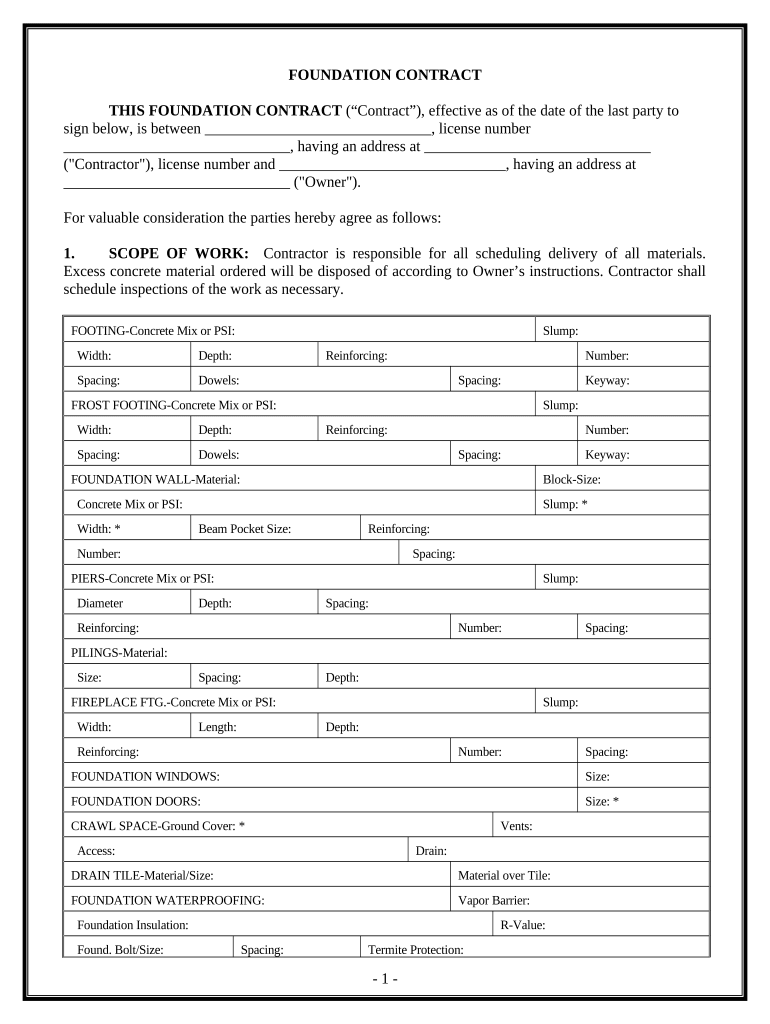
Foundation Contract for Contractor - District of Columbia 2026

Get Form
Foundation Contract for Contractor - District of Columbia Preview on Page 1

Here's how it works

01. Edit your form online
Type text, add images, blackout confidential details, add comments, highlights and more.
02. Sign it in a few clicks
Draw your signature, type it, upload its image, or use your mobile device as a signature pad.
03. Share your form with others
Send it via email, link, or fax. You can also download it, export it or print it out.

How to use or fill out Foundation Contract for Contractor - District of Columbia

Form edit decoration
9.5
Ease of Setup
DocHub User Ratings on G2
9.0
Ease of Use
DocHub User Ratings on G2
  1. Click ‘Get Form’ to open it in the editor.
  2. Begin by filling in the Contractor's name, license number, and address at the top of the form. This information is crucial for identifying the parties involved.
  3. Next, specify the Owner's name and address. Ensure all details are accurate to avoid any disputes later.
  4. In the 'SCOPE OF WORK' section, detail the responsibilities regarding material delivery and disposal. Fill in specifics such as concrete mix specifications and dimensions for footings and walls.
  5. Complete the 'TIME OF COMPLETION' section by entering start and completion dates. This sets clear expectations for both parties.
  6. Proceed to fill out sections on permits, soil conditions, insurance, and any changes to scope of work as necessary. Each section requires careful attention to ensure compliance with local regulations.
  7. Finally, review all entries for accuracy before signing. Both parties should sign and date at the end of the document to finalize the contract.

Start using our platform today to easily complete your Foundation Contract for Contractor - District of Columbia online, for free!

be ready to get more

Complete this form in 5 minutes or less

Get form

Got questions?

We have answers to the most popular questions from our customers. If you can't find an answer to your question, please contact us.
Contact us
To that end, before you sign anything and start working, make sure your contract has these 5 key elements. A Detailed Scope of Work. Project Cost and Payment Schedule. Construction Timeline. Change Order Process. Project Issues and Dispute Resolution.
SAM.gov is a free, centralized source for finding and bidding on U.S. government contract opportunities, awards and publishing subcontract reports. Download Contract Data. Visit the Data Bank to download or run reports on contract opportunities data and contract award data from FPDS.gov .
Hensel Phelps, Turner Construction, Clark Group, Fluor, and BL Harbert top BD+Cs rankings of the nations largest government building sector general contractors and construction management (CM) firms for 2023, as reported in the 2023 Giants 400 Report.
Get started searching contract opportunities Use the search feature on SAM.gov. Follow contract opportunities. Save my searches. Use the interested vendors list.
Government agencies use sam.gov to list contracts over $25,000. Find a contract that fits your business and submit a bid.

Security and compliance

At DocHub, your data security is our priority. We follow HIPAA, SOC2, GDPR, and other standards, so you can work on your documents with confidence.

Learn more
ccpa2
pci-dss
gdpr-compliance
hipaa
soc-compliance

People also ask

In short, for your small business to serve as a prime contractor or subcontractor, youll need to legally qualify as a small business and register as a government contractor . Then you can start looking for both prime or subcontracting opportunities with the federal government.
How to Do Business with the District Attend a General Vendor Workshop. Meet all of the requirements for doing business with the District. Register to do business with the District in eSourcing to receive notice of open solicitations. Become a Certified Business Enterprise (CBE) (local businesses only).

Related links