Type text, add images, blackout confidential details, add comments, highlights and more.
02. Sign it in a few clicks
Draw your signature, type it, upload its image, or use your mobile device as a signature pad.
03. Share your form with others
Send it via email, link, or fax. You can also download it, export it or print it out.
How to use or fill out ct llc with our platform
Ease of Setup
DocHub User Ratings on G2
Ease of Use
DocHub User Ratings on G2
Click ‘Get Form’ to open the ct llc document in the editor.
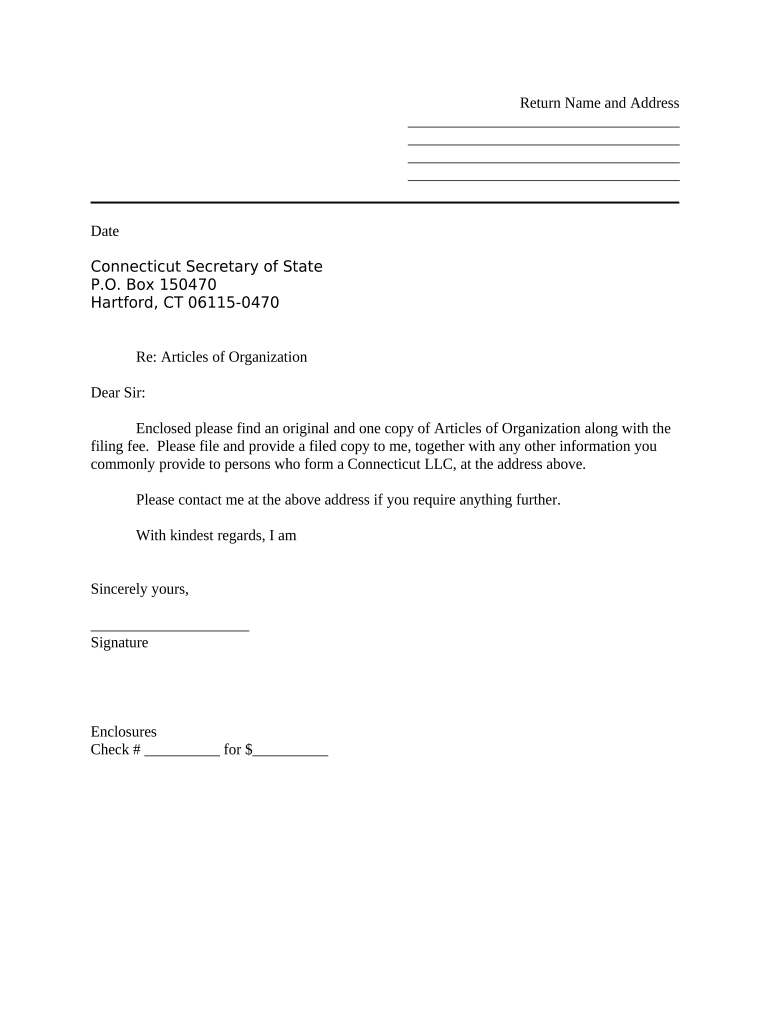
Begin by entering your Return Name and Address at the top of the form. Ensure that this information is accurate, as it will be used for official correspondence.
Next, fill in the Date field with the current date. This is important for record-keeping purposes.
In the body of the letter, address it to the Connecticut Secretary of State and include their mailing address: P.O. Box 150470, Hartford, CT 06115-0470.
Clearly state your intention regarding the Articles of Organization and mention that you are enclosing a filing fee. Make sure to specify the amount in the designated field.
Sign your name at the bottom of the document where indicated. This signature validates your submission.
Finally, review all entries for accuracy before saving or exporting your completed form for submission.
Start using our platform today to streamline your ct llc form completion for free!
Ct llc searchCT LLC lookup by nameState of CT LLC applicationRegister LLC in CT onlineCt llc loginCT LLC annual registrationRegister a business in CTCT business registration renewal
Security and compliance
At DocHub, your data security is our priority. We follow HIPAA, SOC2, GDPR, and other standards, so you can work on your documents with confidence.
Explore amazing opportunities by joining one of our Living Learning or Theme Communities (LLCs) at Central! These on-campus communities are designed forRead more
Business.CT.gov can help you: Find Business Services Register Your Business; Get LLC Forms and Fees; Obtain Licenses and Permits Start Your CT BusinessRead more
Cookie consent notice
This site uses cookies to enhance site navigation and personalize your experience.
By using this site you agree to our use of cookies as described in our Privacy Notice.
You can modify your selections by visiting our Cookie and Advertising Notice.