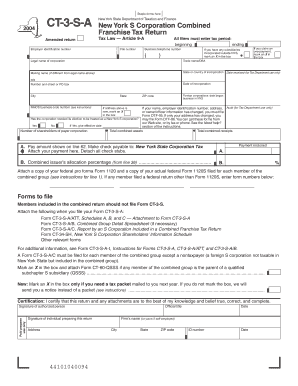
Name Change Notification Form - Connecticut 2026

Get Form
change llc name connecticut Preview on Page 1

Here's how it works

01. Edit your change llc name connecticut online
Type text, add images, blackout confidential details, add comments, highlights and more.
02. Sign it in a few clicks
Draw your signature, type it, upload its image, or use your mobile device as a signature pad.
03. Share your form with others
Send change llc name ct via email, link, or fax. You can also download it, export it or print it out.

How to use or fill out Name Change Notification Form - Connecticut with our platform

Form edit decoration
9.5
Ease of Setup
DocHub User Ratings on G2
9.0
Ease of Use
DocHub User Ratings on G2
  1. Click ‘Get Form’ to open the Name Change Notification Form in the editor.
  2. Begin by entering the recipient's name and address in the designated fields. Ensure accuracy for effective communication.
  3. Fill in your current address, city, state, and zip code. This information is crucial for record updates.
  4. Provide your Social Security Number and ID number if applicable. This helps verify your identity during the name change process.
  5. In the 'From' section, enter your new name as you wish it to appear on official documents.
  6. Indicate the effective date of your name change. This is important for legal records.
  7. Select the reason for your name change from the provided options or specify another reason in the space provided.
  8. Finally, sign both as your new name and former name to validate the document before submission.

Start using our platform today to easily complete your Name Change Notification Form online for free!

be ready to get more

Complete this form in 5 minutes or less

Get form

Got questions?

We have answers to the most popular questions from our customers. If you can't find an answer to your question, please contact us.
Contact us

Of course, electronically drawing your signature is appropriate, but only if you utilize a tool that complies with industry regulations and policies. Try DocHub, which guarantees eSignature validity under ESIGN and UETA requirements. All you need to eSign your name change in ct is an account with DocHub and an internet connection. When you open your document in our editor, click Sign and choose the Draw option.

If you want to edit your ct name change forms online easily, it does not matter what internet browser you employ. DocHub’s straightforward editing tools are available using any internet browser. Just open the appropriate tab within our editor, add your document, and fill it out without stress.

How Long Will a Name Change Take? StateTime to Complete CO 4-5 months CT 3-5 weeks DC 6-8 weeks DE 6 months or longer47 more rows
Change your name on your CT license or non-driver ID A completed Change of Name Request (Form E-78). Current drivers license or non-driver ID. Certified documentation that shows the change of name (i.e., marriage license, civil union certificate, divorce decree, probate court documents). License or non-driver ID.
Changing Your Legal Name Download the two forms youll need: Name change petition (PC-901 and PC-901CI for an adult, PC-900 and PC-900CI for a minor) Name change affidavit (PC-910 for an adult, PC-910A for a minor)

Security and compliance

At DocHub, your data security is our priority. We follow HIPAA, SOC2, GDPR, and other standards, so you can work on your documents with confidence.

Learn more
ccpa2
pci-dss
gdpr-compliance
hipaa
soc-compliance

People also ask

Change how your name appears on your registration A Registration Affidavit (Form B-301) must be completed. If you want to change a name on both a drivers license and vehicle registration, you can do both changes during one appointment at a DMV office.
Changing Your Legal Name Locate the Probate Court that covers the town you reside in by visiting ctprobate.gov. Download the two forms youll need: Name change petition (PC-901 and PC-901CI for an adult, PC-900 and PC-900CI for a minor) Name change affidavit (PC-910 for an adult, PC-910A for a minor)
Completed forms are submitted to the local Probate Court, which has the authority to grant name changes. These forms are available at the State of Connecticut Probate Court forms web page . A name change request may also be submitted to Superior Court.

Related links