Warning of Default on Commercial Lease - Connecticut 2026

Get Form
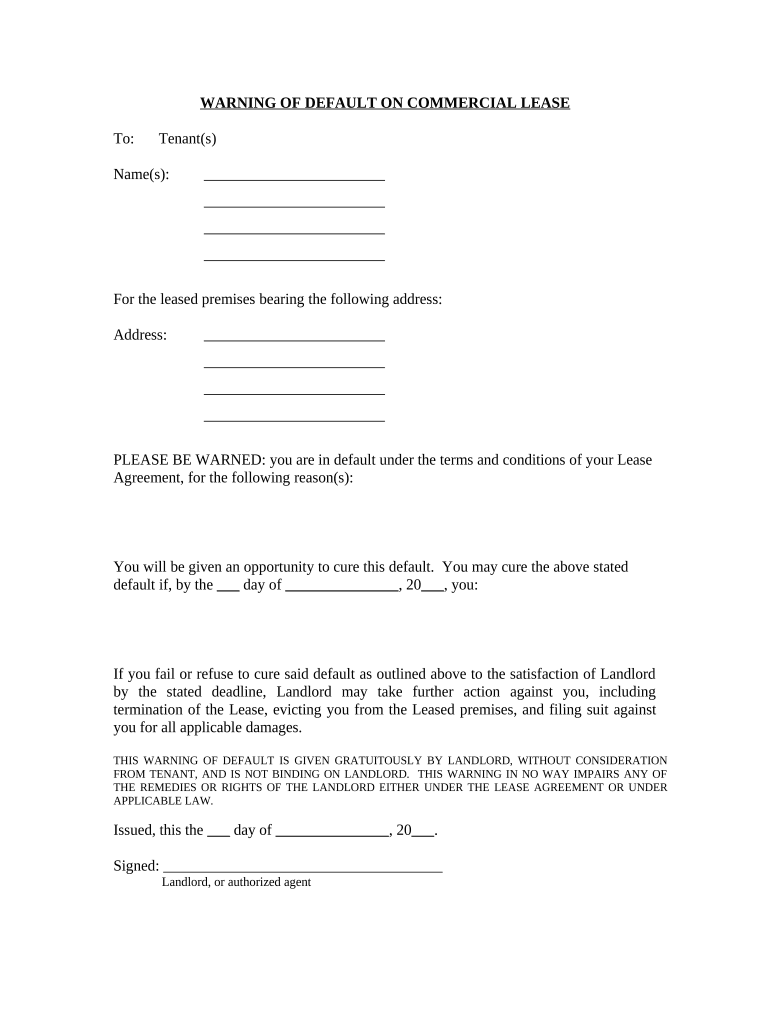
Warning of Default on Commercial Lease - Connecticut Preview on Page 1

Here's how it works

01. Edit your form online
Type text, add images, blackout confidential details, add comments, highlights and more.
02. Sign it in a few clicks
Draw your signature, type it, upload its image, or use your mobile device as a signature pad.
03. Share your form with others
Send it via email, link, or fax. You can also download it, export it or print it out.

How to use or fill out Warning of Default on Commercial Lease - Connecticut with our platform

Form edit decoration
9.5
Ease of Setup
DocHub User Ratings on G2
9.0
Ease of Use
DocHub User Ratings on G2
  1. Click ‘Get Form’ to open it in the editor.
  2. Begin by entering the Tenant(s) name(s) in the designated field. Ensure that all names are spelled correctly to avoid any legal issues.
  3. Next, input the address of the leased premises. This should be the exact location as stated in your Lease Agreement.
  4. In the section detailing reasons for default, clearly outline the specific issues leading to this warning. Be concise and factual.
  5. Fill in the deadline for curing the default by entering a date in the provided fields. This is crucial for compliance and clarity.
  6. Finally, sign and date the document at the bottom where indicated. If you are an authorized agent, ensure your title is included.

Start using our platform today to streamline your document editing and signing process for free!

be ready to get more

Complete this form in 5 minutes or less

Get form

Got questions?

We have answers to the most popular questions from our customers. If you can't find an answer to your question, please contact us.
Contact us
A notice of default can result when a homeowner fails to pay as required under his mortgage or deed of trust. In a lease situation, a notice of default can be sent by either the landlord or tenant, claiming that one of them has violated a condition of the lease.
Many commercial leases do not have pre-negotiated early termination rights. However, when lease termination clauses are negotiated, its common for the landlord to require the tenant to pay three to six months of rent obligation, plus unamortized lease up costs.
The landlord can also pursue damages against the tenant as compensation for financial losses which were a result of the tenants default. Damages may include unpaid rent, repair costs, and other expenses incurred because of the tenants actions. The tenant also has rights and defenses in the event of a default.
Sixty days notice from the landlord or 30 days notice from the tenant is necessary to terminate a tenancy at will. (Orig. Code 1863, 2272; Code 1868, 2265; Code 1873, 2291; Code 1882, 2291; Civil Code 1895, 3133; Civil Code 1910, 3709; Code 1933, 61-105; Ga.
Written notice should be given to the tenant three months before the lease term expires or before the landlord would like the tenant to vacate the property. It should state any final rental payments due and the conditions against which any deposit paid at the start of the tenancy will be returned.
be ready to get more

Complete this form in 5 minutes or less

Get form

People also ask

Landlord Notice Requirement: Must give at least 2 months notice, aligned with rental periods, under Section 21. This remains the statutory minimum until the Renters Rights Bill is enacted. Tenants Notice Requirement: Must give at least 1 months notice (if rent is paid monthly) or 4 weeks notice (if paid weekly).
In California, tenants typically need to give 30 days notice, while landlords must provide either 30 or 60 days notice, depending on how long the tenant has occupied the space.

Related links