Type text, add images, blackout confidential details, add comments, highlights and more.
02. Sign it in a few clicks
Draw your signature, type it, upload its image, or use your mobile device as a signature pad.
03. Share your form with others
Send it via email, link, or fax. You can also download it, export it or print it out.
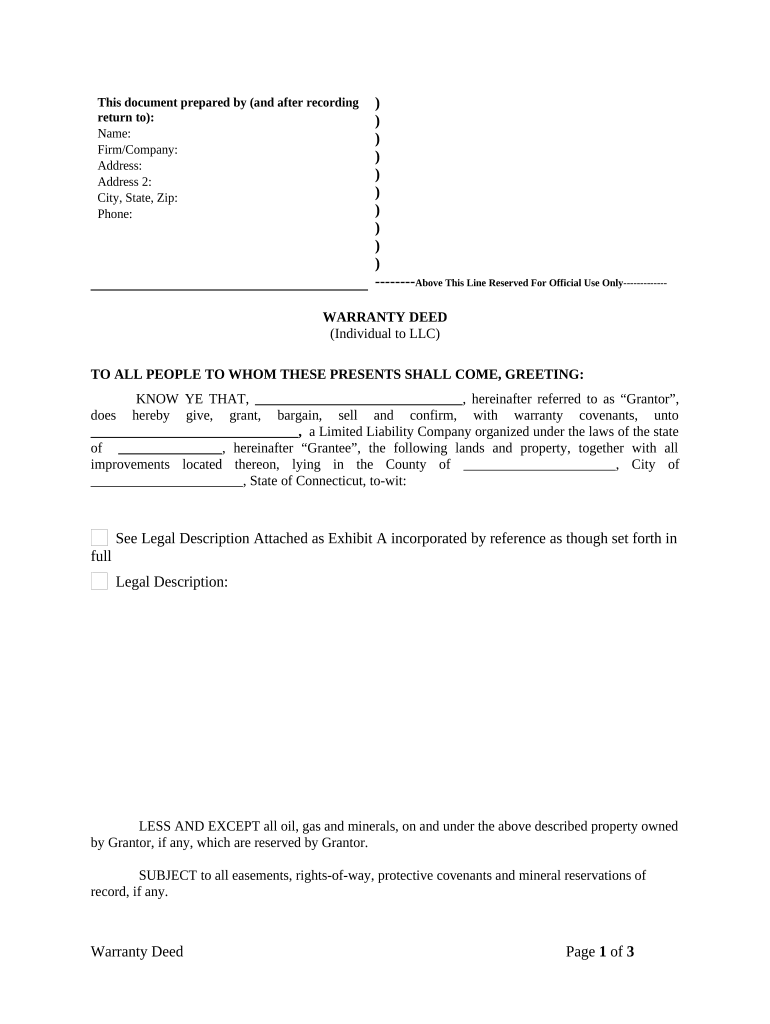
How to use or fill out Warranty Deed from Individual to LLC - Connecticut with our platform
Ease of Setup
DocHub User Ratings on G2
Ease of Use
DocHub User Ratings on G2
Click ‘Get Form’ to open the Warranty Deed in the editor.
Begin by entering the Grantor's name, firm/company, and address details in the designated fields at the top of the form.
In the main body, fill in the Grantor's name again and specify the Grantee's name as the Limited Liability Company. Ensure you include the state of incorporation for the LLC.
Provide a detailed legal description of the property being transferred. If necessary, attach Exhibit A with this information.
Indicate any exceptions or reservations regarding oil, gas, and minerals under the property if applicable.
Complete any additional sections regarding encumbrances and previous conveyances as required.
Have all parties sign and date where indicated, ensuring that witnesses are present for signatures.
Finally, complete notary acknowledgment by filling in notary details and signing as required.
Start using our platform today to easily complete your Warranty Deed for free!
Fill out Warranty Deed from Individual to LLC - Connecticut online It's free
Warranty deed from individual to llc connecticut templateWarranty deed from individual to llc connecticut sampleWarranty deed from individual to llc connecticut pdfWarranty deed from individual to llc connecticut exampleWarranty deed from individual to llc connecticut freeWarranty deed from individual to llc connecticut formHow to file a quit claim deed in ConnecticutPrintable ct quit claim deed form
Security and compliance
At DocHub, your data security is our priority. We follow HIPAA, SOC2, GDPR, and other standards, so you can work on your documents with confidence.
When donee in tail liable upon covenants in a deed of warranty. 23 C. 349 (1) Person means an individual, corporation, limited liability companyRead more
by ES Miller 2008 Cited by 1 estate planning purposes, individual purchased property described as LLCs purpose, individual controlled LLC although he attempted to hide this fact byRead more
Although ISM sample collection may be performed by a single individual, a two-person team is often the most efficient method: ideally one person collects theRead more
Cookie consent notice
This site uses cookies to enhance site navigation and personalize your experience.
By using this site you agree to our use of cookies as described in our Privacy Notice.
You can modify your selections by visiting our Cookie and Advertising Notice.