Type text, add images, blackout confidential details, add comments, highlights and more.
02. Sign it in a few clicks
Draw your signature, type it, upload its image, or use your mobile device as a signature pad.
03. Share your form with others
Send it via email, link, or fax. You can also download it, export it or print it out.
How to use or fill out Arkansas Trust with our platform
Ease of Setup
DocHub User Ratings on G2
Ease of Use
DocHub User Ratings on G2
Click ‘Get Form’ to open the Arkansas Trust document in the editor.
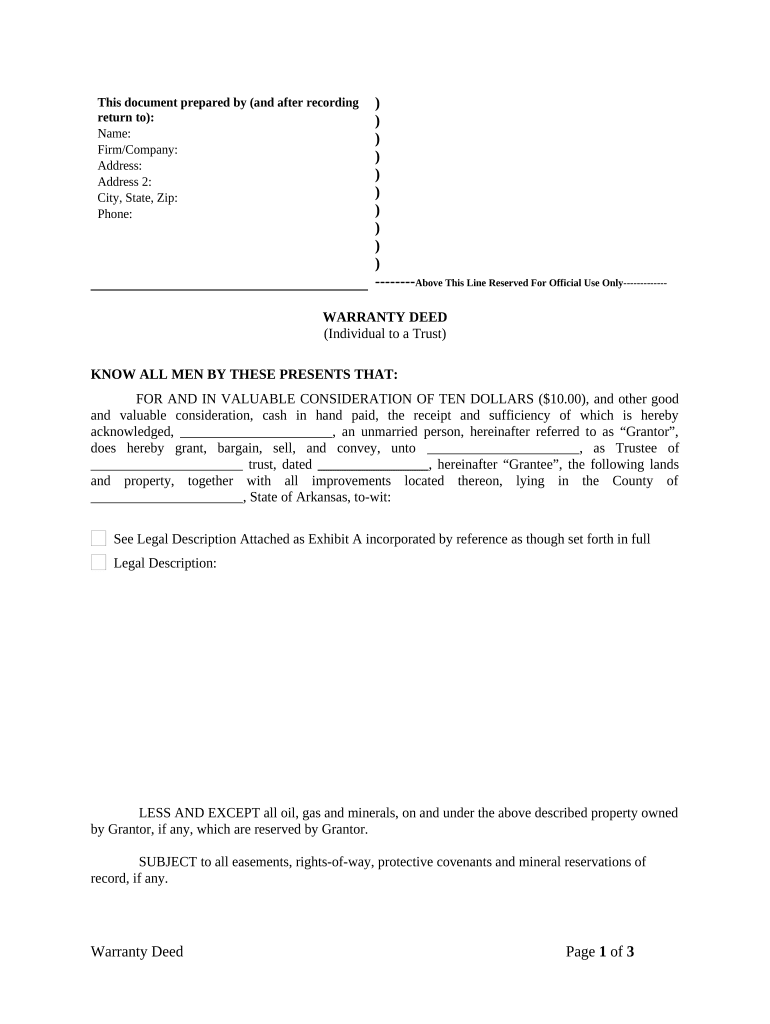
Begin by filling in your name, firm/company, address, and contact information at the top of the form. This section is crucial for identification and communication purposes.
In the 'Grantor' section, enter your name as the individual transferring property. Ensure that you specify your marital status accurately.
Next, identify the 'Grantee' by entering the name of the trustee and the trust's name along with its date. This establishes who will receive ownership of the property.
Provide a detailed legal description of the property being transferred in Exhibit A. If necessary, consult local records for accuracy.
Sign and date where indicated to validate your agreement. Ensure that all signatures are legible and correctly placed.
Finally, have a notary public witness your signature to complete the process legally. Fill in their details as required.
Start using our platform today to easily fill out your Arkansas Trust form for free!
U.S. Steel Big River Steel plant - Global Energy Monitor
Mar 30, 2026 The $3 billion expansion, Big River 2 (BR2) the largest private project in Arkansas history, was completed ahead of schedule in late 2025. TheRead more
Fiduciary and Estate Income Tax Forms ; AR K-1FE Arkansas Income Tax Owners Share of Income Deductions Credits Etc Instructions, 01/08/2026 ; AR4FID FiduciaryRead more
Cookie consent notice
This site uses cookies to enhance site navigation and personalize your experience.
By using this site you agree to our use of cookies as described in our Privacy Notice.
You can modify your selections by visiting our Cookie and Advertising Notice.