Type text, add images, blackout confidential details, add comments, highlights and more.
02. Sign it in a few clicks
Draw your signature, type it, upload its image, or use your mobile device as a signature pad.
03. Share your form with others
Send it via email, link, or fax. You can also download it, export it or print it out.
How to use or fill out the Alaska Trust Act with our platform
Ease of Setup
DocHub User Ratings on G2
Ease of Use
DocHub User Ratings on G2
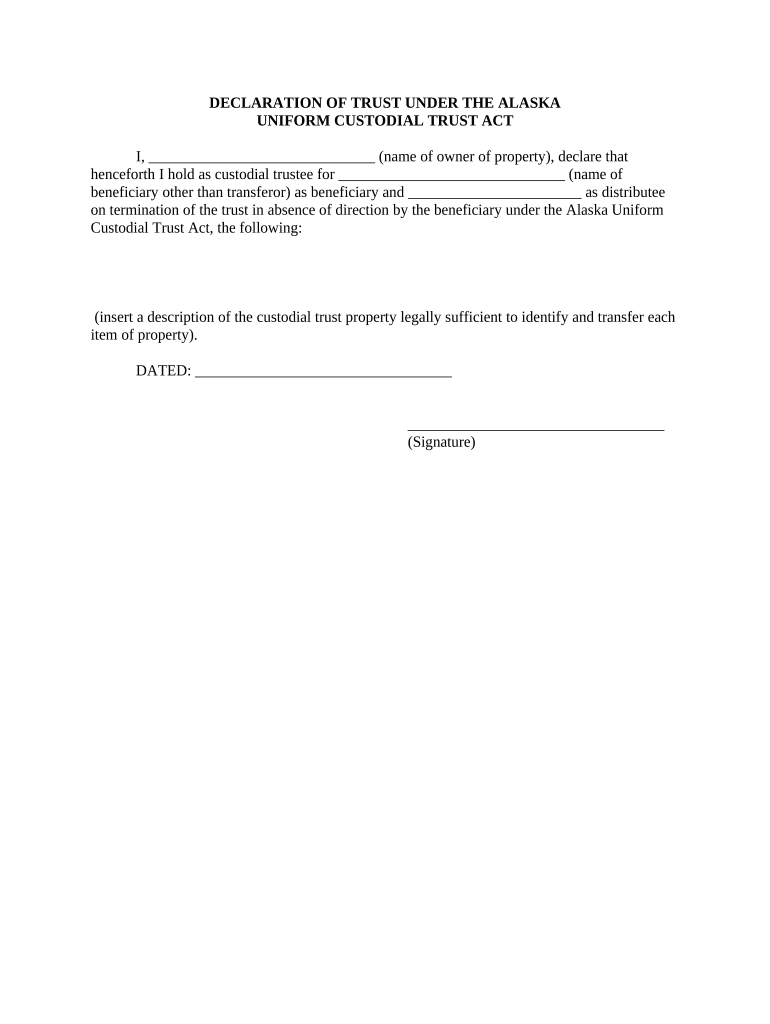
Click ‘Get Form’ to open the Alaska Trust Act document in the editor.
In the first field, enter your name as the owner of the property. This identifies you as the custodial trustee.
Next, fill in the name of the beneficiary who will receive the trust. Ensure this is someone other than yourself.
In the following section, specify a distributee who will take over upon termination of the trust if there are no directions from the beneficiary.
Insert a detailed description of each item of property included in the custodial trust. This should be legally sufficient to identify and transfer ownership.
Finally, date your declaration and provide your signature at the bottom of the form to validate it.
Start using our platform today for free to streamline your Alaska Trust Act completion!
Alaska Trust CompanyAlaska trustee servicesState OF alaska trust registrationTypes of trustsState of Alaska trust searchDeed of Trust AlaskaIrrevocable trustLiving trust
Security and compliance
At DocHub, your data security is our priority. We follow HIPAA, SOC2, GDPR, and other standards, so you can work on your documents with confidence.
Self-settled Spendthrift Trusts and the Alaska Trust Act
by JM Veit 1999 Cited by 20 Alaska Law Review Self-settled Spendthrift Trusts and the Alaska Trust Act: Has Alaska Moved Offshore? Authors. Jeremy M. Veit. Citation. Jeremy M. Veit,Read more
Apr 29, 2021 It is called the Surface Mining Control and Reclamation Act of 1977. The act created the Office of Surface Mining within the U.S. Department ofRead more
Cookie consent notice
This site uses cookies to enhance site navigation and personalize your experience.
By using this site you agree to our use of cookies as described in our Privacy Notice.
You can modify your selections by visiting our Cookie and Advertising Notice.