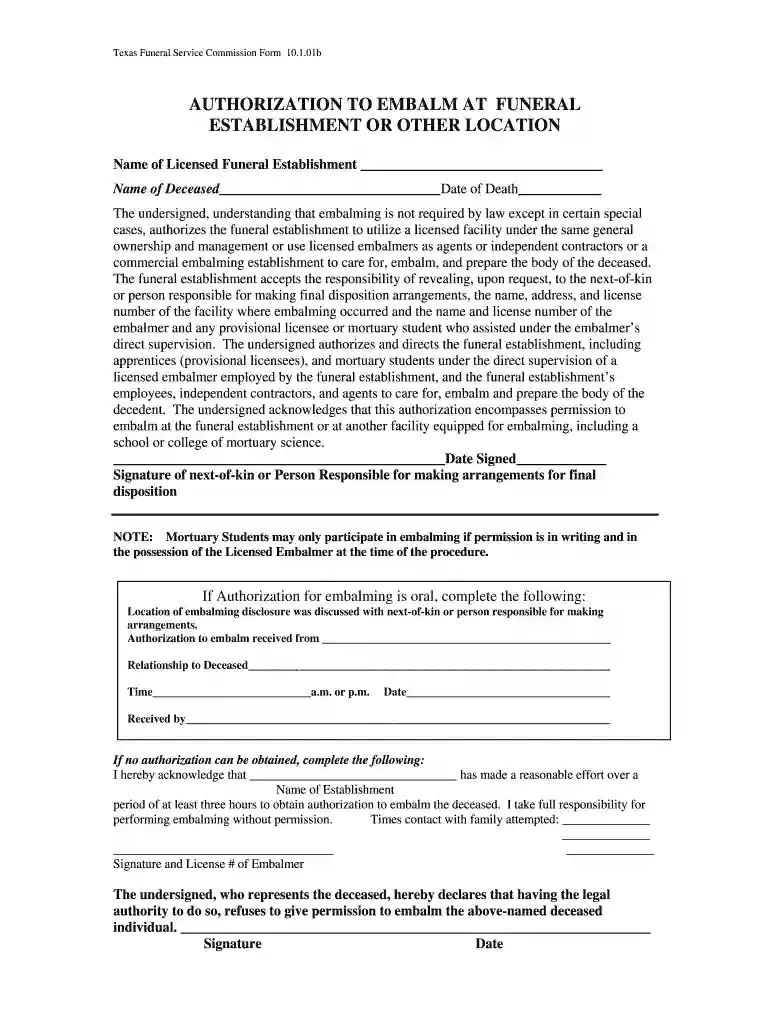
embalming authorization form Preview on Page 1

Texas funeral service commission forms 2026

Here's how it works

  • 01. Edit your embalming authorization form online

    Type text, add images, blackout confidential details, add comments, highlights and more.

  • 02. Sign it in a few clicks

    Draw your signature, type it, upload its image, or use your mobile device as a signature pad.

  • 03. Share your form with others

    Send funeral service commission via email, link, or fax. You can also download it, export it or print it out.

How to use or fill out Texas Funeral Service Commission forms with our platform

Form edit decoration
9.5
Ease of Setup
DocHub User Ratings on G2
9.0
Ease of Use
DocHub User Ratings on G2
  1. Click ‘Get Form’ to open the Texas Funeral Service Commission Form 10.1.01b in the editor.
  2. Begin by entering the name of the licensed funeral establishment and the name of the deceased in the designated fields.
  3. Fill in the date of death accurately, ensuring it matches official records.
  4. Review the authorization section carefully. This section outlines that embalming is not legally required except in specific cases. Confirm your understanding before proceeding.
  5. Sign and date where indicated as the next-of-kin or person responsible for final disposition arrangements.
  6. If authorization for embalming is oral, complete the additional fields regarding location and time of discussion with next-of-kin.
  7. In case no authorization can be obtained, fill out the acknowledgment section detailing efforts made to contact family members.

Start using our platform today to easily fill out and manage your Texas Funeral Service Commission forms for free!

be ready to get more

Complete this form in 5 minutes or less

Security and compliance

At DocHub, your data security is our priority. We follow HIPAA, SOC2, GDPR, and other standards, so you can work on your documents with confidence.

texas funeral director license

22 Tex. Admin. Code 206.7 - Board Forms | State Regulations

(a) SAB form. Each body received, directly or by transfer, shall be identified and reported on a SAB form prescribed by the board.Read more

Learn more
TFSC Forms

After setting up your account, you will be able to apply for the provisional license(s); upload the required documents, and pay the required application fees.Read more

Learn more
If you believe that this page should be taken down, please follow our DMCA take down process here