Delaware civil procedure 2026

Get Form
delaware civil procedure Preview on Page 1

Here's how it works

01. Edit your form online
Type text, add images, blackout confidential details, add comments, highlights and more.
02. Sign it in a few clicks
Draw your signature, type it, upload its image, or use your mobile device as a signature pad.
03. Share your form with others
Send it via email, link, or fax. You can also download it, export it or print it out.

How to use or fill out Delaware Civil Procedure with our platform

Form edit decoration
9.5
Ease of Setup
DocHub User Ratings on G2
9.0
Ease of Use
DocHub User Ratings on G2
  1. Click ‘Get Form’ to open the Delaware Civil Procedure document in the editor.
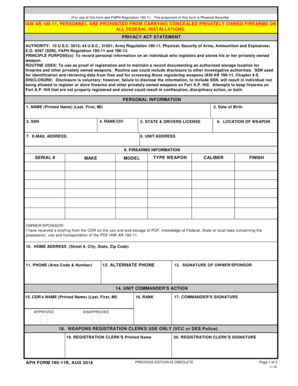
  2. Begin by entering the Case Number in the designated field at the top of the form. This is crucial for identifying your specific case.
  3. In the section labeled 'YOU ARE COMMANDED:', select whether you are required to appear in court or for a deposition by checking the appropriate box.
  4. For court appearance, fill in the date and time you are commanded to appear, along with your name and any relevant details about your testimony.
  5. If applicable, complete the deposition section by providing the law office's name and address, as well as the date and time of your deposition.
  6. Finally, add the date at the bottom of the form and ensure that it is signed by the Register in Chancery before submission.

Start using our platform today to streamline your document editing and signing process for free!

be ready to get more

Complete this form in 5 minutes or less

Get form

Got questions?

We have answers to the most popular questions from our customers. If you can't find an answer to your question, please contact us.
Contact us
A subpoena may be served by the sheriff, by the sheriffs deputy or by any other person who is not a party and is not less than 18 years of age. Service of a subpoena upon a person named therein shall be made by delivering a copy thereof to such person.
Under Court of Chancery Rule 41(a), a Delaware plaintiff may voluntarily dismiss its own complaint without prejudice, provided that (i) the defendant has not yet filed an answer; (ii) the defendant has not yet filed a motion for summary judgment; and (iii) the defendant has not filed a motion to dismiss which has been
For example, Rule 45(c)(1) directs that a party serving a subpoena shall take reasonable steps to avoid imposing undue burden or expense on a person subject to the subpoena, and Rule 45(c)(2)(B) permits the person served with the subpoena to object to it and directs that an order requiring compliance shall protect a
Rule 45 does not define unreasonable time for compliance; however, courts tend to hold seven days or less as unreasonable, and 14 days or more as presumptively reasonable.
Any party may serve upon any other party written interrogatories to be answered by the party served or, if the party served is a public or private corporation or a partnership or association or governmental agency, by any officer or agent, who shall furnish such information as is available to the party.

Security and compliance

At DocHub, your data security is our priority. We follow HIPAA, SOC2, GDPR, and other standards, so you can work on your documents with confidence.

Learn more
ccpa2
pci-dss
gdpr-compliance
hipaa
soc-compliance

People also ask

At any time more than 10 days before the trial begins a party defending against a claim may serve upon the adverse party an offer to allow judgment to be taken against the defending party for the money or property or to the effect specified in the offer, with costs then accrued.
Federal Rule of Civil Procedure (FRCP) 45(c) restricts federal courts powers to compel testimony from a third-party witness in civil litigation to locations: (1) within 100 miles of where the person resides, is employed, or regularly transacts business in person; or (2) within the state of residence, employment,
The Delaware Tax Trap is sprung when the state law Rule Against Perpetuities that limits the period of time that the beneficiary may exercise his or her power of appointment runs from the date of exercise of the power rather than the date of the creation of the original trust.

Related links