La commercial lease form 2026

Get Form
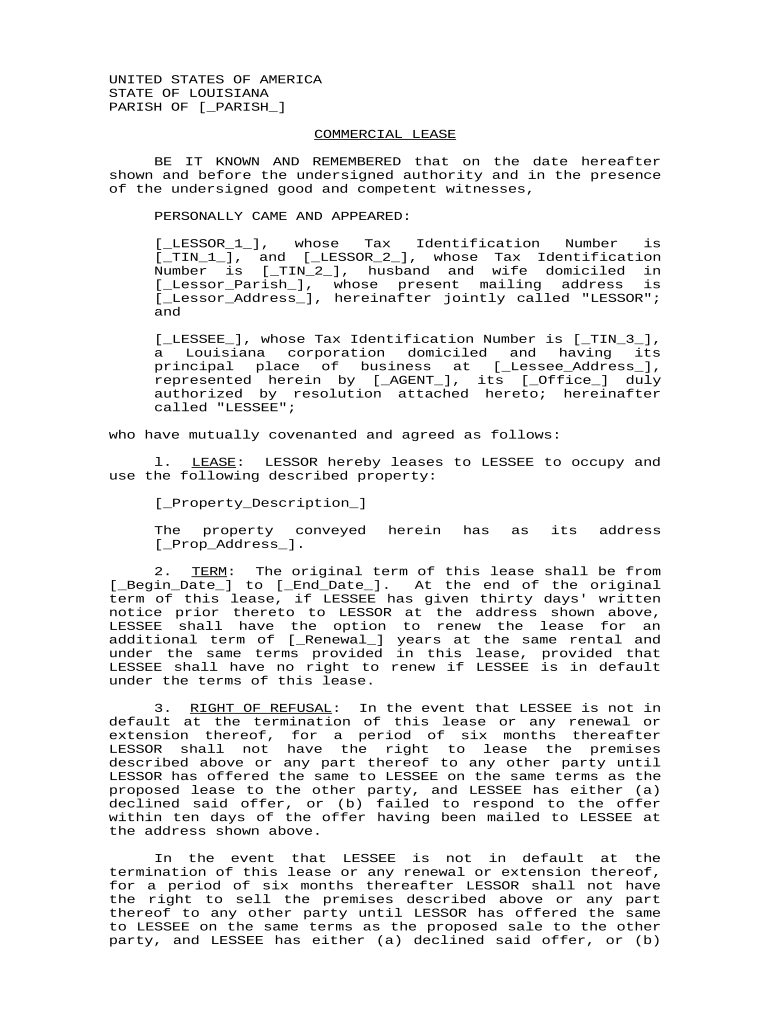
la commercial lease form Preview on Page 1

Here's how it works

01. Edit your form online
Type text, add images, blackout confidential details, add comments, highlights and more.
02. Sign it in a few clicks
Draw your signature, type it, upload its image, or use your mobile device as a signature pad.
03. Share your form with others
Send it via email, link, or fax. You can also download it, export it or print it out.

How to use or fill out la commercial lease form with our platform

Form edit decoration
9.5
Ease of Setup
DocHub User Ratings on G2
9.0
Ease of Use
DocHub User Ratings on G2
  1. Click ‘Get Form’ to open the la commercial lease form in the editor.
  2. Begin by filling in the Lessor's details, including names and Tax Identification Numbers in the designated fields. Ensure accuracy as this information is crucial for legal purposes.
  3. Next, input the Lessee's information, including their name, Tax Identification Number, and address. This section identifies who will be leasing the property.
  4. Describe the property being leased by entering its address and any specific details about it in the provided fields.
  5. Specify the lease term by entering the start and end dates. If applicable, indicate any renewal options available to the Lessee.
  6. Fill in rental payment details, including monthly rent amount and due date. Be sure to note any late fees that may apply if payments are delayed.
  7. Complete additional sections regarding repairs, maintenance responsibilities, and indemnification clauses as required by your agreement.
  8. Finally, review all entered information for accuracy before signing. Use our platform’s signature feature to securely sign the document electronically.

Start using our platform today to easily complete your la commercial lease form online for free!

be ready to get more

Complete this form in 5 minutes or less

Get form

Got questions?

We have answers to the most popular questions from our customers. If you can't find an answer to your question, please contact us.
Contact us

Sign in to your DocHub account and add your la commercial lease form to our editor using one of its upload methods - from your device, cloud storage, secure URL, or your DocHub folders if you have already managed your form before. Open our editor, click the Sign button in the top toolbar, and choose your signing method. You can upload an image of your handwritten signature, draw it, type in your name, or use a QR code instead.

Document editing with DocHub is equally convenient on desktop and mobile devices. You only need an internet browser to edit your la commercial lease form on Android. Open our site and sign in to access the instruments you require. Add your document and introduce your intended modifications. After that, you can keep your form in your document storage or send it out instantly.

Key Elements of a Commercial Lease Property Description. A clear and precise description of the property is fundamental. Lease Term. Rent and Payment Terms. Use of Property. Maintenance and Repairs. Alterations and Improvements. Insurance Requirements. Subleasing and Assignment.
Do Leases in Louisiana Need to Be docHubd? Aside from signing these contracts, Louisiana law doesnt require any party to get the document docHubd. However, if any party decides to get it docHubd, theyre free to do it.
In Louisiana, when you rent a place to live, you can either make an agreement with your landlord verbally or put it in writing. However, it is generally recommended to have a written agreement because it helps avoid any confusion or disagreements later on.

Security and compliance

At DocHub, your data security is our priority. We follow HIPAA, SOC2, GDPR, and other standards, so you can work on your documents with confidence.

Learn more
ccpa2
pci-dss
gdpr-compliance
hipaa
soc-compliance

People also ask

However, generally a well-drafted lease should begin with a contents page and the lease itself will be ordered as follows: Details of the parties. Definitions and interpretation. Operative clauses. Schedules. Provisos. Signature.
Tenants without a written lease still have basic rights, including the right to a habitable living space, privacy, and proper notice before eviction. Verbal rental agreements are legally binding in California, but its best to document important communications and keep records of rent payments.
The TMI includes property tax, maintenance and insurance. In a NNN (triplet net) lease, the landlord is only responsible for the structural repair and the general maintenance is the responsibility of the tenants. The tenants also pay for the property tax and property insurance.

Related links