Type text, add images, blackout confidential details, add comments, highlights and more.
02. Sign it in a few clicks
Draw your signature, type it, upload its image, or use your mobile device as a signature pad.
03. Share your form with others
Send motion to suppress example via email, link, or fax. You can also download it, export it or print it out.
How to use or fill out motion suppress with our platform
Ease of Setup
DocHub User Ratings on G2
Ease of Use
DocHub User Ratings on G2
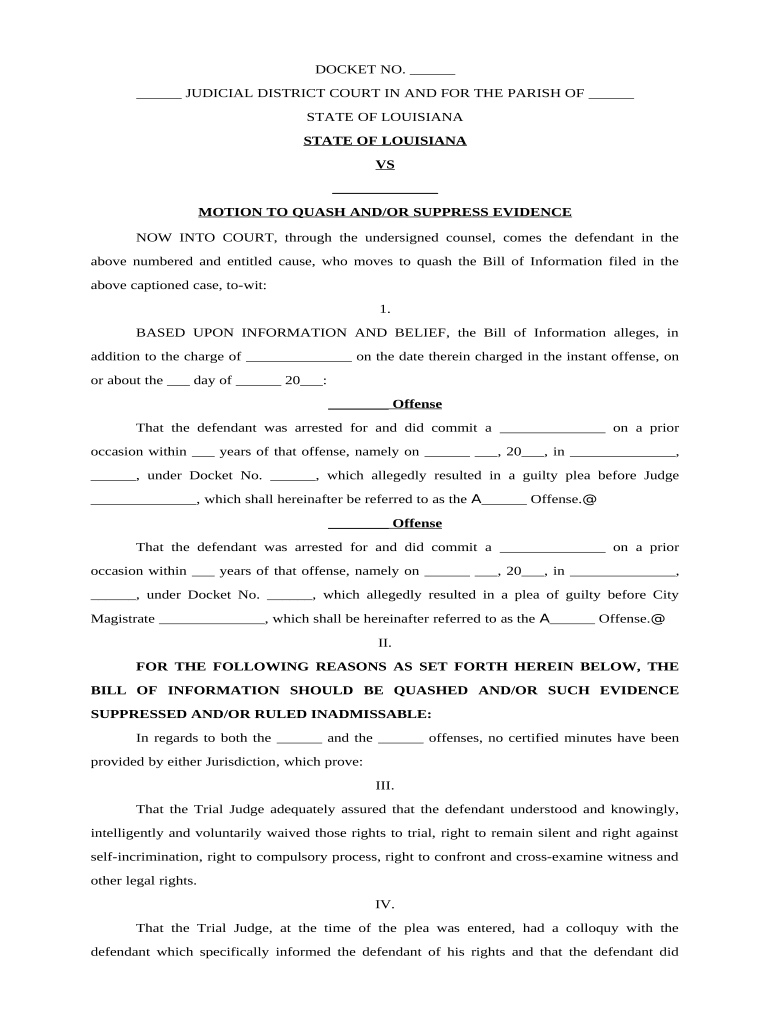
Click ‘Get Form’ to open the motion suppress document in the editor.
Begin by filling in the DOCKET NO. and JUDICIAL DISTRICT COURT details at the top of the form. Ensure accuracy as this information is crucial for your case.
In the section labeled 'STATE OF LOUISIANA VS', enter the name of the defendant. This identifies who is filing the motion.
Proceed to detail the offenses listed under 'BASED UPON INFORMATION AND BELIEF'. Fill in each blank with specific charges, dates, and locations related to prior offenses.
In sections II through VII, provide a comprehensive explanation of why you believe the Bill of Information should be quashed or evidence suppressed. Use clear and concise language to outline your arguments.
Finally, sign and date the document at the bottom where indicated, ensuring that all required fields are completed before submission.
Start using our platform today for free to streamline your motion suppress process!
How often does a motion to suppress workMotion to suppress evidence exampleWhat happens if a motion to suppress is grantedWhat happens at a motion to suppress hearingMotion to suppress PDFWho has the burden of proof in a motion to suppressMotion to suppress deniedHow to file a motion to suppress evidence
Security and compliance
At DocHub, your data security is our priority. We follow HIPAA, SOC2, GDPR, and other standards, so you can work on your documents with confidence.
A short history of Radiotherapy - Part 2: The megavoltage
Oct 1, 2025 Megavoltage radiotherapy with Co60 and linear accelerators, allowing to deliver tumoricidal dose to the deepest tumors while to better spare
15A‑977. Motion to suppress evidence in superior court
(a). A motion to suppress evidence in superior court made before trial must be in writing and a copy of the motion must be served upon the State. The motionRead more
A motion to suppress is a request made by a criminal defendant in advance of a criminal trial asking the court to exclude certain evidence from the trial.Read more
Cookie consent notice
This site uses cookies to enhance site navigation and personalize your experience.
By using this site you agree to our use of cookies as described in our Privacy Notice.
You can modify your selections by visiting our Cookie and Advertising Notice.