Type text, add images, blackout confidential details, add comments, highlights and more.
02. Sign it in a few clicks
Draw your signature, type it, upload its image, or use your mobile device as a signature pad.
03. Share your form with others
Send it via email, link, or fax. You can also download it, export it or print it out.
How to use or fill out court filing motion with our platform
Ease of Setup
DocHub User Ratings on G2
Ease of Use
DocHub User Ratings on G2
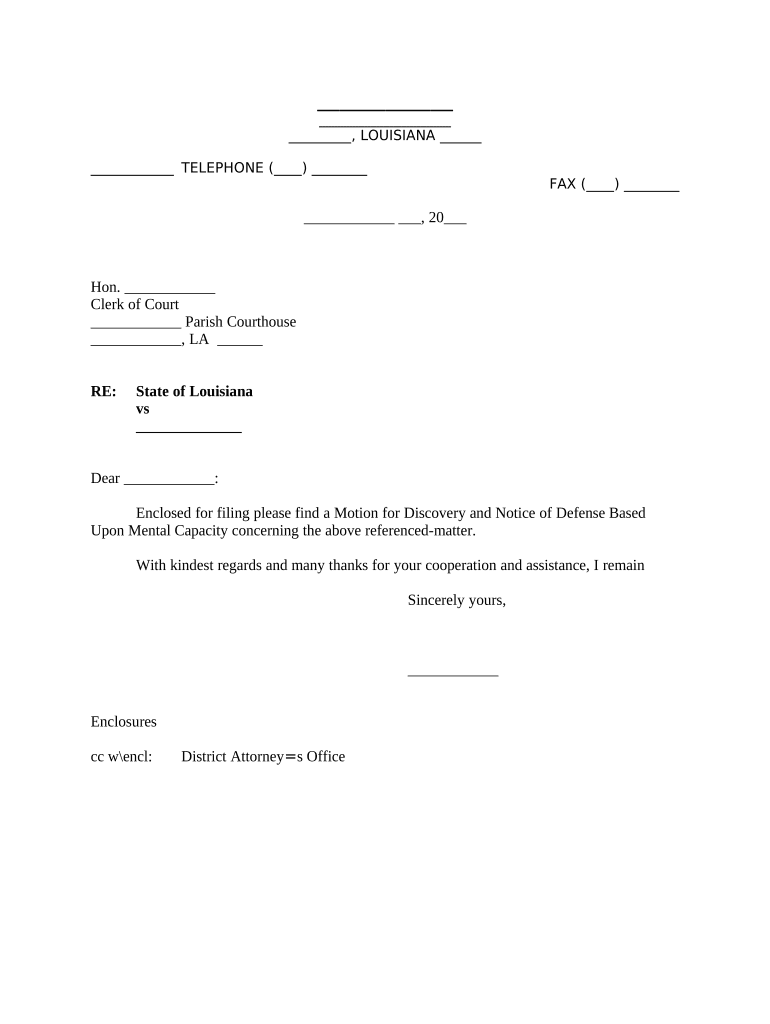
Click ‘Get Form’ to open the Motion for Discovery and Notice of Defense Based Upon Mental Capacity in the editor.
Begin by entering your contact information at the top of the form, including your name, address, and telephone number. Ensure all details are accurate for proper communication.
Next, fill in the date on which you are submitting the motion. This is crucial for court records and timelines.
Address the form to the Clerk of Court by entering their name and title, followed by the courthouse's name and address. This ensures that your motion reaches the correct office.
In the body of the letter, clearly state that you are enclosing a Motion for Discovery and Notice of Defense Based Upon Mental Capacity. Be concise yet informative.
Sign off with your name at the bottom of the form. If necessary, include any additional enclosures or copies as indicated in your correspondence.
Start using our platform today to streamline your court filing process for free!
How to file a motion with the court without an attorneyNYSCEFWhat happens after a motion is filed in courtCPLR 5513(b)How to write a motion for courtHow to file a motion to dismiss without a lawyerNotice of MotionCPLR 2214
Security and compliance
At DocHub, your data security is our priority. We follow HIPAA, SOC2, GDPR, and other standards, so you can work on your documents with confidence.
Introduction. A motion for summary judgement is the most common mechanism by which FOIA cases are resolved. It is a pre-trial motion in which one partyRead more
Rule 11. Signing Pleadings, Motions, and Other Papers
Every pleading, written motion, and other paper must be signed by at least one attorney of record in the attorneys nameor by a party personally if the partyRead more
A motion is an application to the court made by the prosecutor or defense attorney, requesting that the court make a decision on a certain issue before theRead more
Cookie consent notice
This site uses cookies to enhance site navigation and personalize your experience.
By using this site you agree to our use of cookies as described in our Privacy Notice.
You can modify your selections by visiting our Cookie and Advertising Notice.