Type text, add images, blackout confidential details, add comments, highlights and more.
02. Sign it in a few clicks
Draw your signature, type it, upload its image, or use your mobile device as a signature pad.
03. Share your form with others
Send disbursement via email, link, or fax. You can also download it, export it or print it out.
How to use or fill out disbursement sheet with our platform
Ease of Setup
DocHub User Ratings on G2
Ease of Use
DocHub User Ratings on G2
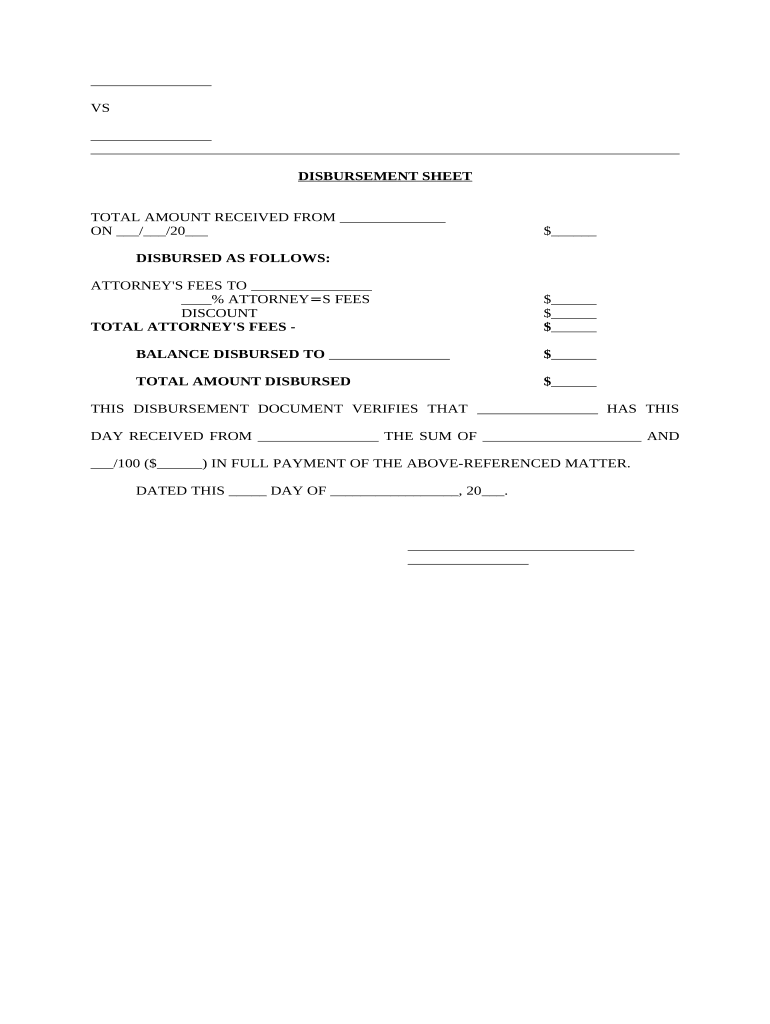
Click ‘Get Form’ to open the disbursement sheet in the editor.
Begin by entering the total amount received from the relevant source in the designated field. Ensure you include the date of receipt in the format MM/DD/YYYY.
In the 'DISBURSED AS FOLLOWS' section, specify the attorney's fees. Fill in the name of the attorney and their percentage fee. Calculate and input any applicable discounts.
Next, enter the balance that is being disbursed to other parties in the provided field.
Finally, confirm all amounts are accurate and complete. Sign and date at the bottom of the form to verify receipt of payment.
Start using our platform today for free to streamline your disbursement process!
Settlement disbursement sheetSBA Form 1050SBA Form 1050 no longer requiredSettlement Breakdown exampleIs SBA form 1050 still requiredSba Form 1050 pdfFinal Settlement Statement example
Security and compliance
At DocHub, your data security is our priority. We follow HIPAA, SOC2, GDPR, and other standards, so you can work on your documents with confidence.
From the total Post-withdrawal Disbursement due (Box 1), subtract the Post-withdrawal Disbursement to be credited to the students ac- count (Box 2) .Read more
Disbursement Form that contains multiple payees (ex: student stipends) requires a list attached with the name, address, Banner ID# or last four digits of theRead more
Cookie consent notice
This site uses cookies to enhance site navigation and personalize your experience.
By using this site you agree to our use of cookies as described in our Privacy Notice.
You can modify your selections by visiting our Cookie and Advertising Notice.