Type text, add images, blackout confidential details, add comments, highlights and more.
02. Sign it in a few clicks
Draw your signature, type it, upload its image, or use your mobile device as a signature pad.
03. Share your form with others
Send complete contract via email, link, or fax. You can also download it, export it or print it out.
How to use or fill out contract completion with our platform
Ease of Setup
DocHub User Ratings on G2
Ease of Use
DocHub User Ratings on G2
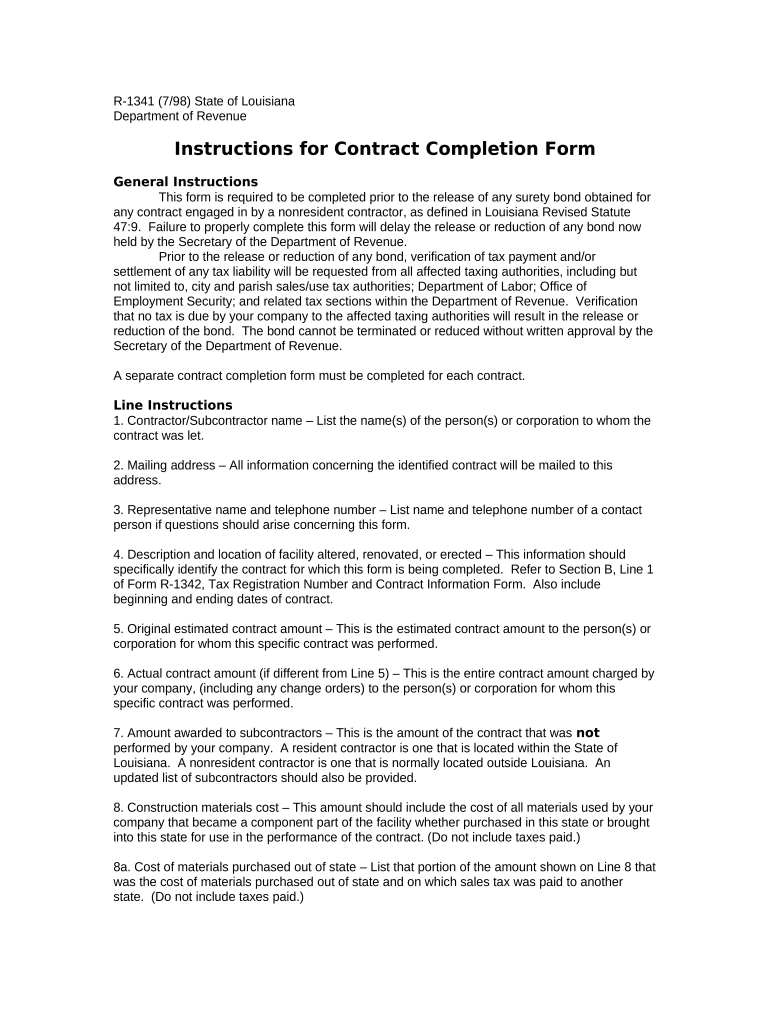
Click ‘Get Form’ to open the contract completion form in the editor.
Begin by entering the Contractor/Subcontractor name in the designated field. This should reflect the individual or corporation responsible for the contract.
Fill in the mailing address where all correspondence regarding this contract will be sent. Ensure accuracy to avoid delays.
Provide a representative's name and telephone number for any inquiries related to this form, ensuring that you can be easily contacted.
In the description section, detail the facility that was altered, renovated, or erected, including its location and relevant dates of work.
Complete the financial sections by entering both the original estimated contract amount and the actual contract amount if it differs. Include amounts awarded to subcontractors as necessary.
Continue filling out tax-related fields, detailing costs for construction materials, equipment, rentals, and any taxes paid directly to state or local authorities.
Finally, review all entries for accuracy before signing and submitting your completed form through our platform.
Start using our platform today for free to streamline your contract completion process!
What is contract termination? Contract termination is the process of ending a contract before the obligations within it have been fulfilled by all parties. This means that one or more parties have made the decision to conclude the contract earlier than they had originally agreed when drafting and signing it.
How do you say a contract is finished?
Synonyms for Completion of the contract termination of the contract. contract termination. expiry of the contract. end of the contract. contract expires. end of their contract. end of contract. end of the decade.
How long after signing contract is completion?
Completion usually takes place 1-2 weeks after the exchange of contracts, but it can take up to a few months. Longer delays can occur if: Someone in the chain is renting and needs to give notice to terminate their tenancy. A property in the chain is a new build, as they might not be finished on time.
What is it called when a contract is completed?
What is an executed contract? An executed contract is the final product of a legally binding, enforceable agreement between parties. This contract can be in the form of a written document or a verbal agreement. Once all parties have fulfilled their obligations, the contract is considered executed.
What is the contract completion period?
Contract Completion Date is the date, determined by SCC on which the Project is to docHub Substantial Completion. The Contract Completion Date will be determined based on the duration for the Project set by the Contract as adjusted by any Contract Modifications that extend or reduce the duration of the Project.
Contract Completion means the schedule milestone when the work is completed according to the terms of the contract documents and all other responsibilities, under the contract documents, have been met.
completion agreement
CONTRACT COMPLETION STATEMENT
(Check this box only if final completion of any docHub purchasing office action extends more than three months beyond close-out date shown in item 9d.
The Contract Completion and Closeout phase of the procurement lifecycle is defined as the procedural and administrative tasks required to change the status of
Cookie consent notice
This site uses cookies to enhance site navigation and personalize your experience.
By using this site you agree to our use of cookies as described in our Privacy Notice.
You can modify your selections by visiting our Cookie and Advertising Notice.